Best for console gaming compatibility
Samsung Odyssey G70D S32DG70
5.0 attribute score
Highest scored product for this attribute based on supporting review evidence.

Highest scored product for this attribute based on supporting review evidence.
Balances the attribute score, supporting reviews, and overall product strength.
Has the broadest review evidence for this attribute.
Strongest overall product among items with scored evidence for this attribute.

Overall: 3.1/5
The 4K screen, HDMI 2.1 and 120Hz support make this a particularly strong match for modern Xbox and PlayStation use, with several enthusiastic owner endorsements.
Pros: PC gaming compatibility, overall picture quality
Cons: overall satisfaction, Smart TV platform

Overall: 4.2/5
4K at 120Hz, VRR, HDMI 2.1, and HDR support make it a strong match for current consoles. An external audio solution is required because there are no speakers.
Pros: overall satisfaction, black levels
Cons: value for money, stand adjustability
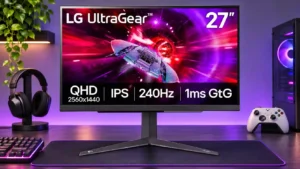
Overall: 4.2/5
PS5 and Xbox owners benefit from strong HDMI compatibility, 120Hz support, VRR, and useful 4K-input downscaling. HDR quality remains the main console caveat.
Pros: refresh rate, overall satisfaction
Cons: HDR performance, contrast

Overall: 4.1/5
PS5 and Xbox testing finds broad 4K/120Hz and VRR support, making this an unusually capable 5K display for consoles.
Pros: Pixel density, Resolution
Cons: GPU demands, HDR performance

Overall: 4.3/5
Console modes can deliver 4K and 120Hz in a correctly sized 16:9 area, and supported HDR sources benefit from Dolby Vision. Consoles generally do not fill the entire 21:9 panel.
Pros: overall satisfaction, Text fringing
Cons: brightness, Edge dimming behavior

Overall: 4.0/5
PlayStation testing confirms 4K/120Hz video with HDR and VRR, while lower-resolution console sources can benefit from optional upscaling.
Pros: Resolution, Dual-mode versatility
Cons: value for money, GPU demands

Overall: 4.4/5
The HDMI inputs accept 4K/120Hz console signals and downscale them to the native QHD screen with useful HDR and VRR support.
Pros: overall satisfaction, response time
Cons: reflection handling, VRR flicker

Overall: 4.2/5
PlayStation and Xbox compatibility is unusually accommodating for an office monitor, including 4K/120Hz and variable-refresh signals. Actual motion clarity remains its limitation.
Pros: port selection, USB hub functionality
Cons: competitive gaming suitability, motion clarity

Overall: 4.1/5
PlayStation 5, Xbox and Switch 2 are well served by 4K, HDR and modern HDMI support. Console output tops out below the monitor’s full 240Hz capability.
Pros: PC gaming compatibility, reflection handling
Cons: color accuracy, VRR flicker

Overall: 4.2/5
HDMI 2.1 and console VRR support enable 4K at 120Hz on modern consoles, with response blur the main compromise.
Pros: port selection, overall satisfaction
Cons: value for money, competitive gaming suitability
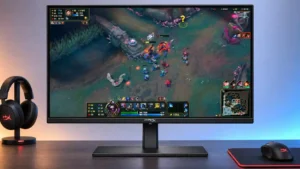
Overall: 4.1/5
HDMI 2.1 and 1440p/120Hz capability make the monitor an appealing match for PlayStation and Xbox consoles.
Pros: black levels, overall picture quality
Cons: brightness, Gaming feature selection
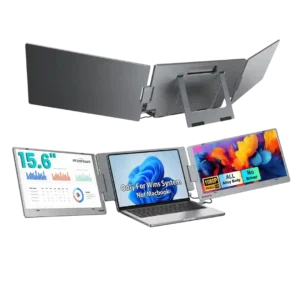
Overall: 4.2/5
Console gaming gets one enthusiastic customer endorsement. That user reports successful PS5 use and says Call of Duty looked excellent on the screens.
Pros: overall satisfaction, portability and weight
Cons: reliability over time

Overall: 4.1/5
A PS5 Pro worked well in hands-on play, with smooth motion and appealing OLED visuals.
Pros: competitive gaming suitability, refresh rate
Cons: Dual-mode versatility, GPU demands

Overall: 4.2/5
Current consoles benefit from 4K/120Hz HDMI 2.1 and superb OLED contrast, though the monitor lacks built-in speakers and Dolby Vision.
Pros: overall satisfaction, black levels
Cons: reflection handling, Color brightness

Overall: 4.2/5
4K, HDR, VRR and strong 120Hz responsiveness make modern consoles look excellent. The 240Hz maximum is largely unused, and separate audio is needed.
Pros: reflection handling, color gamut
Cons: value for money, brightness

Overall: 4.3/5
Console compatibility was praised thanks to HDMI support and strong PS5/Xbox signal handling, despite the panel exceeding console frame-rate needs.
Pros: value for money, sharpness
Cons: brightness, USB hub functionality

Overall: 4.3/5
Console support is strong, with 1440p, 120Hz, VRR, and low-latency options. Some Xbox and 4K-upscaling settings may need extra toggling before they work correctly.
Pros: color gamut, overall picture quality
Cons: brightness, HDR performance

Overall: 3.6/5
HDMI 2.1 and very low lag serve PS5 and Xbox gaming well, while retro signals also work unusually reliably. Consoles generally benefit more from native 4K than 480Hz mode.
Pros: refresh rate, Dual-mode versatility
Cons: motion clarity, black levels

Overall: 4.2/5
HDMI 2.1 supports 4K at up to 120Hz with modern consoles, with some Xbox signal-format quirks noted in testing.
Pros: value for money, Resolution
Cons: port selection, competitive gaming suitability

Overall: 4.2/5
PS5-oriented use is praised for 4K, HDR, and variable refresh support, with the caveat that there is only one HDMI input.
Pros: overall picture quality, overall satisfaction
Cons: port selection, brightness

Overall: 4.0/5
Two HDMI 2.1 connections support current console gaming well, including 4K/120Hz use. At 60Hz, the 240Hz-focused premium is harder to justify.
Pros: overall satisfaction, DisplayPort connectivity
Cons: value for money, reliability over time

Overall: 4.3/5
HDMI supports downscaled 4K/120Hz and key console gaming features; ELMB at 120Hz is a bonus. Lack of speakers and Dolby Vision may require compromises.
Pros: black levels, motion clarity
Cons: value for money, Dual-mode versatility
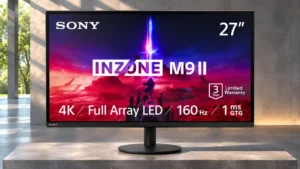
Overall: 3.9/5
Modern PlayStation and Xbox consoles connect with 4K HDR, VRR and high-frame-rate support. PS5 brings the closest integration, though 160Hz itself exceeds consoles’ 120Hz output.
Pros: color gamut, stand adjustability
Cons: value for money, Bass reproduction

Overall: 3.9/5
HDMI 2.1 supports 4K, HDR and 120Hz console play; the image impresses, though consoles cannot use the full 240Hz or 480Hz capabilities.
Pros: brightness, color gamut
Cons: AI scene optimization, value for money

Overall: 4.4/5
PS5 and Xbox can take advantage of HDMI 2.1, 120Hz and compatible VRR/HDR modes, though accepted 4K signals are displayed at native 1440p.
Pros: color gamut, overall satisfaction
Cons: reflection handling, VRR flicker

Overall: 4.4/5
Modern consoles receive strong 4K/120Hz, VRR, HDMI 2.1, and CEC support. Black-frame insertion cannot be used from a 120Hz console signal, and Dolby Vision is absent.
Pros: brightness, reflection handling
Cons: cable management

Overall: 3.8/5
HDMI 2.1 bandwidth and 4K/120Hz support suit modern consoles, although a test noted that Xbox 1440p at 120Hz is not supported.
Pros: value for money, Resolution
Cons: port selection, HDR performance

Overall: 4.1/5
Dual HDMI inputs and useful console VRR support make it a practical option for a PS5 or other game console, although there is no headphone output.
Pros: value for money, overall satisfaction
Cons: HDR performance, Headphone output quality

Overall: 4.2/5
HDMI 2.1 and 4K/120Hz support make current consoles easy to use; occasional 60Hz dimming flicker remains a caveat.
Pros: HDR performance, overall satisfaction
Cons: HDR highlight detail, color accuracy
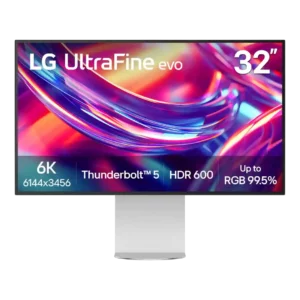
Overall: 3.9/5
The monitor can switch easily between computers and a game system through its multi-input setup. The connection flexibility is good, even though the panel itself is not aimed at serious...
Pros: port selection, overall satisfaction
Cons: value for money, cable management

Overall: 3.6/5
Full-bandwidth HDMI 2.1, VRR, HDR and Dolby Vision offer excellent modern console compatibility. The 16:9 panel avoids ultrawide game-format issues.
Pros: overall satisfaction, brightness
Cons: Dolby Vision support, VRR flicker

Overall: 4.4/5
PS5 and Xbox support reaches 4K at 120Hz, with Dolby Vision providing an extra option on Xbox. Console players cannot use the panel's full 240Hz rate.
Pros: sharpness, overall satisfaction
Cons: value for money, VRR flicker

Overall: 4.2/5
Modern consoles work well at 4K up to 120Hz through HDMI 2.1, with vivid OLED contrast and fast response. They cannot exploit the entire 240Hz capacity.
Pros: HDR performance, DisplayPort connectivity
Cons: value for money, brightness

Overall: 4.2/5
PS5, Switch 2 and Xbox use cases work well, with 4K 120Hz and VRR available where supported by the console and game.
Pros: brightness, HDR performance
Cons: speaker quality, built-in speakers

Overall: 4.1/5
Modern consoles work well with the display at 16:9, although their lack of ultrawide output means black sidebars.
Pros: Resolution, overall satisfaction
Cons: value for money, Image scaling

Overall: 4.0/5
Modern consoles work well at 1440p and up to 120Hz, but full 4K/120Hz bandwidth and some audio passthrough features are unavailable.
Pros: overall satisfaction, refresh rate
Cons: HDR performance, HDMI 2.1 support

Overall: 3.8/5
Modern consoles can make good use of the QHD OLED display at up to 120Hz, but specialized resolution handling and scaling are less dependable.
Pros: value for money, panel type
Cons: brightness, port selection

Overall: 4.1/5
Dual HDMI 2.1 inputs and 120Hz VRR support make the monitor well suited to modern consoles. VRR anti-flicker support may depend on firmware.
Pros: motion clarity, PC gaming compatibility
Cons: color accuracy, software support
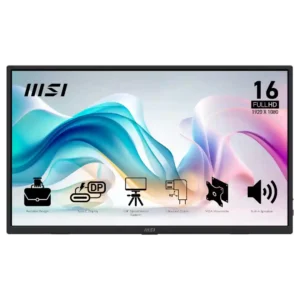
Overall: 4.1/5
Console compatibility is generally solid, especially with Nintendo Switch, though some setups require HDMI plus external power.
Pros: value for money, portability and weight
Cons: built-in speakers, color gamut

Overall: 4.1/5
PS5 games can look superb with rich OLED contrast and HDR. A long-term owner experienced recurring PS5 no-signal problems that required power-cycling.
Pros: overall satisfaction, value for money
Cons: reflection handling, screen uniformity

Overall: 3.9/5
PS5 and Xbox benefit from HDMI 2.1, VRR and 120Hz support, including scaled 4K input in Console Mode. Dolby Vision and some less common 4K video cadences are unavailable.
Pros: HDR performance, black levels
Cons: viewing angles, response time

Overall: 4.0/5
PS5 and Xbox work with modern HDMI signals and enjoy OLED contrast, but they cannot exploit 480Hz and a few lower-refresh quirks remain.
Pros: refresh rate, competitive gaming suitability
Cons: value for money, brightness

Overall: 3.9/5
HDMI 2.1, 4K/120Hz and VRR make it a capable match for modern consoles. Its missing onboard audio options are less convenient for certain console setups.
Pros: Resolution, refresh rate
Cons: HDR performance, contrast

Overall: 4.0/5
Console support includes 120Hz options and 4K downscaling, with HDMI bandwidth and chroma-format tradeoffs to consider.
Pros: brightness, contrast
Cons: Text fringing, speaker quality

Overall: 4.0/5
HDMI 2.1 supports PlayStation and Xbox at 4K120 with VRR; the PC-only 160/320Hz figures do not apply to consoles.
Pros: Dual-mode versatility, refresh rate
Cons: black levels, contrast

Overall: 4.4/5
HDMI inputs work for console connections and visually rich games, though high-frame-rate gaming is not its specialty.
Pros: port selection, color accuracy
Cons: built-in speakers, speaker quality

Overall: 4.1/5
HDMI input allows console use for basic play, but without high-refresh benefits.
Pros: color accuracy, overall picture quality
Cons: HDR performance, refresh rate

Overall: 4.2/5
Modern console connections are supported through HDMI 2.1, though the ultrawide format and motion handling create caveats.
Pros: overall satisfaction, screen size
Cons: stand adjustability, Photo editing

Overall: 3.7/5
HDMI connections can accommodate a console alongside a PC, although the limited number of inputs reduces flexibility.
Pros: value for money, black levels
Cons: refresh rate, portability and weight

Overall: 3.5/5
Modern PS5/Xbox signals are broadly supported, but 4K/160Hz benefits are PC-oriented and some HDR/audio quirks persist.
Pros: HDR performance, overall satisfaction
Cons: local dimming performance, Blooming control