Best for black levels
ASUS ROG Strix OLED XG32UCWMG
5.0 attribute score
Highest scored product for this attribute based on supporting review evidence.

Highest scored product for this attribute based on supporting review evidence.
Balances the attribute score, supporting reviews, and overall product strength.
Has the broadest review evidence for this attribute.
Strongest overall product among items with scored evidence for this attribute.

Overall: 4.2/5
Per-pixel black reproduction is deep and inky, with stronger ambient-light black retention than several rival QD-OLEDs.
Pros: overall satisfaction, black levels
Cons: reflection handling, Color brightness

Overall: 4.2/5
OLED blacks look deep, clean, and convincing, enhancing shadowy environments and nighttime scenes. Black reproduction is one of the monitor's most dependable strengths.
Pros: refresh rate, overall satisfaction
Cons: value for money, port selection
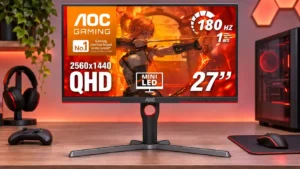
Overall: 3.9/5
The VA panel produces notably deep blacks even without local dimming; switching on the Mini LED zones gives dark games and movies considerably more depth.
Pros: value for money, HDR performance
Cons: on-screen display usability, port selection

Overall: 4.3/5
The panel produces outstanding OLED blacks and retains more depth under ambient lighting than many competing panel and coating combinations.
Pros: black levels, motion clarity
Cons: value for money, Dual-mode versatility

Overall: 4.0/5
Individually controlled OLED pixels deliver convincing, nearly ink-black shadows and an immersive dark-scene image.
Pros: refresh rate, competitive gaming suitability
Cons: value for money, brightness

Overall: 3.8/5
Deep, inky blacks give dark scenes convincing depth, although strong ambient light can raise blacks toward gray or purple.
Pros: value for money, panel type
Cons: brightness, port selection

Overall: 4.1/5
Individual OLED pixels switch fully off for exceptionally deep blacks. This gives dim environments, shadowy games and high-contrast scenes real depth.
Pros: Resolution, overall satisfaction
Cons: value for money, GPU demands

Overall: 3.9/5
Deep VA blacks are among the monitor's strongest attractions, with higher local-dimming settings approaching near-black backgrounds. More aggressive settings can also suppress small bright details.
Pros: HDR performance, black levels
Cons: viewing angles, response time

Overall: 4.4/5
The Tandem WOLED panel delivers extremely deep blacks and retains them unusually well in ambient light, unlike many QD-OLED competitors.
Pros: overall satisfaction, response time
Cons: reflection handling, VRR flicker

Overall: 4.3/5
Deep OLED blacks are a standout, and the WOLED design holds black depth unusually well even with ambient room lighting.
Pros: black levels, sharpness
Cons: value for money, brightness

Overall: 4.3/5
Per-pixel OLED control delivers inky blacks and convincing shadowed environments without backlight halos. Dark scenes look rich even with some room lighting.
Pros: overall satisfaction, Text fringing
Cons: brightness, Edge dimming behavior

Overall: 4.1/5
True OLED blacks look inky and deep, with Tandem WOLED generally retaining their depth under ambient light better than QD-OLED rivals.
Pros: Resolution, overall satisfaction
Cons: value for money, Image scaling
Overall: 4.1/5
Dark scenes reveal rich, inky blacks that LCD monitors struggle to match, particularly in dim rooms.
Pros: black levels, overall picture quality
Cons: brightness, Gaming feature selection

Overall: 4.3/5
Black levels are a standout, staying truly dark instead of washing into gray and preserving detail in shadow-heavy scenes.
Pros: color gamut, overall picture quality
Cons: brightness, HDR performance

Overall: 4.1/5
WOLED maintains inky blacks even with room lighting, a notable edge over the purple-tinted blacks sometimes seen on QD-OLED.
Pros: overall satisfaction, value for money
Cons: reflection handling, screen uniformity

Overall: 3.7/5
Deep OLED blacks are one of the screen’s standout strengths, bringing dramatic depth to dark games and movies.
Pros: value for money, black levels
Cons: refresh rate, portability and weight

Overall: 4.1/5
OLED produces exceptionally deep blacks, making night scenes and highlights more convincing.
Pros: competitive gaming suitability, refresh rate
Cons: Dual-mode versatility, GPU demands

Overall: 4.2/5
The VA panel produces noticeably deeper, inkier blacks than a typical IPS display, giving dark scenes more weight.
Pros: overall satisfaction, screen size
Cons: stand adjustability, Photo editing

Overall: 4.0/5
The OLED panel produces genuinely inky blacks and convincing depth without the gray glow associated with conventional LCD backlights.
Pros: brightness, contrast
Cons: Text fringing, speaker quality

Overall: 3.9/5
Inky blacks are consistently a highlight, giving night scenes pronounced depth and helping bright objects stand apart.
Pros: brightness, color gamut
Cons: AI scene optimization, value for money

Overall: 4.2/5
The dense mini-LED backlight creates convincingly dark scenes, even if OLED still has an edge for completely black pixels.
Pros: refresh rate, HDR performance
Cons: value for money, Device compatibility

Overall: 4.4/5
Dark-room blacks look almost perfectly inky with no gray backlight haze. Direct lighting can make the QD-OLED panel appear grayish or purplish instead.
Pros: sharpness, overall satisfaction
Cons: value for money, VRR flicker

Overall: 4.4/5
Black levels are a major strength, with true pixel-off blacks and noticeably less purple lift in brighter rooms than older QD-OLED panels. DarkArmor does not eliminate ambient-light tint completely, but...
Pros: brightness, reflection handling
Cons: cable management
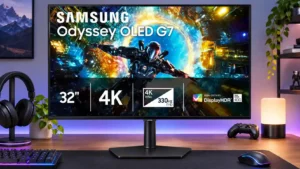
Overall: 3.8/5
Deep, near-perfect OLED blacks make dark game scenes feel rich and dramatic, particularly when contrasted with vivid highlights.
Pros: overall satisfaction, contrast
Cons: value for money, port selection

Overall: 4.2/5
Dark scenes are a standout: individual OLED pixels produce inky blacks and striking depth. Strong room lighting can give the QD-OLED surface a purplish appearance.
Pros: overall picture quality, overall satisfaction
Cons: port selection, brightness

Overall: 4.4/5
Self-lit OLED pixels produce strikingly deep blacks in dark rooms, while the new coating reduces the old purple-black tint under room lighting. Strong direct light can still wash blacks somewhat.
Pros: brightness, value for money
Cons: port selection, built-in speakers

Overall: 4.0/5
Individually lit OLED pixels produce convincingly deep blacks in controlled lighting, a striking improvement over typical LCD glow.
Pros: value for money, overall satisfaction
Cons: HDR performance, HDMI 2.1 support

Overall: 4.2/5
Inky, individually controlled blacks are a defining strength for games and movies in controlled lighting. Direct room light can lift the panel to a grayish or purple appearance.
Pros: competitive gaming suitability, color gamut
Cons: brightness, HDMI 2.1 support

Overall: 4.2/5
Deep, near-perfect blacks bring dark scenes to life when ambient light is controlled. In brighter spaces, the QD-OLED panel can make those blacks look purple or raised.
Pros: reflection handling, color gamut
Cons: value for money, brightness

Overall: 4.3/5
Black levels were a major strength in darker rooms, though some reviewers noted raised blacks in brighter environments.
Pros: value for money, sharpness
Cons: brightness, USB hub functionality

Overall: 4.4/5
The IPS Black panel produces deeper blacks than conventional IPS, making dark scenes and editing previews more satisfying. OLED and some Apple displays still render darker areas more convincingly.
Pros: color accuracy, stand adjustability
Cons: built-in speakers, Desk footprint

Overall: 4.4/5
Truly deep blacks are a highlight in dark rooms, but ambient light can turn them grayish or purple on this QD-OLED panel.
Pros: color gamut, overall satisfaction
Cons: reflection handling, VRR flicker

Overall: 4.0/5
Near-inky OLED blacks are a signature strength, especially in dark games and movies. Direct ambient light can raise them toward purple-gray, and one user found them too harsh.
Pros: overall satisfaction, DisplayPort connectivity
Cons: value for money, reliability over time

Overall: 4.0/5
Black levels are a meaningful improvement over older and conventional IPS displays, and owners upgrading from older Dell panels notice the difference. Newer QD-OLED screens still produce deeper blacks.
Pros: overall satisfaction, productivity versatility
Cons: value for money, reliability over time

Overall: 4.4/5
Per-pixel light control produces truly deep blacks in dim environments. Brighter rooms can still raise the perceived black floor despite the improved coating.
Pros: refresh rate, Text fringing
Cons: Resolution, GPU demands

Overall: 3.7/5
Several reviewers like the deep blacks for an affordable LCD, although they do not reach OLED levels and one user found them underwhelming.
Pros: value for money, Resolution
Cons: stand adjustability, viewing angles

Overall: 4.3/5
Deep, inky blacks are a major strength in darker rooms and games. Bright ambient light can lift QD-OLED blacks toward gray or purple, especially with the matte coating.
Pros: overall satisfaction, competitive gaming suitability
Cons: value for money, screen size

Overall: 3.7/5
Deep SDR blacks are a signature benefit of this VA screen, especially compared with conventional IPS panels.
Pros: ultrawide gaming experience, black levels
Cons: HDR performance, viewing angles

Overall: 4.2/5
The QD-OLED panel delivers exceptionally deep blacks in dark environments, and BlackShield reduces the old purple cast under room lighting. Bright light can still make blacks appear gray compared with...
Pros: overall satisfaction, black levels
Cons: value for money, stand adjustability

Overall: 4.5/5
OLED delivers extremely deep blacks in controlled lighting, and BlackShield reduces the purple cast of older QD-OLEDs. In brighter rooms, blacks can still look gray.
Pros: color gamut, contrast
Cons: value for money, Resolution

Overall: 4.2/5
IPS Black delivers noticeably deeper shadows than conventional IPS screens, making dark interfaces and films look richer. They still lack OLED depth and can look gray in dark rooms.
Pros: port selection, USB hub functionality
Cons: competitive gaming suitability, motion clarity

Overall: 4.0/5
With local dimming enabled, this IPS display can produce remarkably deep blacks. The unassisted panel's native contrast is much weaker, and small highlights sometimes lose brightness.
Pros: Resolution, Dual-mode versatility
Cons: value for money, GPU demands

Overall: 4.1/5
Blacks look nearly perfect in dim rooms. Direct room light can lift them toward gray or magenta.
Pros: motion clarity, PC gaming compatibility
Cons: color accuracy, software support

Overall: 4.3/5
Blacks look deeper and less gray than on standard IPS panels, helping dark interfaces and high-contrast work. They still lack the near-perfect depth of OLED, and matte coating can reduce...
Pros: productivity versatility, overall satisfaction
Cons: value for money, response time

Overall: 4.2/5
The VA panel produces convincingly deep blacks; default shadow crushing and occasional blooming keep it short of OLED precision.
Pros: brightness, HDR performance
Cons: speaker quality, built-in speakers

Overall: 4.1/5
The VA panel gives dark scenes deep blacks and strong contrast. It looks better in this regard than some IPS competitors, though it cannot match OLED blacks.
Pros: value for money, overall satisfaction
Cons: HDR performance, Headphone output quality

Overall: 4.2/5
Local dimming gives darker blacks than ordinary IPS, though KOORUI sometimes prioritizes brightness over the deepest possible blacks.
Pros: HDR performance, overall satisfaction
Cons: HDR highlight detail, color accuracy

Overall: 3.6/5
Per-pixel OLED blacks make dark environments exceptionally deep, including under ambient lighting. Some picture modes lift or crush near-black tones.
Pros: reflection handling, HDR performance
Cons: screen uniformity, Screen coating clarity

Overall: 4.4/5
Blacks look noticeably deeper than on standard IPS panels, helping the screen feel richer and more immersive. Some greyish glow remains in very dark scenes and rooms.
Pros: productivity versatility, aspect ratio
Cons: value for money, competitive gaming suitability

Overall: 4.1/5
Blacks look exceptionally deep in dark rooms, yet can take on a purple cast under strong ambient light. Some HDR configurations also crush the nearest dark shades.
Pros: PC gaming compatibility, reflection handling
Cons: color accuracy, VRR flicker