Best for Tactical shooter gaming
MSI MPG 341CQR QD-OLED X36
5.0 attribute score
Highest scored product for this attribute based on supporting review evidence.

Highest scored product for this attribute based on supporting review evidence.
Balances the attribute score, supporting reviews, and overall product strength.
Has the broadest review evidence for this attribute.
Strongest overall product among items with scored evidence for this attribute.

Fast enemies remain easy to track in games such as Counter-Strike and Overwatch. A smaller competitive image mode can also help focused aiming.
Pros: motion clarity, Backlight strobing
Cons: contrast, HDR performance

Fast response and exceptionally low lag feel well suited to Counter-Strike, Valorant and similar shooters, provided frame rates can keep up.
Pros: competitive gaming suitability, stand adjustability
Cons: color gamut, contrast

Quick transitions and high refresh help track targets, although the wider format is not every competitive player’s preference.
Pros: refresh rate, Text fringing
Cons: Resolution, GPU demands

The monitor also makes CS-style aiming, flicks and target tracking feel crisp and responsive. Very high refresh and precise motion suit close competitive engagements.
Pros: competitive gaming suitability, motion clarity
Cons: contrast, overall picture quality

High-refresh 1440p mode and shadow visibility tools can help competitive shooters feel smooth and make targets easier to spot.
Pros: Pixel density, Resolution
Cons: GPU demands, HDR performance

Fast pixel response and clear movement help track enemies during rapid turns, smoky scenes and high-pressure firefights.
Pros: overall satisfaction, response time
Cons: reflection handling, VRR flicker
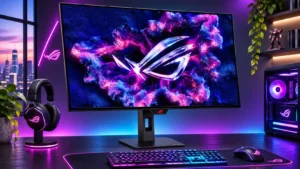
Fast motion, tiny input delay and smaller-image modes help shooters, but the 1080p speed mode can obscure distant opponents.
Pros: overall satisfaction, black levels
Cons: reflection handling, Color brightness

Fast-paced shooters benefit from very low motion blur, quick reactions and high refresh rates.
Pros: value for money, panel type
Cons: brightness, port selection

Tactical shooters benefit from low input delay, near-instant pixel transitions and extra target-visibility controls.
Pros: brightness, contrast
Cons: Text fringing, speaker quality
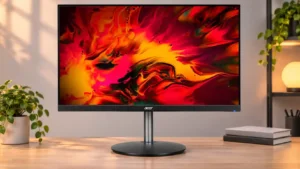
The fast refresh and prompt response suit FPS titles and competitive online play.
Pros: adaptive sync performance, PC gaming compatibility
Cons: HDR performance, contrast

Fast target movement remains sharp, helping in competitive shooters.
Pros: overall satisfaction, value for money
Cons: reflection handling, screen uniformity
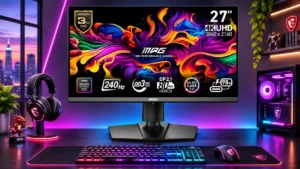
Fast pixel response and the manageable 27-inch view aid awareness and targeting in quick shooters.
Pros: HDR performance, DisplayPort connectivity
Cons: value for money, brightness

Fast shooters such as Counter-Strike benefit from exceptionally clear 240Hz action, with latency best kept low by avoiding heavy VRR stabilization.
Pros: PC gaming compatibility, reflection handling
Cons: color accuracy, VRR flicker

Valorant, Counter-Strike and Battlefield play particularly well with high refresh and quick motion, aided by FPS presets.
Pros: overall satisfaction, refresh rate
Cons: HDR performance, HDMI 2.1 support

High refresh and low perceived lag make shooters feel smooth, although demanding players may prefer a faster panel.
Pros: stand adjustability, competitive gaming suitability
Cons: value for money, port selection

Fast competitive shooters benefit from the 330Hz Full HD mode, provided you accept visibly reduced sharpness.
Pros: overall satisfaction, contrast
Cons: value for money, port selection

The fast mode aids aiming and responsiveness in shooters, but 1080p softness can complicate spotting smaller targets. Some esports-focused players may prefer a dedicated high-refresh display.
Pros: Resolution, refresh rate
Cons: HDR performance, contrast

Fast response and high refresh rates help with tracking action, but some competitive players prefer a physically smaller or faster 360Hz-plus screen.
Pros: overall satisfaction, brightness
Cons: Dolby Vision support, VRR flicker

The 320Hz low-resolution option is a useful alternative for players who prioritize reaction speed.
Pros: HDR performance, overall satisfaction
Cons: local dimming performance, Blooming control
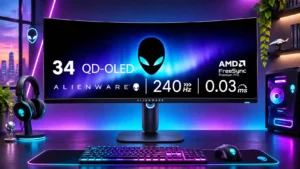
Fast motion and useful visibility tools help in shooters, though some players find stretched ultrawide edges distracting.
Pros: refresh rate, HDR performance
Cons: reflection handling, Text fringing

Fast 1080p mode handles titles such as Valorant and CS2 well, though image sharpness drops and 320Hz pixel response is imperfect.
Pros: Dual-mode versatility, refresh rate
Cons: black levels, contrast

Rapid turns and run-and-gun action remain clear enough for casual play, although it is not a top esports display.
Pros: overall picture quality, overall satisfaction
Cons: port selection, brightness

The smooth high-refresh presentation is judged suitable for fast shooters, assuming the PC can sustain useful frame rates.
Pros: PC gaming compatibility, overall picture quality
Cons: overall satisfaction, Smart TV platform

The clean motion and deep contrast help identify far-off targets, though one user dislikes a persistent scope overlay during close fights.
Pros: overall satisfaction, DisplayPort connectivity
Cons: value for money, reliability over time