Best for Content creation
ASUS ProArt Display PA27JCV
5.0 attribute score
Highest scored product for this attribute based on supporting review evidence.

Highest scored product for this attribute based on supporting review evidence.
Balances the attribute score, supporting reviews, and overall product strength.
Has the broadest review evidence for this attribute.
Strongest overall product among items with scored evidence for this attribute.

Photography, illustration and design benefit from the detailed, well-calibrated screen and convenient inputs.
Pros: color accuracy, overall picture quality
Cons: HDR performance, refresh rate

The monitor is consistently recommended for content creators focused on accurate SDR work and useful laptop connections, rather than flagship HDR performance.
Pros: color accuracy, value for money
Cons: color gamut, black levels

With sharp text and strong calibrated colors, the display works well for editing photos or videos as well as gaming.
Pros: black levels, sharpness
Cons: value for money, brightness

The sharp panel and consistent color rendition support demanding creative tasks, especially alongside a Mac.
Pros: port selection, color accuracy
Cons: built-in speakers, speaker quality

The detailed, color-accurate screen works well as an Adobe-app companion for photography and video projects. Its narrower gamut keeps it from replacing a specialist main display.
Pros: overall picture quality, Stylus usability
Cons: port selection, refresh rate

Wide Adobe RGB coverage, 4K detail and laptop connectivity make the screen especially appealing for creative desktop tasks.
Pros: HDR performance, overall satisfaction
Cons: HDR highlight detail, color accuracy

Detailed 4K imagery, wide gamut and attractive HDR make this a strong editing and design screen, provided static-tool burn-in risk is acceptable.
Pros: overall picture quality, overall satisfaction
Cons: port selection, brightness

High resolution, an extensive gamut, touch tools, and multiple positioning options suit photography, design, and content production, with some limitations for precise grading.
Pros: overall satisfaction, stand adjustability
Cons: value for money, reflection handling

A spacious, sharp panel and strong color make casual creative work enjoyable, while precise professional tasks may need calibration or a different display.
Pros: overall satisfaction, DisplayPort connectivity
Cons: value for money, reliability over time

The broad canvas and rich color can help editing and design tasks, though the resolution is not maximally sharp.
Pros: refresh rate, Text fringing
Cons: Resolution, GPU demands

Editing tools, high-resolution assets, and timelines benefit from the unusually crisp canvas, although color-critical workflows may need calibration and a different gamut.
Pros: Resolution, sharpness
Cons: value for money, HDR performance

Photography, digital art and video work can benefit from its gamut and visibility; static interfaces and imperfect tone neutrality are important caveats.
Pros: brightness, contrast
Cons: Text fringing, speaker quality

A sharp 4K canvas and broad gamut suit mixed creative work, particularly creators who also play games.
Pros: Dual-mode versatility, refresh rate
Cons: black levels, contrast

Sharp 4K detail and strong color coverage help with creative tasks, but the curved surface and OLED wear concerns make it more conditional for prolonged production work.
Pros: overall satisfaction, brightness
Cons: Dolby Vision support, VRR flicker

Basic creative tasks benefit from sharpness and appealing colors, but the screen is not intended for critical grading.
Pros: overall satisfaction, screen size
Cons: stand adjustability, Photo editing

The screen, integrated camera and audio simplify everyday creation, but reviewers flag the absent HDR capability for demanding production.
Pros: Monitor daisy-chaining, overall picture quality
Cons: value for money, refresh rate

The high-density 4K screen and accurate colors work well for everyday creative projects. Serious HDR finishing and the most demanding color tasks reveal the IPS contrast and uniformity limitations.
Pros: Resolution, refresh rate
Cons: HDR performance, contrast
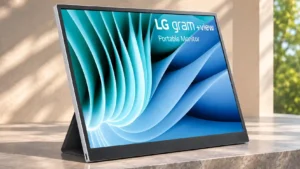
Good broad-gamut color makes light photo and video work possible, but professional color workflows may require stronger calibration controls and accuracy.
Pros: portability and weight, overall satisfaction
Cons: port selection, Device compatibility

The sharp 4K workspace appeals for occasional editing, but color calibration is advisable before accuracy-sensitive production.
Pros: HDR performance, overall satisfaction
Cons: local dimming performance, Blooming control

Nonprofessional editing and content projects are workable thanks to clear text and QHD detail, but demanding color or HDR workflows need more.
Pros: overall satisfaction, refresh rate
Cons: HDR performance, HDMI 2.1 support