If you want better local dimming performance
Choose ASUS ROG Strix OLED XG32UCWMG. It scores 5.0 vs 1.0 for local dimming performance, with a 4.2 overall score.

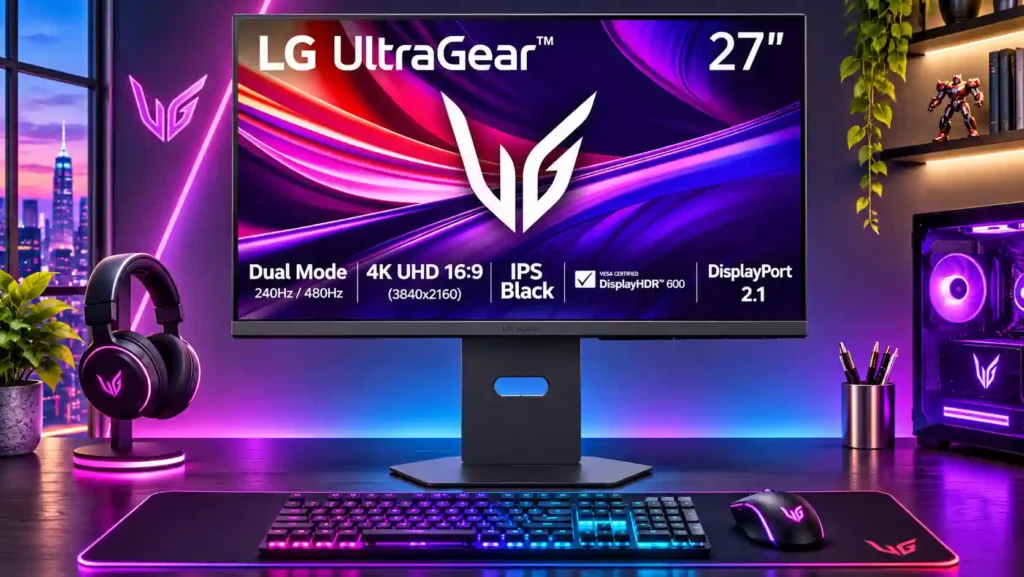
Brilliantly sharp 4K IPS Black and flexible 240Hz/480Hz modes make this a capable work-and-gaming display, but weak HDR and uneven motion tuning blunt its premium appeal.
PC gamers who switch between detailed 4K play and high-frame-rate competitive titles, especially those also needing a bright, sharp daily desktop monitor.
HDR-first or motion-clarity purists, one-cable USB-C laptop users, and buyers who cannot take advantage of both expensive refresh-rate modes.
LG's 27G850A-B stands out for combining a sharp, exceptionally bright 27-inch 4K IPS Black panel with a 240Hz native refresh rate and an optional 1080p/480Hz mode. It is especially appealing as a hybrid work-and-gaming screen: text looks crisp, colors are wide-ranging, latency is very low, and IPS avoids the usual OLED burn-in concern. The big compromise is motion performance. While some testers find it excellent for LCD, more demanding measurements show slow pixel transitions and overdrive overshoot that prevent the refresh rates from reaching their full clarity potential. HDR is a more consistent disappointment, with just eight edge-lit dimming zones, grayish blacks beside bright highlights and visible blooming. No USB-C docking or built-in speakers also limits its versatility. It makes the most sense at a competitive price for people who actually need both gaming modes, rather than for buyers primarily seeking OLED-class motion or cinematic HDR.
Compared with other Monitors, this product is above average in 60 fps capped gaming, Windows Auto Color Management compatibility, PS5 gaming, near average in input lag, listing accuracy, below average in Blooming control, Shadow detail, curved screen immersion.
| Attribute | This product | Category average | Difference |
|---|---|---|---|
| Blooming control | 1.0 | 4.0 | -3.0 |
| Shadow detail | 1.5 | 3.7 | -2.2 |
| curved screen immersion | 2.0 | 4.2 | -2.2 |
| HDR highlight detail | 1.4 | 3.4 | -2.0 |
| local dimming performance | 1.0 | 2.9 | -1.9 |
| KVM switch performance | 1.0 | 3.0 | -2.0 |
| USB port accessibility | 2.0 | 4.0 | -2.0 |
| ghosting control | 2.0 | 3.9 | -1.9 |
Choose ASUS ROG Strix OLED XG32UCWMG. It scores 5.0 vs 1.0 for local dimming performance, with a 4.2 overall score.
Choose Dell Alienware AW3425DW. It scores 5.0 vs 1.0 for Blooming control, with a 4.2 overall score.
Choose MSI MPG 272URX QD-OLED. It scores 5.0 vs 1.0 for KVM switch performance, with a 4.2 overall score.
Choose LG 27GR83Q-B. It scores 5.0 vs 2.1 for Image scaling, with a 4.2 overall score.
Products reviewers directly compared with this model, grouped into quick takeaways.
It runs natively at 4K/240Hz, or switches to 1080p/480Hz for games where maximum frame rate matters more than detail.
No. The 1080p mode is visibly softer, especially for text, and testers noted blurring in the simulated 24-inch view.
Not particularly. Eight edge-lit dimming zones create blooming and weak blacks, so Mini LED and OLED options offer more convincing HDR.
Input lag is excellent, but pixel response and overdrive tuning limit motion clarity, especially away from the highest frame rates. Some testers liked its LCD motion while others were strongly disappointed.
Yes. The bright, crisp 4K IPS screen and wide color range work well for desktops and editing, with calibration improving accuracy.
It supports common PS5 and Xbox signals over HDMI 2.1, and hands-on testing also found good compatibility with unusual retro signals.
No. It lacks USB-C video input and laptop charging, and its USB-A hub needs a separate upstream PC connection.
These are a few of the reviews included in our analysis.

Our LG 27G850A-B review examines its 4K/240Hz and 1080p/480Hz modes, gaming latency, HDR weaknesses, OLED trade-offs, ports and price-based...
LG’s 27G850A G8 switches between 4K at 240Hz and 1080p at 480Hz. Learn its specs, hardware requirements, IPS-versus-OLED trade-offs, price...
LG’s 27G850A offers 4K at 240Hz or 1080p at 480Hz. See its IPS Black specs, requirements, launch pricing, caveats and alternatives.
The LG 27G850A-B is a high-end 27-inch gaming monitor. It's a new model in the 2025 UltraGear gaming lineup, with its standout feature being...
The LG 27G850A is a 27" 4K 240Hz IPS Black gaming monitor with the 1080p 480Hz Dual Mode, DisplayHDR 600, hardware calibration, and more!

This 360Hz QD-OLED ultrawide delivers exceptional gaming motion, vibrant HDR and dramatically cleaner text. Its high price, less-than-perfect bright-room blacks and occasional HDR dimming are the main reasons to hesitate.
Pros: color gamut, contrast
Cons: value for money, Resolution

The 360Hz QD-OLED panel delivers exceptional HDR gaming, responsive motion, and cleaner text than earlier ultrawides. Its 3440×1440 resolution is less sharp than 4K, and premium pricing remains a hurdle.
Pros: refresh rate, Text fringing
Cons: Resolution, GPU demands

A huge, sharp ultrawide workspace and unusually capable Thunderbolt dock make the U4025QW outstanding for demanding productivity and editing. Its high price, modest HDR, and imperfect motion handling keep it...
Pros: overall picture quality, color accuracy
Cons: value for money, built-in speakers

Lightning-fast 360Hz OLED gaming, rich color and an unusually flexible USB-C/KVM setup are the big draws. Strong room lighting, limited full-screen HDR brightness and static-content burn-in concerns keep it from...
Pros: color gamut, overall satisfaction
Cons: reflection handling, VRR flicker