If you want better VRR compatibility
Choose Samsung Odyssey OLED G6 G60SF. It scores 5.0 vs 3.8 for VRR compatibility, with a 4.3 overall score.

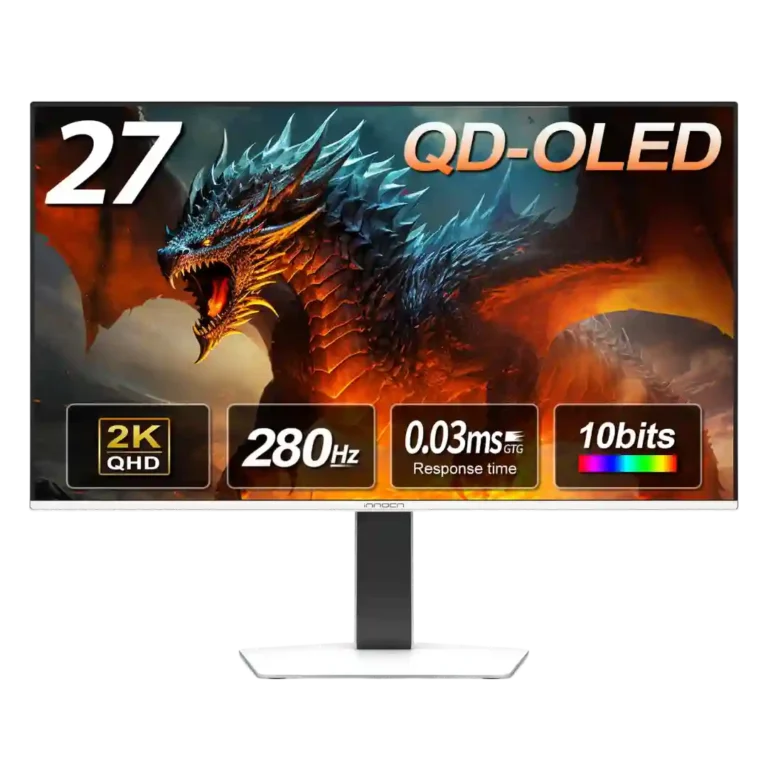
Choose it for fast 1440p OLED gaming, deep blacks, and a flexible stand at a bargain sale price. Skip it for bright rooms, USB-C/KVM productivity, or the reassurance of a three-year warranty.
Best for PC and console gamers who want fast 1440p OLED motion, deep blacks, vivid color, and a white design without paying flagship prices. It also suits creatives working in controlled lighting.
Skip it for a bright office, heavy text-focused productivity, or a one-cable laptop setup. Buyers who prioritize a three-year OLED warranty, USB-C, a USB hub, or a KVM should look elsewhere.
The GA27S1Q delivers the qualities buyers usually want from a fast QD-OLED: true blacks, vivid color, near-instant response, clean 280Hz motion, and a fully adjustable stand. Most reviewers consider it a standout value when discounted around $380 to $450, and its dual HDMI 2.1 and dual DisplayPort inputs suit both PC and console gaming. The tradeoffs are meaningful. Brightness is modest in strong ambient light, HDR often looks dim without tuning, text clarity can show OLED fringing, and there is no USB hub, USB-C, or KVM. The one-year warranty is also much shorter than common three-year OLED coverage. For buyers prioritizing gaming image quality over productivity extras and warranty length, the performance-to-price ratio is highly persuasive.
Compared with other Monitors, this product is above average in local dimming performance, reliability over time, competitive gaming suitability, near average in overall satisfaction, design and aesthetics, below average in USB hub functionality, KVM switch performance, warranty and support service.
| Attribute | This product | Category average | Difference |
|---|---|---|---|
| local dimming performance | 5.0 | 2.8 | +2.2 |
| USB hub functionality | 1.7 | 3.7 | -2.0 |
| KVM switch performance | 1.0 | 3.0 | -2.0 |
| reliability over time | 5.0 | 3.2 | +1.8 |
| warranty and support service | 2.0 | 3.7 | -1.7 |
| competitive gaming suitability | 5.0 | 3.6 | +1.4 |
| cable management | 2.5 | 3.9 | -1.4 |
| black levels | 5.0 | 3.8 | +1.2 |
Choose Samsung Odyssey OLED G6 G60SF. It scores 5.0 vs 3.8 for VRR compatibility, with a 4.3 overall score.
Choose Dell Alienware AW2725Q. It scores 4.9 vs 3.7 for Resolution, with a 4.3 overall score.
Choose Dell UltraSharp 52 Thunderbolt Hub Monitor, U5226KW. It scores 4.9 vs 1.7 for USB hub functionality, with a 4.3 overall score.
Choose BenQ RD280UG. It scores 5.0 vs 3.5 for productivity versatility, with a 4.4 overall score.
Compared with InnoCN GA27S1Q
Yes. Reviewers consistently praise the 280Hz refresh rate, near-instant response, clean motion, and lack of visible ghosting.
HDR benefits from OLED blacks and strong contrast, but several reviewers found it too dim or restricted out of the box. GPU-side tuning can improve the result.
Yes. It supports 1440p at up to 120Hz with VRR and low-latency modes, though some settings may need to be enabled or toggled manually.
No. The monitor focuses on dual HDMI and dual DisplayPort inputs, without the productivity connectivity extras.
Most reviewers describe them as basic backup speakers that are fine at close range but not immersive. One walkthrough reported no built-in speakers, so the source descriptions conflict.
The OLED-care menu is unusually extensive, but the warranty is only one year, which reviewers repeatedly contrast with common three-year OLED coverage.
These are a few of the reviews included in our analysis.

With everything in technology these days getting more expensive, it's harder than ever to find affordable products, especially computer...
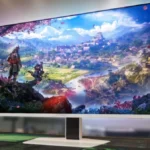
The InnoCN GA27S1Q OLED is a low-cost but high-specification OLED monitor that has a foot in both the gaming and business sectors.
Gamers who are constantly on the lookout for a new screen will notice when a model comes up that provides excellent visuals at a reasonable...
INNOCN 27″ QD-OLED Monitor: High-Performance Gaming Display Review Written By: Ada Codewell – AI Specialist & Software Engineer at Gray...

This 360Hz QD-OLED ultrawide delivers exceptional gaming motion, vibrant HDR and dramatically cleaner text. Its high price, less-than-perfect bright-room blacks and occasional HDR dimming are the main reasons to hesitate.
Pros: color gamut, contrast
Cons: value for money, Resolution

The 360Hz QD-OLED panel delivers exceptional HDR gaming, responsive motion, and cleaner text than earlier ultrawides. Its 3440×1440 resolution is less sharp than 4K, and premium pricing remains a hurdle.
Pros: refresh rate, Text fringing
Cons: Resolution, GPU demands

A huge, sharp ultrawide workspace and unusually capable Thunderbolt dock make the U4025QW outstanding for demanding productivity and editing. Its high price, modest HDR, and imperfect motion handling keep it...
Pros: overall picture quality, color accuracy
Cons: value for money, built-in speakers

Lightning-fast 360Hz OLED gaming, rich color and an unusually flexible USB-C/KVM setup are the big draws. Strong room lighting, limited full-screen HDR brightness and static-content burn-in concerns keep it from...
Pros: color gamut, overall satisfaction
Cons: reflection handling, VRR flicker