If you want better refresh rate
Choose ASUS ROG Swift OLED PG27AQWP-W. It scores 5.0 vs 4.1 for refresh rate, with a 4.3 overall score.

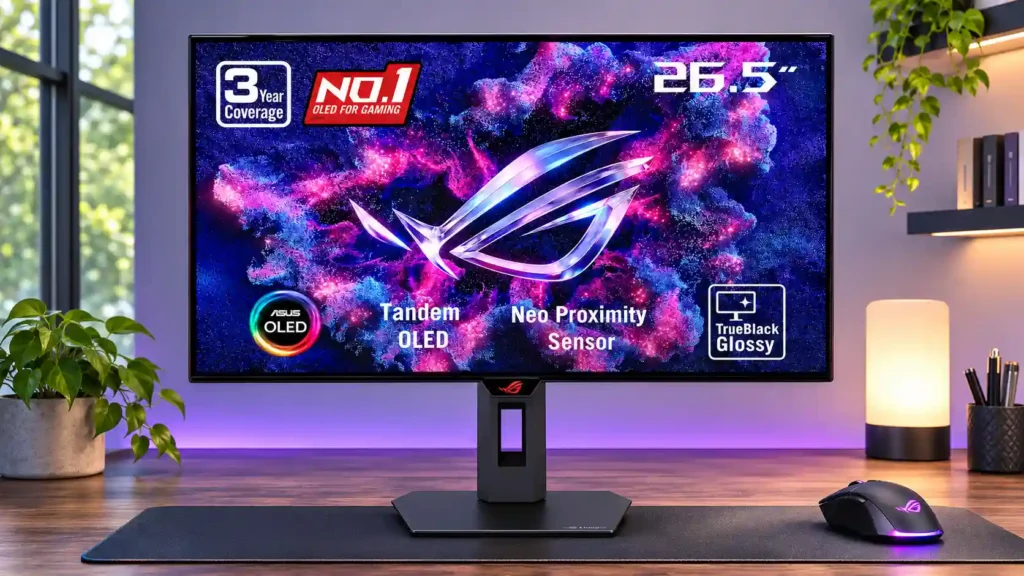
The glossy Tandem OLED panel delivers vivid, high-contrast HDR and exceptionally smooth 280Hz gaming at a competitive OLED price. The tradeoffs are mirror-like reflections, occasional VRR flicker and no USB-C or KVM.
PC gamers who want responsive 1440p/280Hz play, deep HDR contrast and vivid cinematic games—especially in controllable or moderately lit rooms.
People who need single-cable USB-C docking or a KVM, keep bright windows directly opposite their screen, or spend most of the day reading static text and coding.
The ROG Strix OLED XG27AQWMG makes a strong case for choosing image quality over chasing the very highest refresh rate. Its fourth-generation Tandem WOLED panel is unusually bright for OLED, produces deep blacks in moderately lit rooms and looks exceptionally crisp through ASUS’s TrueBlack Glossy coating. At 280Hz, pixel response and input lag are excellent for fast PC games, while HDMI 2.1 makes modern consoles practical too. The useful stand, sRGB mode and proximity-based burn-in protection add versatility. The biggest compromise is the glossy surface: windows and lights in front of the screen can create defined reflections. VRR flicker, some dark-gray banding and remaining text fringing also temper the result, especially for prolonged office use. With no USB-C, KVM or built-in speakers, this remains primarily an excellent gaming display rather than an all-purpose docking monitor.
Compared with other Monitors, this product is above average in local dimming performance, Automatic brightness adjustment, HDR performance, near average in overall satisfaction, input lag, below average in USB port accessibility, eye comfort features, picture-in-picture and picture-by-picture.
| Attribute | This product | Category average | Difference |
|---|---|---|---|
| USB port accessibility | 2.0 | 4.3 | -2.3 |
| eye comfort features | 2.0 | 4.1 | -2.1 |
| picture-in-picture and picture-by-picture | 2.0 | 3.9 | -1.9 |
| local dimming performance | 5.0 | 3.1 | +1.9 |
| port selection | 2.0 | 3.7 | -1.7 |
| Automatic brightness adjustment | 4.8 | 3.2 | +1.7 |
| HDR performance | 4.9 | 3.4 | +1.5 |
| HDR highlight detail | 5.0 | 3.6 | +1.4 |
Choose ASUS ROG Swift OLED PG27AQWP-W. It scores 5.0 vs 4.1 for refresh rate, with a 4.3 overall score.
Choose ASUS ROG Strix OLED XG27ACDNG. It scores 4.8 vs 2.0 for port selection, with a 4.4 overall score.
Choose Samsung Odyssey OLED G80SH S32HG802S. It scores 4.9 vs 2.6 for reflection handling, with a 4.1 overall score.
Choose TCL 32R84. It scores 4.5 vs 2.0 for KVM switch performance, with a 4.2 overall score.
Products reviewers directly compared with this model, grouped into quick takeaways.
Yes. OLED pixel transitions and low input lag make motion exceptionally sharp at 280Hz, although 360–500Hz alternatives can offer extra speed to players who can drive very high frame rates.
Its strong brightness and black retention help in moderate ambient light. Direct windows and lamps can produce distracting mirror-like reflections, so placement matters.
HDR benefits from per-pixel contrast, vivid color and bright small highlights. Adjustable HDR can unlock higher peaks, but the brightest modes may raise midtones in some scenes.
Yes. Its HDMI 2.1 connections accept 4K/120Hz signals that are downscaled to the native 1440p screen, including supported HDR and variable-refresh features.
It is comfortable for occasional desktop use and has improved text clarity over older WOLED panels. Some text fringing and the long-term risk from static content make heavy office use less ideal.
No. The monitor has HDMI, DisplayPort, a small USB hub and headphone output, but lacks USB-C docking, an integrated KVM and built-in speakers.
OLED Care controls include pixel shifting, refresh routines, dimming and a proximity sensor that blanks the screen when you leave. The supplied reviews also describe three-year burn-in warranty coverage, though no protection guarantees indefinite panel life.
These are a few of the reviews included in our analysis.




The ASUS ROG Strix OLED XG27AQWMG is a 27-inch, 1440p OLED gaming monitor with a 280Hz refresh rate. It's an updated model of the ASUS ROG...
This may look like every other OLED gaming monitor, but trust me when I say this is one of the most interesting developments in monitor tech...
Can Buy -- the Asus ROG Strix OLED XG27AQWMG gaming monitor offers bright vibrant images and a fast 280Hz refresh rate at a reasonable price.
Asus brings premium OLED imagery and performance to a lower price point with the ROG Strix XG27AQWMG.
Today we are reviewing the hotly-anticipated ASUS ROG Strix XG27AQWMG. Announced back at Gamescom 20

This 360Hz QD-OLED ultrawide delivers exceptional gaming motion, vibrant HDR and dramatically cleaner text. Its high price, less-than-perfect bright-room blacks and occasional HDR dimming are the main reasons to hesitate.
Pros: color gamut, contrast
Cons: value for money, Resolution

A huge, sharp ultrawide workspace and unusually capable Thunderbolt dock make the U4025QW outstanding for demanding productivity and editing. Its high price, modest HDR, and imperfect motion handling keep it...
Pros: overall picture quality, color accuracy
Cons: value for money, built-in speakers

Lightning-fast 360Hz OLED gaming, rich color and an unusually flexible USB-C/KVM setup are the big draws. Strong room lighting, limited full-screen HDR brightness and static-content burn-in concerns keep it from...
Pros: color gamut, overall satisfaction
Cons: reflection handling, VRR flicker

The 27-inch 4K OLED picture is exceptionally crisp and responsive, with useful USB-C and KVM extras. Its high price, oversized stand, and bright-room compromises limit its appeal.
Pros: sharpness, overall satisfaction
Cons: value for money, VRR flicker