Samsung Odyssey OLED G81SF S27FG810S Monitor Review

Brand: Samsung
Released: April 22, 2025
Updated: 2 hours ago
4.2
Overall review score
451
Review insights
93
Scored features
16
Expert reviews

Bottom Line

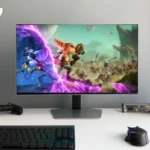
A remarkable 27-inch 4K gaming screen, with vivid QD-OLED color, near-instant response and strong glare control. The divisive matte coating, demanding 240Hz target and missing USB-C make the right setup important.

Best for well-equipped PC gamers who want both fast competitive play and atmospheric 4K games, especially at a desk where window reflections would distract from a glossy OLED.

Less appealing to budget buyers, people using mostly older or midrange graphics hardware, and laptop owners needing single-cable USB-C docking. It also disappoints those sensitive to matte grain or doing long static office sessions.

Verdict

The Samsung Odyssey OLED G81SF S27FG810S delivers an exceptional mix of 4K detail and 240Hz OLED responsiveness in a manageable 27-inch size. Fast movement stays clean, input lag is low, and the panel’s vivid colors and near-perfect dark-room blacks make both competitive and cinematic games compelling. Its matte finish is the deciding difference: it suppresses window and lamp reflections very effectively, but some find the extra grain and haze distracting, particularly on bright desktop backgrounds. HDR highlights can look spectacular against black, though sustained brightness is limited, VRR flicker can appear in unstable games, and tone mapping sometimes benefits from tuning. The stylish, adjustable body and thoughtful OLED-care system help its case, but USB-C charging, KVM, speakers and smart-TV conveniences are absent. At a discount it is much easier to recommend; at a large premium over similar OLED rivals, the case is narrower.

Feature Scorecards

Summary

93 reviewed features
  • Very positive 4.5-5.0
    56 (60%)
  • Positive 3.5-4.4
    15 (16%)
  • Neutral 2.5-3.4
    10 (11%)
  • Negative 1.5-2.4
    11 (12%)
  • Very negative below 1.5
    1 (1%)

Pros highlights

  • 5.0
    14 reviews strong consensus
    reflection handling: 5.0, 14 reviews, strong consensus
    The matte finish effectively diffuses window and lamp reflections rather than producing mirror-like glare. That advantage comes with some extra perceived grain or haze.
  • 5.0
    13 reviews strong consensus
    color gamut: 5.0, 13 reviews, strong consensus
    Vivid, wide-gamut colors are among the monitor’s best qualities, making games and creative visuals look lively. Saturation is especially impressive in colorful HDR scenes.
  • 5.0
    12 reviews strong consensus
    motion clarity: 5.0, 12 reviews, strong consensus
    Fast movement stays exceptionally clean, with little blur or smearing. Even lower frame rates can feel responsive thanks to the OLED panel.
  • 5.0
    12 reviews strong consensus
    refresh rate: 5.0, 12 reviews, strong consensus
    The 240Hz ceiling makes fast PC gaming beautifully fluid, with ample room for esports frame rates. The benefit is less substantial when demanding 4K games run far below 240fps.
  • 5.0
    12 reviews strong consensus
    Resolution: 5.0, 12 reviews, strong consensus
    Packing 4K into 27 inches produces fine gaming detail, crisp graphics and a sharp desktop. It takes a powerful GPU to combine that resolution with very high frame rates.
  • 4.8
    12 reviews strong consensus
    black levels: 4.8, 12 reviews, strong consensus
    Deep, near-perfect blacks bring dark scenes to life when ambient light is controlled. In brighter spaces, the QD-OLED panel can make those blacks look purple or raised.

Cons highlights

  • 2.9
    13 reviews low consensus
    value for money: 2.9, 13 reviews, low consensus
    Exceptional visuals and speed justify a premium for the right gamer, but the original high price competes poorly with similarly capable rivals. Sale pricing makes it markedly more attractive.
  • 3.3
    10 reviews low consensus
    brightness: 3.3, 10 reviews, low consensus
    Highlights can look vivid, and many find everyday SDR brightness sufficient. Sustained bright HDR scenes fall short of brighter LCD or mini-LED options.
  • 1.7
    9 reviews strong consensus
    built-in speakers: 1.7, 9 reviews, strong consensus
    There are no onboard speakers, so even simple notification sounds require headphones, a soundbar or external speakers. This can be frustrating at the price.
  • 1.9
    9 reviews strong consensus
    GPU demands: 1.9, 9 reviews, strong consensus
    4K at 240fps is a demanding target even for powerful graphics cards. Much of the monitor’s headroom can go unused on midrange systems or in maximum-detail AAA games.
  • 3.3
    9 reviews low consensus
    port selection: 3.3, 9 reviews, low consensus
    HDMI 2.1, DisplayPort and a USB-A hub cover core gaming needs, but there is no USB-C or KVM. A few prefer newer DisplayPort bandwidth at this price.
  • 1.6
    8 reviews moderate consensus
    USB-C power delivery: 1.6, 8 reviews, moderate consensus
    The missing USB-C video and charging connection is an important omission for laptop users. A modern one-cable setup is not possible directly from this screen.

Use Cases

Best for

  • 5.0
    6 reviews strong consensus
    Dark-room viewing: 5.0, 6 reviews, strong consensus
    Dark rooms let the OLED blacks, high contrast and luminous colors shine. Cinematic games and HDR material look especially convincing.
  • 4.2
    12 reviews low consensus
    Bright-room viewing: 4.2, 12 reviews, low consensus
    The glare-free surface deals impressively with distracting windows and lamps, but its QD-OLED blacks can become purplish under strong light. This is a useful, not flawless, bright-room solution.
  • 4.4
    5 reviews strong consensus
    HDR gaming: 4.4, 5 reviews, strong consensus
    Dark cinematic games can look wonderfully dimensional, with rich colors and sparkling highlights. The most convincing HDR comes with controlled room light and some settings adjustment.

Not ideal for

  • Single-cable laptop docking
    1.0
    3 reviews strong consensus
    Single-cable laptop docking: 1.0, 3 reviews, strong consensus
    There is no USB-C video or laptop charging, so a one-cable desk cannot be built around this display alone. A docking-focused alternative is more convenient.
  • Budget-conscious buyers
    1.9
    10 reviews strong consensus
    Budget-conscious buyers: 1.9, 10 reviews, strong consensus
    The launch price is hard to justify when cheaper OLEDs offer similar fundamentals. Discounts improve the equation, but a high-end graphics card adds to the cost.

Compared With Category Average

Compared with other Monitors, this product is above average in local dimming performance, Pixel defect control, Image scaling, near average in input lag, overall satisfaction, below average in USB-C power delivery, USB port accessibility, Display-mode switching reliability.

Comparison summary

88 compared features
  • Above average 0.4+ pts higher
    55 (63%)
  • Same as average within 0.3 pts
    15 (17%)
  • Below average 0.4+ pts lower
    18 (20%)

Largest category differences

Attribute This product Category average Difference
USB-C power delivery 1.6 3.7 -2.1
local dimming performance 5.0 2.9 +2.1
Pixel defect control 5.0 2.9 +2.1
USB port accessibility 2.0 4.0 -2.0
Image scaling 5.0 3.1 +1.9
60 fps capped gaming 5.0 3.2 +1.8
Firmware updateability 5.0 3.2 +1.8
HDR highlight detail 5.0 3.3 +1.7

Consider This Instead

If you want better USB-C power delivery

Choose MSI MPG 272URX QD-OLED. It scores 4.9 vs 1.6 for USB-C power delivery, with a 4.2 overall score.

Compare

If you want better USB port accessibility

Choose LG 27GX790A-B. It scores 4.7 vs 2.0 for USB port accessibility, with a 4.0 overall score.

Compare

Compared in Reviews

Products reviewers directly compared with this model, grouped into quick takeaways.

  • Compared: DisplayPort 2.1 and features ASUS is presented as a lower-priced rival with newer connectivity.
  • Compared: coating HDR and design The Samsung is favored for matte reflection control and cooling, while ASUS has work features.
  • Alternative: glossy coating and features The ASUS is a glossy alternative for buyers less concerned about reflections.
  • Cheaper: price and extra features The Alienware is presented as much cheaper while offering additional video features.
  • Alternative: matte versus glossy image The Alienware offers an alternate finish and potentially stronger value.
  • Alternative: glossy screen versus matte coating Alienware is an attractive glossy option when reflection control matters less.
  • Compared: DisplayPort 2.1 and price The MSI is raised as a DisplayPort 2.1-equipped competitor.
  • Alternative: competitor pricing and features The MSI is an alternative 27-inch 4K QD-OLED worth price checking.
  • Alternative: price and finish The MSI is another close 4K QD-OLED alternative worth checking against current offers.

FAQ

Is the G81SF good for competitive PC gaming?

Yes. Its 240Hz refresh rate, exceptionally quick OLED response and low input lag make fast action crisp and responsive, though actually reaching 240fps at 4K requires powerful hardware.

Does the matte coating hurt image quality?

It strongly reduces visible reflections from lamps and windows. However, some find the surface hazy or grainy, especially on bright backgrounds, and a glossy OLED can look clearer in a controlled room.

How does it perform in bright rooms?

Glare reduction works well near windows, but strong ambient light can make QD-OLED blacks appear purple or raised. It looks its best in dimmer conditions.

Can I use it with PS5 or Xbox at 4K 120Hz?

Yes, the HDMI 2.1 and VRR capabilities suit current consoles, with low lag and excellent 4K picture quality. Consoles will not use the full 240Hz ceiling, and you must provide external audio.

Does it support USB-C laptop docking or built-in speakers?

No. It has HDMI, DisplayPort and USB-A connections but lacks USB-C video, laptop charging, integrated KVM and built-in speakers.

Is OLED burn-in a concern for work use?

Samsung includes cooling and protections for static elements, and normal gaming was not interrupted by maintenance in the hands-on tests. These measures reduce rather than eliminate the risk from prolonged static desktop content.

Is it worth the premium over other 27-inch 4K OLEDs?

The picture and motion performance are excellent, but similarly capable alternatives can cost less or add ports and features. The Samsung is most compelling when discounted and when its matte finish is specifically desirable.

Sample Expert Reviews We Analyzed

These are a few of the reviews included in our analysis.
Video Reviews

Article Reviews

trustedreviews.com

Samsung’s latest Odyssey gaming monitor crams the brand’s latest QD OLED tech, a full 4K pixel count, and class-leading anti-glare technology

Review score
4.4

Top Monitors to Consider

#1 Asus ROG Swift 34 QD-OLED PG34WCDN
4.5

This 360Hz QD-OLED ultrawide delivers exceptional gaming motion, vibrant HDR and dramatically cleaner text. Its high price, less-than-perfect bright-room blacks and occasional HDR dimming are the main reasons to hesitate.

Pros: color gamut, contrast

Cons: value for money, Resolution

#2 MSI MPG 341CQR QD-OLED X36
4.4

The 360Hz QD-OLED panel delivers exceptional HDR gaming, responsive motion, and cleaner text than earlier ultrawides. Its 3440×1440 resolution is less sharp than 4K, and premium pricing remains a hurdle.

Pros: refresh rate, Text fringing

Cons: Resolution, GPU demands

#3 Dell U4025QW
4.4

A huge, sharp ultrawide workspace and unusually capable Thunderbolt dock make the U4025QW outstanding for demanding productivity and editing. Its high price, modest HDR, and imperfect motion handling keep it...

Pros: overall picture quality, color accuracy

Cons: value for money, built-in speakers

#4 ASUS ROG Strix OLED XG27ACDNG
4.4

Lightning-fast 360Hz OLED gaming, rich color and an unusually flexible USB-C/KVM setup are the big draws. Strong room lighting, limited full-screen HDR brightness and static-content burn-in concerns keep it from...

Pros: color gamut, overall satisfaction

Cons: reflection handling, VRR flicker