
4K at 120Hz, VRR, HDMI 2.1, and HDR support make it a strong match for current consoles. An external audio solution is required because there are no speakers.
Pros: overall satisfaction, black levels
Cons: value for money, stand adjustability

4K at 120Hz, VRR, HDMI 2.1, and HDR support make it a strong match for current consoles. An external audio solution is required because there are no speakers.
Pros: overall satisfaction, black levels
Cons: value for money, stand adjustability

Console modes can deliver 4K and 120Hz in a correctly sized 16:9 area, and supported HDR sources benefit from Dolby Vision. Consoles generally do not fill the entire 21:9 panel.
Pros: overall satisfaction, Text fringing
Cons: brightness, Edge dimming behavior

PlayStation testing confirms 4K/120Hz video with HDR and VRR, while lower-resolution console sources can benefit from optional upscaling.
Pros: Resolution, Dual-mode versatility
Cons: value for money, GPU demands

PlayStation 5, Xbox and Switch 2 are well served by 4K, HDR and modern HDMI support. Console output tops out below the monitor’s full 240Hz capability.
Pros: PC gaming compatibility, reflection handling
Cons: color accuracy, VRR flicker

HDMI 2.1 and 1440p/120Hz capability make the monitor an appealing match for PlayStation and Xbox consoles.
Pros: black levels, overall picture quality
Cons: brightness, Gaming feature selection

A PS5 Pro worked well in hands-on play, with smooth motion and appealing OLED visuals.
Pros: competitive gaming suitability, refresh rate
Cons: Dual-mode versatility, GPU demands
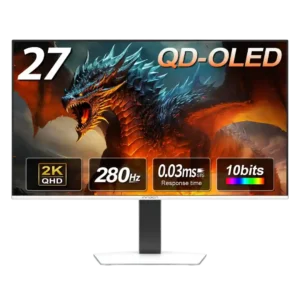
Console support is strong, with 1440p, 120Hz, VRR, and low-latency options. Some Xbox and 4K-upscaling settings may need extra toggling before they work correctly.
Pros: color gamut, overall picture quality
Cons: brightness, HDR performance

HDMI 2.1 supports 4K, HDR and 120Hz console play; the image impresses, though consoles cannot use the full 240Hz or 480Hz capabilities.
Pros: brightness, color gamut
Cons: AI scene optimization, value for money

Modern consoles receive strong 4K/120Hz, VRR, HDMI 2.1, and CEC support. Black-frame insertion cannot be used from a 120Hz console signal, and Dolby Vision is absent.
Pros: brightness, reflection handling
Cons: cable management

Modern consoles work well with the display at 16:9, although their lack of ultrawide output means black sidebars.
Pros: Resolution, overall satisfaction
Cons: value for money, Image scaling

Modern consoles can make good use of the QHD OLED display at up to 120Hz, but specialized resolution handling and scaling are less dependable.
Pros: value for money, panel type
Cons: brightness, port selection

HDMI inputs work for console connections and visually rich games, though high-frame-rate gaming is not its specialty.
Pros: port selection, color accuracy
Cons: built-in speakers, speaker quality

HDMI 2.1, VRR, and 120Hz input work well for consoles, including virtual 4K signal acceptance. The native panel remains 1440p and console users cannot access 360Hz.
Pros: motion clarity, Backlight strobing
Cons: contrast, HDR performance

Xbox and PlayStation signals work well, including 4K input downscaling and 120Hz play. Manual 16:9 selection and some ELMB restrictions make it less seamless than on PC.
Pros: color gamut, contrast
Cons: value for money, Resolution

4K 120Hz console signals, VRR and HDR can work with the right settings, but the ultrawide ratio introduces side bars and the lack of audio output complicates hookups.
Pros: brightness, value for money
Cons: port selection, built-in speakers

HDMI and dedicated console mode offer a useful connection path; console resolution or refresh behavior can vary.
Pros: refresh rate, Text fringing
Cons: Resolution, GPU demands

Console support is compromised by unusual aspect ratios and inconsistent resolution or refresh options. Some consoles may stretch the image or fail to recognize available 4K modes correctly.
Pros: productivity versatility, overall satisfaction
Cons: value for money, response time

The monitor works with consoles but loses much of its high-refresh advantage: restrictive PlayStation and especially Xbox modes make alternatives more attractive.
Pros: refresh rate, color accuracy
Cons: console gaming compatibility, DisplayPort connectivity

Without HDMI and with limited support for adapters, this is not a practical direct display for game consoles.
Pros: Monitor daisy-chaining, overall picture quality
Cons: value for money, refresh rate

No conventional HDMI input and narrow compatibility make consoles an impractical match.
Pros: refresh rate, HDR performance
Cons: value for money, Device compatibility