
If you want better Desk footprint
Choose Samsung Odyssey OLED G81SF S27FG810S. It scores 5.0 vs 1.0 for Desk footprint, with a 4.2 overall score.

The 49-inch QD-OLED screen makes supported games and multitasking feel expansive, with excellent blacks and quick response. Its limited brightness, awkward laptop connectivity and enormous footprint are the tradeoffs.
Desktop PC gamers who enjoy racing, flight simulations and cinematic titles, plus multitaskers who want two QHD-sized work areas on one screen.
Sunlit rooms, cramped desks and laptop users expecting USB-C video or charging are poor fits; highly competitive players may prefer a faster, smaller monitor.
The Samsung Odyssey OLED G91SD is most compelling when its 49-inch, 32:9 QD-OLED panel gets room to shine. Racing games and cinematic titles gain an unusually wide field of view, while deep blacks, vivid color and quick pixel response give gaming an immediate, polished feel. The same width is genuinely useful for side-by-side spreadsheets, editing timelines and multiple computer sources. At 144Hz, motion is smooth for most players, though the 240Hz G9 alternatives remain more attractive for competitive refresh-rate chasing. The compromises matter: typical brightness is modest in sunny rooms, the huge stand needs ample desk space, and USB-C cannot serve as a laptop video-and-charging dock. OLED image retention and reported panel-quality or warranty concerns also warrant careful ownership. On a meaningful discount, it offers a lot of immersive screen for the money, particularly for a powerful desktop PC.
Compared with other Monitors, this product is above average in Shadow detail, black levels, gaming image presets, near average in warranty and support service, console gaming compatibility, below average in Desk footprint, USB-C power delivery, brightness.
| Attribute | This product | Category average | Difference |
|---|---|---|---|
| Desk footprint | 1.0 | 3.9 | -2.9 |
| USB-C power delivery | 1.0 | 3.7 | -2.7 |
| brightness | 1.5 | 4.0 | -2.5 |
| reliability over time | 1.0 | 3.3 | -2.3 |
| Content aspect-ratio support | 1.0 | 3.2 | -2.2 |
| portability and weight | 1.8 | 3.9 | -2.1 |
| Panel quality control | 1.0 | 3.0 | -2.0 |
| PC signal connection reliability | 1.0 | 2.8 | -1.8 |
Choose Samsung Odyssey OLED G81SF S27FG810S. It scores 5.0 vs 1.0 for Desk footprint, with a 4.2 overall score.
Choose Dell U4025QW. It scores 5.0 vs 1.0 for USB-C power delivery, with a 4.4 overall score.
Choose Samsung Odyssey OLED G80SH S32HG802S. It scores 4.9 vs 2.0 for reflection handling, with a 4.1 overall score.
Choose LG 45GX950A-B. It scores 4.8 vs 2.0 for Display-mode switching reliability, with a 4.1 overall score.
Products reviewers directly compared with this model, grouped into quick takeaways.
Yes. The 49-inch 32:9 view adds peripheral scenery and immersion, especially in games that support the full ultrawide resolution.
It feels smooth in most single-player and many multiplayer games. Players chasing the highest competitive refresh rates have faster 240Hz alternatives.
Its 5120×1440 canvas offers space similar to two QHD displays, and picture-by-picture can display separate inputs side by side.
No. The USB-C ports are for data rather than video input or laptop power delivery; a compatible USB-C-to-HDMI adapter can help with some laptops.
Not ideal. Its modest brightness and reflective glossy surface are much better suited to controlled or subdued lighting.
Static interfaces deserve sensible OLED care, even with protective features. Burn-in coverage is described for normal use, but reports about other panel failures and claim handling make warranty terms worth checking.
These are a few of the reviews included in our analysis.

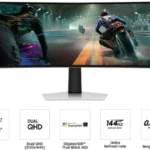
Samsung Odyssey OLED G9 G91SD review: 49-inch 32:9 OLED with 0.03 ms response and 144 Hz. Brightness is modest and inputs are few.
OLED gaming monitors are hot right now, and Prime Big Deal Days is an excellent time to be in the market.
Samsung Odyssey G91SD review: immersive 49-inch QD-OLED gaming at 144Hz. Explore brightness limits, burn-in considerations and reported panel...
Samsung's 49-inch screen is as big as it gets for gaming OLED monitors, and today it's down to $800 for a slightly older model.
This massive gaming monitor can bring your gaming PC to its knees on AAA games, and today it's $400 off the retail price.

This 360Hz QD-OLED ultrawide delivers exceptional gaming motion, vibrant HDR and dramatically cleaner text. Its high price, less-than-perfect bright-room blacks and occasional HDR dimming are the main reasons to hesitate.
Pros: color gamut, contrast
Cons: value for money, Resolution

The 360Hz QD-OLED panel delivers exceptional HDR gaming, responsive motion, and cleaner text than earlier ultrawides. Its 3440×1440 resolution is less sharp than 4K, and premium pricing remains a hurdle.
Pros: refresh rate, Text fringing
Cons: Resolution, GPU demands

A huge, sharp ultrawide workspace and unusually capable Thunderbolt dock make the U4025QW outstanding for demanding productivity and editing. Its high price, modest HDR, and imperfect motion handling keep it...
Pros: overall picture quality, color accuracy
Cons: value for money, built-in speakers

Lightning-fast 360Hz OLED gaming, rich color and an unusually flexible USB-C/KVM setup are the big draws. Strong room lighting, limited full-screen HDR brightness and static-content burn-in concerns keep it from...
Pros: color gamut, overall satisfaction
Cons: reflection handling, VRR flicker