If you want better KVM switch performance
Choose ASUS ROG Strix 5K XG27JCG. It scores 5.0 vs 1.5 for KVM switch performance, with a 4.1 overall score.

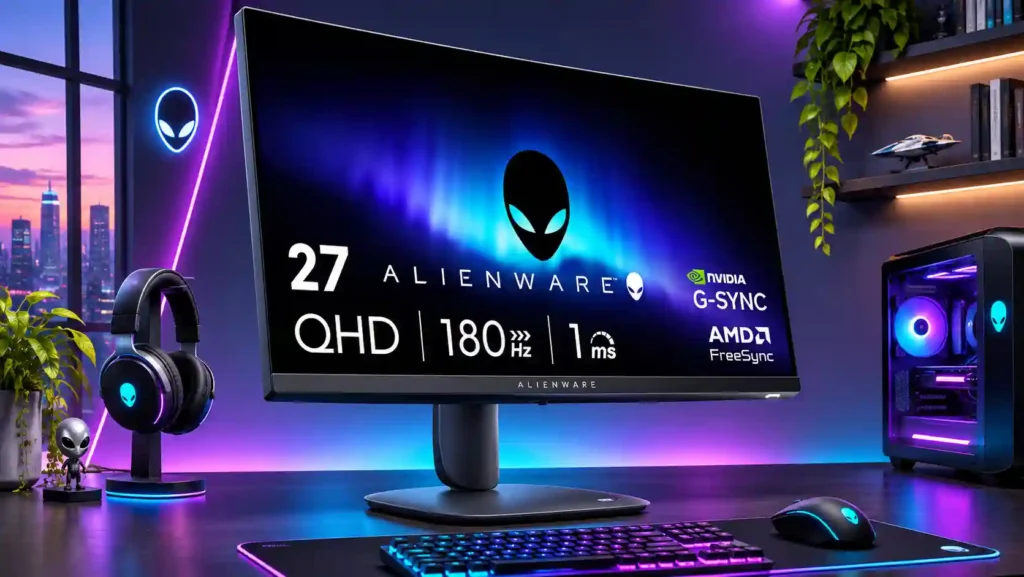
The AW2725DM offers a sharp, smooth 1440p gaming experience with excellent ergonomics at discount prices. Its weakest spots are HDR contrast and dimming, plus limited HDMI bandwidth and no USB-C or built-in audio.
Budget-conscious PC players moving from 1080p to fast 1440p SDR gaming, especially competitive shooters. It also suits compact mixed-use desks and PS5 gaming at 1440p/120Hz.
People prioritizing cinematic HDR, deep blacks, professional color grading or full-bandwidth 4K/120Hz console output. One-cable USB-C laptop docking and monitor-based audio setups are poor fits.
The Alienware AW2725DM is most convincing as an affordable 27-inch QHD gaming monitor, not as a showcase for HDR. Its 180Hz refresh rate, crisp IPS image, wide viewing angles and remarkably adjustable stand make fast SDR games look good while keeping everyday work comfortable. Several hands-on reviewers praise its design, straightforward controls and value around $190–$220, particularly when upgrading from a 1080p display. There are meaningful compromises. Local dimming can cause ugly halos in HDR, dark-room blacks lack depth, and variable refresh may add motion blur. The HDMI 2.1-labeled inputs are bandwidth-limited, so DisplayPort is needed for the full 180Hz; there is also no USB-C docking, headphone jack or integrated audio. PS5 and Switch 2 players can still have a good 1440p experience. At a steep discount it is easy to recommend for SDR gaming, but HDR enthusiasts and color-critical creators should compare alternatives.
Compared with other Monitors, this product is above average in Display-mode switching reliability, Included accessories, Shadow detail, near average in design and aesthetics, cable management, below average in Blooming control, Audio eARC passthrough, black levels.
| Attribute | This product | Category average | Difference |
|---|---|---|---|
| Blooming control | 1.0 | 3.9 | -2.9 |
| Audio eARC passthrough | 1.5 | 4.0 | -2.5 |
| black levels | 1.8 | 3.8 | -2.0 |
| USB-C power delivery | 1.8 | 3.8 | -2.0 |
| local dimming performance | 1.0 | 2.9 | -1.9 |
| Display-mode switching reliability | 4.5 | 2.7 | +1.8 |
| Built-in RGB lighting | 2.0 | 3.8 | -1.8 |
| Headphone jack convenience | 1.8 | 3.4 | -1.7 |
Choose ASUS ROG Strix 5K XG27JCG. It scores 5.0 vs 1.5 for KVM switch performance, with a 4.1 overall score.
Choose Dell Alienware AW2523HF. It scores 5.0 vs 2.8 for ghosting control, with a 3.9 overall score.
Choose TCL 32R84. It scores 4.8 vs 2.3 for HDR performance, with a 4.2 overall score.
Choose Samsung Odyssey OLED G80SH S32HG802S. It scores 5.0 vs 1.0 for Blooming control, with a 4.1 overall score.
Products reviewers directly compared with this model, grouped into quick takeaways.
Yes. Its 180Hz refresh rate and responsive IPS panel are well suited to shooters, although VRR can add some blur and faster esports-specific monitors exist.
HDR is a notable weak point. Some owners like the color boost, but low IPS contrast and distracting local-dimming halos often make SDR the better-looking option.
The reviews describe HDMI as limited to 1440p at 144Hz. Use DisplayPort for native QHD at the full 180Hz refresh rate.
Yes. PS5 testing supports 1440p at up to 120Hz, and Switch 2 gameplay was praised. The monitor can accept some 4K/60Hz sources, but cannot display native 4K or handle 4K/120Hz input.
No built-in speakers, 3.5mm audio output or USB-C video/power connection is available. Its small USB-A hub is useful for basic peripherals and charging, though access is divisive.
Yes. The QHD screen makes text clear, its stand offers height, swivel, tilt and pivot adjustments, and its base uses relatively little desk space.
Experiences vary by sample. One reviewer praised uniformity, while a buyer reported severe glow on an initial unit and a much cleaner replacement, so checking a new panel is worthwhile.
These are a few of the reviews included in our analysis.



The AW2725DM spends its pixels on a 27-inch picture and its speed on a 180 Hz DisplayPort connection.
The Alienware AW2725DM is a sharp 27-inch 1440p 180Hz IPS gaming monitor with excellent ergonomics, but weak HDR. See its gaming, console...
Alienware AW2725DM review covering its 27-inch QHD Fast IPS panel, 180Hz DisplayPort gaming, PS5 support, HDR 400, connectivity and limitations.
The Dell Alienware AW2725DM is an entry-level 1440p gaming monitor. Replacing the Dell Alienware AW2724DM, it sits alongside the Dell...
Alienware 27 QHD AW2725DM Gaming Monitor Review

This 360Hz QD-OLED ultrawide delivers exceptional gaming motion, vibrant HDR and dramatically cleaner text. Its high price, less-than-perfect bright-room blacks and occasional HDR dimming are the main reasons to hesitate.
Pros: color gamut, contrast
Cons: value for money, Resolution

The 360Hz QD-OLED panel delivers exceptional HDR gaming, responsive motion, and cleaner text than earlier ultrawides. Its 3440×1440 resolution is less sharp than 4K, and premium pricing remains a hurdle.
Pros: refresh rate, Text fringing
Cons: Resolution, GPU demands

A huge, sharp ultrawide workspace and unusually capable Thunderbolt dock make the U4025QW outstanding for demanding productivity and editing. Its high price, modest HDR, and imperfect motion handling keep it...
Pros: overall picture quality, color accuracy
Cons: value for money, built-in speakers

Lightning-fast 360Hz OLED gaming, rich color and an unusually flexible USB-C/KVM setup are the big draws. Strong room lighting, limited full-screen HDR brightness and static-content burn-in concerns keep it from...
Pros: color gamut, overall satisfaction
Cons: reflection handling, VRR flicker