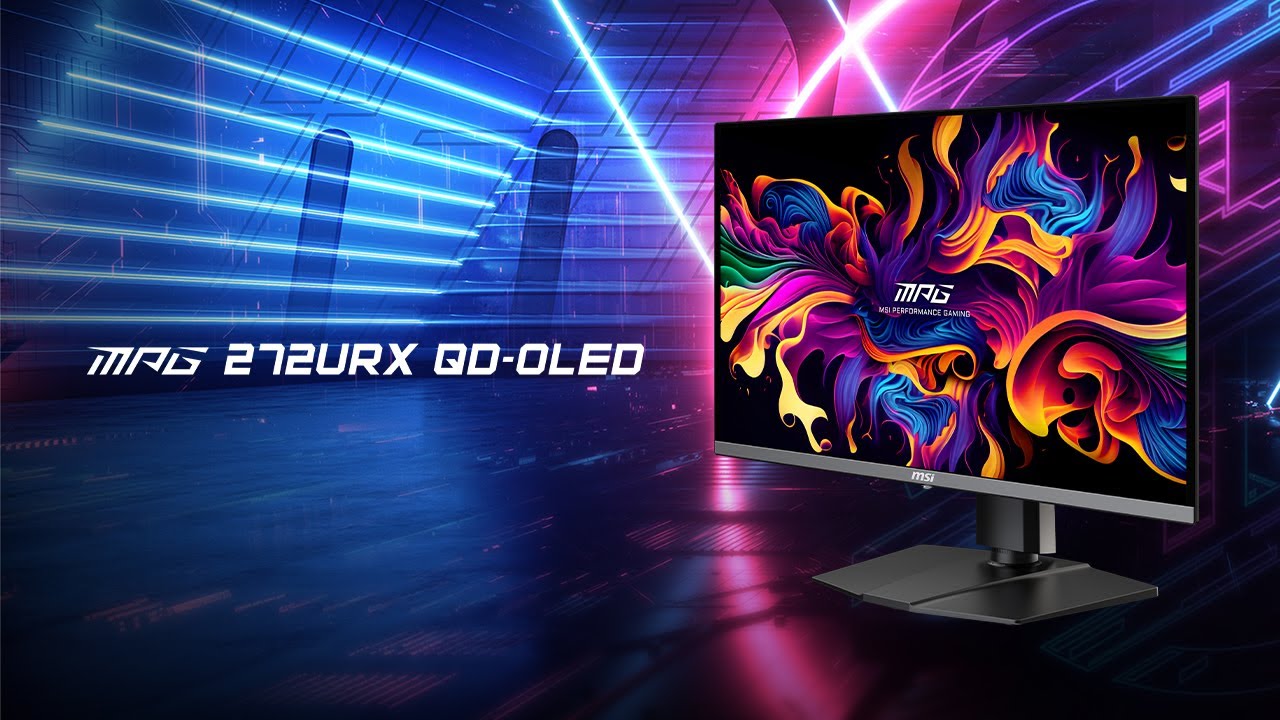
MSI MPG 272URX QD-OLED Monitor Review

Brand: MSI
Released: January 2, 2025
Updated: 1 hour ago
4.2
Overall review score
506
Review insights
93
Scored features
26
Expert reviews

Bottom Line

Spectacular 4K clarity, near-instant OLED response and unusually complete connectivity make this a standout 27-inch gaming monitor. High pricing, modest daylight brightness and intrusive panel-care prompts are the tradeoffs.

High-end PC gamers who want a compact 4K/240Hz display, and mixed work-and-play desks that benefit from USB-C charging and a shared-peripheral KVM. It is also excellent for dark-room HDR gaming.

Budget-conscious buyers, people who mostly play at modest frame rates, and anyone needing excellent visibility in direct sunlight. A larger display may better suit cinematic viewing, while prolonged static office work carries OLED-care considerations.

Verdict

The MSI MPG 272URX QD-OLED combines the exceptional sharpness of 4K on a 27-inch panel with 240Hz OLED responsiveness, vivid color and deep blacks. That balance impresses in competitive shooters, visually rich games and HDR films, while clean text and calibrated color presets also serve mixed work-and-play desks. Full-bandwidth DisplayPort 2.1, USB-C charging and a KVM switch are meaningful extras, especially for owners of a gaming desktop and work laptop. The compromises are equally clear: demanding games need a powerful GPU to approach 240fps, daylight glare and moderate full-screen brightness limit versatility, and the small screen will not satisfy everyone seeking cinematic immersion. OLED Care and a burn-in warranty offer reassurance, but unavoidable maintenance prompts can interrupt play. Buyers should weigh the hefty premium against 1440p OLEDs and competing 4K alternatives.

Feature Scorecards

Summary

93 reviewed features
  • Very positive 4.5-5.0
    45 (48%)
  • Positive 3.5-4.4
    25 (27%)
  • Neutral 2.5-3.4
    11 (12%)
  • Negative 1.5-2.4
    10 (11%)
  • Very negative below 1.5
    2 (2%)

Pros highlights

  • 4.3
    18 reviews moderate consensus
    HDR performance: 4.3, 18 reviews, moderate consensus
    Dark HDR scenes, concentrated highlights and vibrant colors are recurring showpieces. Bright, expansive scenes lack the same punch, and optimal results can depend on the chosen HDR mode.
  • 4.9
    16 reviews strong consensus
    DisplayPort connectivity: 4.9, 16 reviews, strong consensus
    The full-bandwidth DP 2.1 UHBR20 input is a key differentiator, enabling uncompressed 4K/240Hz with compatible hardware. Older GPUs can use DSC, although some driver features and refresh options may differ.
  • 4.4
    16 reviews moderate consensus
    Text fringing: 4.4, 16 reviews, moderate consensus
    Dense 4K pixels make small text substantially cleaner than on earlier, lower-resolution QD-OLED screens. Very sensitive users may still notice subtle colored edging, particularly in certain fonts or scaling modes.
  • 4.3
    16 reviews low consensus
    color accuracy: 4.3, 16 reviews, low consensus
    Several tests found excellent calibration or color-space presets, particularly in sRGB. Some units and brighter presets show warm white points, gamma shifts or oversaturated colors, so settings matter.
  • 4.9
    14 reviews strong consensus
    motion clarity: 4.9, 14 reviews, strong consensus
    OLED response and 240Hz refresh make motion exceptionally clean, with little smearing or trailing. Competitive players appreciate the feel, although a few ultra-fast 1440p alternatives remain quicker.
  • 4.9
    14 reviews strong consensus
    port selection: 4.9, 14 reviews, strong consensus
    Two HDMI 2.1 inputs, high-bandwidth DisplayPort, USB-C, USB-A and USB-B give the 272URX a notably flexible input selection. It is particularly useful on desks with more than one computer.

Cons highlights

  • 3.4
    20 reviews moderate consensus
    value for money: 3.4, 20 reviews, moderate consensus
    Flagship 4K/240Hz OLED sharpness, high-end connectivity, and a burn-in warranty help justify the premium for enthusiasts. Buyers who simply want OLED gaming can find less expensive 1440p or competing 4K options.
  • 3.0
    15 reviews moderate consensus
    brightness: 3.0, 15 reviews, moderate consensus
    Small HDR highlights can look dazzling, but full-screen and SDR luminance are modest for a premium monitor. Presets make a material difference, and sunlight exposes the limitations quickly.
  • 2.9
    9 reviews strong consensus
    GPU demands: 2.9, 9 reviews, strong consensus
    Pushing 4K at 240 frames per second is a demanding target, especially in modern visually complex games. Upscaling, reduced settings or lower frame rates are realistic compromises.
  • 3.0
    6 reviews strong consensus
    reflection handling: 3.0, 6 reviews, strong consensus
    The coating tempers ordinary reflections, but a window or direct lamp can still appear as a distinct glare source. Users should consider room layout.
  • 2.0
    4 reviews moderate consensus
    VRR flicker: 2.0, 4 reviews, moderate consensus
    Flickering during changing frame rates is a recurring OLED caveat, most apparent in dark game scenes. Limiting frame rates or refresh variability can reduce the distraction.
  • 2.8
    4 reviews strong consensus
    Gamma tracking: 2.8, 4 reviews, strong consensus
    Some out-of-box and sRGB settings deviate from target gamma, subtly shifting shadows or overall darkness. Calibration and mode selection can improve accuracy.

Use Cases

Best for

  • 5.0
    9 reviews strong consensus
    HDR gaming: 5.0, 9 reviews, strong consensus
    Neon lighting, dark environments, brilliant small highlights and responsive motion make HDR gaming a standout use. The strongest results come in darker rooms and with an appropriate HDR preset.
  • 5.0
    5 reviews strong consensus
    Multi-computer workflows: 5.0, 5 reviews, strong consensus
    USB-C, multiple video inputs and KVM switching make laptop-plus-desktop desks easy to manage. Shared peripherals are an especially welcome convenience.
  • 5.0
    4 reviews strong consensus
    Content creation: 5.0, 4 reviews, strong consensus
    Broad color coverage, fine pixels and adjustable professional profiles make the display appealing for many editing projects. Strict reference-grade workflows may still call for specialist displays.

Not ideal for

  • Bright-room viewing
    2.2
    11 reviews strong consensus
    Bright-room viewing: 2.2, 11 reviews, strong consensus
    Direct sunlight and strong opposing lights can produce prominent reflections and lifted blacks. Some find normal indoor daylight manageable, but controlled lighting is a safer fit.
  • Budget-conscious buyers
    2.0
    1 review
    Budget-conscious buyers: 2.0, 1 review
    The high sticker price makes this a hard sell to shoppers who can accept less expensive 4K OLED rivals or 1440p monitors.

Compared With Category Average

Compared with other Monitors, this product is above average in KVM switch performance, HDR highlight detail, port selection, near average in design and aesthetics, black levels, below average in Included accessories, HDR adjustment controls, Long-range enemy visibility.

Comparison summary

88 compared features
  • Above average 0.4+ pts higher
    51 (58%)
  • Same as average within 0.3 pts
    17 (19%)
  • Below average 0.4+ pts lower
    20 (23%)

Largest category differences

Attribute This product Category average Difference
KVM switch performance 5.0 3.0 +2.0
Included accessories 2.0 3.9 -1.9
HDR adjustment controls 2.0 3.8 -1.8
HDR highlight detail 5.0 3.4 +1.6
port selection 4.9 3.6 +1.3
Long-range enemy visibility 2.0 3.6 -1.5
DisplayPort connectivity 4.9 3.8 +1.1
Included color profiles 5.0 3.6 +1.4

Consider This Instead

If you want better design and aesthetics

Choose Dell Alienware AW2725DF. It scores 4.6 vs 4.1 for design and aesthetics, with a 4.2 overall score.

Compare

Compared in Reviews

Products reviewers directly compared with this model, grouped into quick takeaways.

  • Cheaper: price The Dell comes in at a lower price than the MSI.
  • Cheaper: ports and price MSI charges more for connectivity the cheaper Dell lacks.
  • Alternative: price and features The Alienware uses similar core OLED technology but costs less.
  • More expensive: Dolby Vision, anti-flicker and price MSI costs less but the Asus offers additional HDR and flicker-control features.
  • Better: premium gaming features The Asus offers a stronger set of features and performance at the high end.
  • Better: features and value MSI has fewer OLED-specific features and was less compelling at its price.
  • Alternative: size and pricing The larger MSI is close in price, challenging the value of the smaller panel.
  • Alternative: desk fit and price The 27-inch version provides similar flagship speed with a smaller desk footprint.
  • Alternative: 27 versus 32 inches The 322URX suits buyers who want more immersion from a larger screen.

FAQ

Is 4K at 27 inches noticeably sharper than 1440p?

Yes. Reviewers consistently praise the roughly 166-PPI image for crisp games, text and desktop details. The improvement over 32-inch 4K is smaller.

Is this monitor good for PS5 or Xbox Series X?

Yes, it supports 4K up to 120Hz over HDMI 2.1, with fast motion and excellent HDR contrast in dark rooms. Consoles cannot use the full 240Hz refresh rate.

Does the monitor get bright enough for a sunny room?

Brightness is sufficient for many ordinary indoor setups, but strong windows and direct lighting can create reflections and lift the blacks toward purple-gray. It is at its best with controlled ambient light.

What does DisplayPort 2.1 add?

Full UHBR20 bandwidth permits 4K/240Hz without display stream compression on a compatible GPU. Older connections can still function, often using DSC, with little visible difference in image quality.

Can it replace a work monitor and charge a laptop?

USB-C video, high-power charging, professional color presets and the KVM make it practical for mixed work and play. All-day static applications still warrant OLED burn-in precautions.

How effective are the OLED protection and warranty?

MSI offers a suite of burn-in safeguards and advertises three years of burn-in coverage. The maintenance prompts can be intrusive, and safeguards cannot entirely eliminate long-term panel risk.

Should I choose it over a cheaper 1440p OLED?

Choose the MSI if you strongly value 4K detail, 240Hz motion and its extensive connections. A 1440p OLED is easier on a midrange GPU and often costs considerably less.

Sample Expert Reviews We Analyzed

These are a few of the reviews included in our analysis.

Video Reviews

Article Reviews

rtings.com

The MSI MPG 272URX QD-OLED is a high-end 27-inch, 4k QD-OLED gaming monitor. With a 240Hz refresh rate, it competes against other models that...

Review score
4.3

Top Monitors to Consider

#1 Asus ROG Swift 34 QD-OLED PG34WCDN
4.5

This 360Hz QD-OLED ultrawide delivers exceptional gaming motion, vibrant HDR and dramatically cleaner text. Its high price, less-than-perfect bright-room blacks and occasional HDR dimming are the main reasons to hesitate.

Pros: color gamut, contrast

Cons: value for money, Resolution

#2 MSI MPG 341CQR QD-OLED X36
4.4

The 360Hz QD-OLED panel delivers exceptional HDR gaming, responsive motion, and cleaner text than earlier ultrawides. Its 3440×1440 resolution is less sharp than 4K, and premium pricing remains a hurdle.

Pros: refresh rate, Text fringing

Cons: Resolution, GPU demands

#3 Dell U4025QW
4.4

A huge, sharp ultrawide workspace and unusually capable Thunderbolt dock make the U4025QW outstanding for demanding productivity and editing. Its high price, modest HDR, and imperfect motion handling keep it...

Pros: overall picture quality, color accuracy

Cons: value for money, built-in speakers

#4 ASUS ROG Strix OLED XG27ACDNG
4.4

Lightning-fast 360Hz OLED gaming, rich color and an unusually flexible USB-C/KVM setup are the big draws. Strong room lighting, limited full-screen HDR brightness and static-content burn-in concerns keep it from...

Pros: color gamut, overall satisfaction

Cons: reflection handling, VRR flicker