If you want better Desk footprint
Choose ASUS ROG Strix OLED XG27ACDNG. It scores 5.0 vs 2.0 for Desk footprint, with a 4.4 overall score.

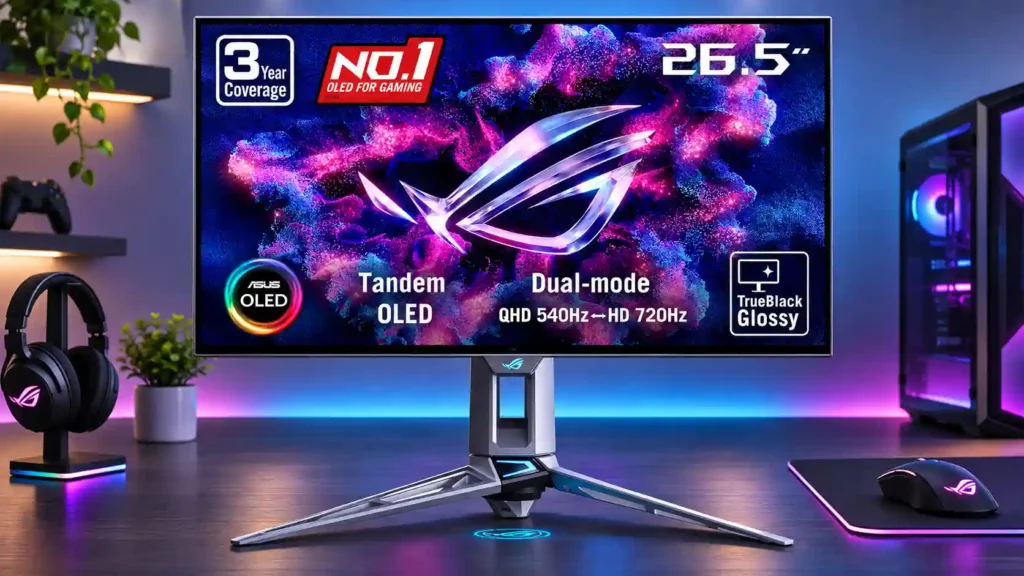
Exceptionally clear 540Hz motion and vibrant Tandem OLED HDR make this a compelling esports display. The premium cost, mirror-like reflections, and blurry 720p boost mode are its clearest compromises.
Competitive PC gamers who can sustain high frame rates and want fast motion without sacrificing vivid HDR and deep blacks. Enthusiasts seeking a distinctive high-end OLED setup also benefit.
Budget-focused or mostly lower-frame-rate players who can get similar image quality from cheaper OLEDs, and users who need a USB-C docking display or spend long hours on static office tasks.
The ASUS ROG Swift OLED PG27AQWP-W is an exceptionally fast 1440p gaming monitor that stands out for more than its refresh rate. Native 540Hz motion is remarkably clear, input delay is minimal, and the newer Tandem OLED panel delivers brighter SDR and HDR images, deeper blacks and rich color. Its glossy finish keeps the picture crisp, although windows and lamps can create obvious reflections. The advertised 720Hz mode has limited practical appeal: dropping to 720p loses far more detail than most players will gain in motion clarity. ELMB and OLED protection features add versatility, but ELMB restricts other display functions, while burn-in remains a consideration for extended static office work. Missing USB-C, KVM and built-in speakers also lessen its appeal as an all-purpose monitor. The high asking price makes the most sense for serious high-frame-rate gamers who want premium picture quality alongside elite speed.
Compared with other Monitors, this product is above average in Content aspect-ratio support, competitive gaming suitability, local dimming performance, near average in color gamut, HDR highlight detail, below average in Desk footprint, reflection handling, screen uniformity.
| Attribute | This product | Category average | Difference |
|---|---|---|---|
| Content aspect-ratio support | 4.3 | 2.4 | +1.9 |
| Desk footprint | 2.0 | 3.9 | -1.9 |
| reflection handling | 2.1 | 3.9 | -1.7 |
| screen uniformity | 2.3 | 4.0 | -1.7 |
| competitive gaming suitability | 5.0 | 3.5 | +1.5 |
| local dimming performance | 5.0 | 3.4 | +1.6 |
| Gaming feature selection | 5.0 | 3.5 | +1.5 |
| HDR performance | 4.6 | 3.4 | +1.2 |
Choose ASUS ROG Strix OLED XG27ACDNG. It scores 5.0 vs 2.0 for Desk footprint, with a 4.4 overall score.
Choose Dell Alienware AW2725DF. It scores 4.0 vs 2.3 for screen uniformity, with a 4.2 overall score.
Choose Dell Alienware AW3426DW. It scores 4.4 vs 2.1 for reflection handling, with a 4.4 overall score.
Choose TCL 32R84. It scores 4.5 vs 2.0 for KVM switch performance, with a 4.2 overall score.
Products reviewers directly compared with this model, grouped into quick takeaways.
Yes, its native mode is 2560 × 1440 at up to 540Hz, although the PC and game must deliver enough frames to make full use of it.
No. Frame Rate Boost runs at 720p, not 1080p, and the loss of detail is significant on a 27-inch screen.
It maintains impressive black depth and brightness under ambient light, but facing a window or lamp can cause mirror-like reflections.
HDR contrast and highlight brightness are excellent for an OLED. Console HDR and adjustable brightness offer useful choices, though boosting highlights can reduce accuracy.
Yes, it accepts downscaled 4K at 120Hz over HDMI and supports key console features, but it has no built-in speakers and no Dolby Vision.
It has better OLED text clarity and strong color controls, but prolonged static desktop use poses burn-in concerns and there is no USB-C docking or KVM.
Its extra speed and HDR improvements appeal most to competitive enthusiasts. Slower Tandem OLEDs or cheaper 500Hz rivals can offer much of the experience for less.
These are a few of the reviews included in our analysis.





The ASUS ROG Swift OLED PG27AQWP-W is a 27-inch, 1440p OLED gaming monitor. It's higher-end than the ASUS ROG Strix OLED XG27AQWMG, offering...
Asus puts all the gaming monitor tech in its arsenal into the flagship ROG Swift PG27AQWP-W.
The Asus ROG Swift OLED PG27AQWP-W pulls out all the stops to deliver best-in-class motion performance and a long list of bonus features.
720Hz OLED is finally here. Asus' ROG Swift PG27AQWP pushes 540Hz at 1440p or a wild 720Hz at 720p, making it the fastest desktop OLED we've...
The new flagship OLED gaming monitor with a 27" 4th Gen WOLED panel, 1440p resolution, 540Hz refresh rate and dual-mode 720Hz support

This 360Hz QD-OLED ultrawide delivers exceptional gaming motion, vibrant HDR and dramatically cleaner text. Its high price, less-than-perfect bright-room blacks and occasional HDR dimming are the main reasons to hesitate.
Pros: color gamut, contrast
Cons: value for money, Resolution

Lightning-fast 360Hz OLED gaming, rich color and an unusually flexible USB-C/KVM setup are the big draws. Strong room lighting, limited full-screen HDR brightness and static-content burn-in concerns keep it from...
Pros: color gamut, overall satisfaction
Cons: reflection handling, VRR flicker

The 27-inch 4K OLED picture is exceptionally crisp and responsive, with useful USB-C and KVM extras. Its high price, oversized stand, and bright-room compromises limit its appeal.
Pros: sharpness, overall satisfaction
Cons: value for money, VRR flicker

Best for exceptional 4K HDR, accurate color, fast 240Hz gaming, and strong work connectivity. Skip it if you need built-in speakers, ultrawide immersion, television-level HDR brightness, or a budget-friendly upgrade.
Pros: brightness, reflection handling
Cons: cable management