
If you want better panel type
Choose Dell Alienware AW2725DF. It scores 5.0 vs 3.6 for panel type, with a 4.2 overall score.

The AW3225QF delivers wonderfully sharp 4K OLED gaming, excellent motion and standout HDR, especially in darker rooms. Its curved screen, limited laptop connectivity and delicate finish deserve thought before buying.
PC and console gamers who value sharp 4K visuals, fast motion and impactful HDR, especially in dim rooms. It is also excellent for immersive single-player games and personal movie viewing.
Buyers needing a flat screen, bright-room contrast, a one-cable USB-C laptop dock or a strict budget should consider alternatives. All-day static-content workers and anyone seeking a carefree, easily cleaned finish may also prefer an LCD.
The Alienware AW3225QF brings the best of modern QD-OLED gaming together: crisp 4K detail across 32 inches, exceptional 240Hz motion, low input lag, vivid color and nearly perfect blacks. Dolby Vision and full-bandwidth HDMI 2.1 make it unusually appealing for a PC-and-console setup, especially alongside a soundbar. A gentle 1700R curve enhances immersion for some, though others prefer a flat display for desktop work. The compromises are practical rather than fundamental to gaming: SDR brightness and black depth suffer in strongly lit rooms, USB-C cannot serve as a full laptop dock, and KVM and ordinary audio connections are absent. The glossy coating also needs unusually careful cleaning, while OLED care and HDR mode selection add complexity. At the right price, this remains a particularly compelling premium gaming display.
Compared with other Monitors, this product is above average in reliability over time, HDR performance, Pixel refresh effectiveness, near average in refresh rate, overall picture quality, below average in USB-C power delivery, aspect ratio, Cleaning ease.
| Attribute | This product | Category average | Difference |
|---|---|---|---|
| USB-C power delivery | 1.6 | 3.8 | -2.2 |
| aspect ratio | 2.1 | 4.4 | -2.3 |
| Cleaning ease | 1.3 | 3.5 | -2.2 |
| Desk footprint | 1.8 | 3.9 | -2.2 |
| Operating noise | 1.9 | 3.9 | -2.1 |
| Photo editing | 2.1 | 4.1 | -2.0 |
| Packaging presentation | 2.1 | 4.1 | -2.0 |
| Headphone jack convenience | 1.6 | 3.6 | -2.0 |
Choose Dell Alienware AW2725DF. It scores 5.0 vs 3.6 for panel type, with a 4.2 overall score.
Choose LG 27GX790A-B. It scores 4.9 vs 3.9 for refresh rate, with a 4.0 overall score.
Choose Samsung Odyssey OLED G80SH S32HG802S. It scores 4.9 vs 1.6 for USB-C power delivery, with a 4.1 overall score.
Choose LG 27GX704A-B. It scores 5.0 vs 2.5 for Image retention, with a 4.1 overall score.
Products reviewers directly compared with this model, grouped into quick takeaways.
Yes. Its HDMI 2.1 ports support 4K at 120Hz and VRR, while the QD-OLED panel makes HDR games look vivid; Xbox users can also benefit from compatible Dolby Vision content.
The curve is relatively subtle and some find it more immersive for games and movies. Others prefer a flat panel, particularly for straight lines in design or spreadsheet work.
SDR brightness is adequate for many spaces, but ambient light can lift black levels and expose reflections. It looks its best with controlled lighting.
No. Its USB-C connection is intended for data and limited charging, not single-cable laptop video and high-power delivery; there is no built-in KVM either.
OLED static-image retention remains a consideration, although Dell provides burn-in warranty coverage and owners have reported encouraging long-term results. The glossy coating is also unusually sensitive to cleaning marks and scratches.
Not always. Some Windows configurations have selected Dolby Vision for HDR10 content; an available on-monitor toggle can disable Dolby Vision when that happens.
These are a few of the reviews included in our analysis.

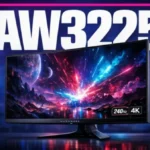


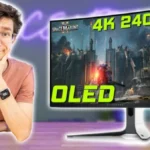
A curved 32-inch 4K 240Hz QD-OLED with Dolby Vision and HDMI eARC: the OLED for players who split time between PC and console.
The Alienware AW3225QF 32-inch 4K OLED features a stunning 1700R curve, 240Hz refresh rate, and Dolby Vision HDR. Read our full review.
The Dell AW3225QF is a premium 4k 240Hz QD-OLED gaming monitor. It's higher-end than the Dell Alienware AW2725DF and a larger alternative to...
With outstanding brightness, broad color depth, exceptional refresh rates, and minimal latency, the Alienware AW3225QF ticks every box and...
Alienware has released a $1199 enthusiast-level gaming monitor with a 240Hz refresh rate, 4K resolution, and 0.03ms response time across a...

This 360Hz QD-OLED ultrawide delivers exceptional gaming motion, vibrant HDR and dramatically cleaner text. Its high price, less-than-perfect bright-room blacks and occasional HDR dimming are the main reasons to hesitate.
Pros: color gamut, contrast
Cons: value for money, Resolution

The 360Hz QD-OLED panel delivers exceptional HDR gaming, responsive motion, and cleaner text than earlier ultrawides. Its 3440×1440 resolution is less sharp than 4K, and premium pricing remains a hurdle.
Pros: refresh rate, Text fringing
Cons: Resolution, GPU demands

A huge, sharp ultrawide workspace and unusually capable Thunderbolt dock make the U4025QW outstanding for demanding productivity and editing. Its high price, modest HDR, and imperfect motion handling keep it...
Pros: overall picture quality, color accuracy
Cons: value for money, built-in speakers

Lightning-fast 360Hz OLED gaming, rich color and an unusually flexible USB-C/KVM setup are the big draws. Strong room lighting, limited full-screen HDR brightness and static-content burn-in concerns keep it from...
Pros: color gamut, overall satisfaction
Cons: reflection handling, VRR flicker