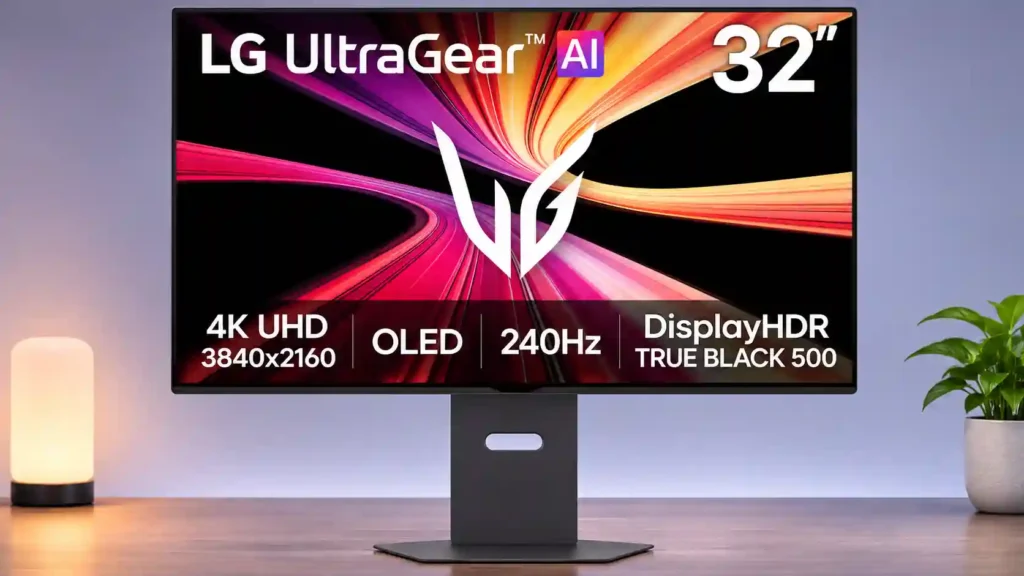
LG 32GX870B-B

LG 32GX870B-B Monitor Review

Brand: LG
Released: June 11, 2026
Updated: 4 hours ago
3.9
Overall review score
217
Review insights
71
Scored features
13
Expert reviews

Bottom Line

A stunning 4K/240Hz OLED that can jump to 480Hz for competitive gaming, with sharp motion and flexible connectivity. The Full HD mode looks softer, and brightness behavior, price and OLED burn-in risk deserve consideration.

Competitive PC players who also enjoy detailed 4K HDR games, and mixed PC-and-console setups that benefit from modern inputs and USB-C laptop charging.

Budget shoppers, people who require consistently crisp 480Hz/1080p text, or office-only users leaving static windows open all day; those needing a built-in KVM should look elsewhere.

Verdict

The LG 32GX870B-B earns its premium reputation through a compelling combination: rich OLED blacks and HDR in native 4K at 240Hz, plus a separate 1080p/480Hz setting for competitive play. Motion is extremely clean, and DisplayPort 2.1, two HDMI 2.1 inputs and 90W USB-C make it more practical than many gaming-focused screens. The matte coating also helps with ordinary room reflections. Yet the faster mode is noticeably softer on a 32-inch panel, while the new AI processing is inconsistent: low-level upscaling helps, but automatic scene adjustment has produced ugly image artifacts for some owners. Brightness feedback is strikingly divided, with some finding a big leap over older LG OLEDs and another returning the display after an unfavorable QD-OLED comparison. Audio quality, high pricing and the continuing OLED burn-in caveat further complicate an otherwise impressive choice.

Feature Scorecards

Summary

71 reviewed features
  • Very positive 4.5-5.0
    33 (46%)
  • Positive 3.5-4.4
    21 (30%)
  • Neutral 2.5-3.4
    12 (17%)
  • Negative 1.5-2.4
    4 (6%)
  • Very negative below 1.5
    1 (1%)

Pros highlights

  • 4.0
    12 reviews low consensus
    brightness: 4.0, 12 reviews, low consensus
    The Tandem OLED panel makes a noticeable leap over older LG OLEDs for several owners, especially in HDR. One disappointed owner found it dimmer than rival QD-OLEDs, and full-screen brightness remains a limitation.
  • 4.2
    11 reviews moderate consensus
    color gamut: 4.2, 11 reviews, moderate consensus
    Wide, more vibrant colors mark a meaningful improvement over older WOLED panels for many users. A dissenting owner still found the newest ASUS QD-OLED more colorful.
  • 4.2
    11 reviews low consensus
    overall satisfaction: 4.2, 11 reviews, low consensus
    The monitor earns widespread enthusiasm for its premium dual-mode OLED performance, although one outspoken owner returned it after a disappointing side-by-side comparison.
  • 4.5
    10 reviews strong consensus
    Dual-mode versatility: 4.5, 10 reviews, strong consensus
    Switching between native 4K at 240Hz and Full HD at 480Hz is the defining strength, though many notice the loss of sharpness in the faster mode.
  • 4.3
    8 reviews low consensus
    HDR performance: 4.3, 8 reviews, low consensus
    Bright accents against dark OLED backgrounds create engaging HDR, especially compared with older LG panels. Owners disagree about sustained color brightness and how it fares against high-end QD-OLED.
  • 3.8
    6 reviews strong consensus
    Resolution: 3.8, 6 reviews, strong consensus
    Native 4K looks crisp on the large panel, but dropping to Full HD for 480Hz creates noticeable softness at typical desk distances.

Cons highlights

  • 3.0
    6 reviews low consensus
    AI scene optimization: 3.0, 6 reviews, low consensus
    Automatic image adjustment is divisive: some find it useful, while owners report that it can distort desktop images and text until disabled.
  • 2.9
    5 reviews strong consensus
    value for money: 2.9, 5 reviews, strong consensus
    The monitor is expensive and not always a compelling upgrade from last-generation OLEDs. Its relative value improves when priced below top-end rivals.
  • 3.2
    5 reviews strong consensus
    burn-in protection: 3.2, 5 reviews, strong consensus
    OLED Care and pixel maintenance help manage panel wear, but keeping static desktop elements displayed for long periods still calls for caution.
  • 3.3
    5 reviews low consensus
    speaker quality: 3.3, 5 reviews, low consensus
    Built-in speakers draw mixed reactions: volume and clarity satisfy some users, but others miss LG Pixel Sound or dislike muffled and bass-light output.
  • 3.3
    4 reviews moderate consensus
    AI audio processing: 3.3, 4 reviews, moderate consensus
    AI Sound can clear up voices and treble, but another owner found its processing echoey and switched it off.
  • 3.2
    3 reviews moderate consensus
    Text fringing: 3.2, 3 reviews, moderate consensus
    Sharp 4K density limits the damage, but RGWB subpixel fringing can still show around letters, particularly at smaller font sizes.

Use Cases

Best for

  • 4.1
    7 reviews moderate consensus
    Bright-room viewing: 4.1, 7 reviews, moderate consensus
    The matte finish usually controls overhead lights and ambient reflections well, though a sunny window directly opposite the screen can still overpower it.
  • 4.7
    3 reviews strong consensus
    Single-cable laptop docking: 4.7, 3 reviews, strong consensus
    One USB-C connection carries video, data and laptop charging, making workstation changes quick and straightforward.
  • 4.7
    2 reviews limited evidence
    Movies and streaming: 4.7, 2 reviews, limited evidence
    4K resolution, deep blacks and vibrant HDR bring films and streaming to life; built-in sound is serviceable rather than cinematic.

Not ideal for

  • Budget-conscious buyers
    2.0
    1 review
    Budget-conscious buyers: 2.0, 1 review
    It is an expensive high-end display, so budget-focused buyers may get more useful value from a simpler IPS monitor.
  • HDR gaming
    2.0
    1 review
    HDR gaming: 2.0, 1 review
    One particularly critical owner found bright, colorful game scenes less impactful than on a competing QD-OLED, contrasting sharply with others’ enthusiasm.

Compared With Category Average

Compared with other Monitors, this product is above average in built-in speakers, Dual-mode versatility, competitive gaming suitability, near average in overall satisfaction, color gamut, below average in Automatic brightness limiting, Desk footprint, burn-in protection.

Comparison summary

63 compared features
  • Above average 0.4+ pts higher
    36 (57%)
  • Same as average within 0.3 pts
    16 (25%)
  • Below average 0.4+ pts lower
    11 (17%)

Largest category differences

Attribute This product Category average Difference
Automatic brightness limiting 1.0 3.4 -2.4
Desk footprint 2.0 4.0 -2.0
built-in speakers 4.0 2.6 +1.5
Dual-mode versatility 4.5 3.3 +1.2
competitive gaming suitability 4.6 3.4 +1.2
burn-in protection 3.2 4.3 -1.1
value for money 2.9 3.9 -1.0
Power efficiency 4.5 3.4 +1.1

Consider This Instead

If you want better Desk footprint

Choose LG 27GM950B-B. It scores 4.6 vs 2.0 for Desk footprint, with a 4.0 overall score.

Compare

If you want better Automatic brightness limiting

Choose TCL 32R84. It scores 5.0 vs 1.0 for Automatic brightness limiting, with a 4.2 overall score.

Compare

Compared in Reviews

Products reviewers directly compared with this model, grouped into quick takeaways.

LG UltraGear 32GS95UE-B

  • Older model: HDR brightness and sound LG improves HDR vibrancy and shadow clarity but loses the prior model’s Pixel Sound audio.
  • Older model: color and brightness The B model has richer HDR colors and brightness but weaker speakers and questionable upgrade value.
  • Older model: brightness and DisplayPort The newer LG improves brightness, color purity and connectivity over the older dual-mode OLED.

LG UltraGear 32GX870A-B

  • Older model: Tandem brightness and value The newer LG promises an improved panel but may not justify a large price premium.
  • Older model: generation and HDR The writer considers the Tandem panel a meaningful brightness and HDR step over the A version.

ROG Strix OLED XG32UCWMG

  • Compared: HDR brightness and coating The LG is praised for higher measured HDR brightness and lower glare than this glossy ASUS.
  • Compared: coatings and brightness Both offer dual mode, but LG favors glare reduction and newer connectivity over ASUS glossy clarity.

FAQ

Can it run 4K at 480Hz?

No. The native 4K mode tops out at 240Hz; switching to 480Hz lowers the resolution to 1920 × 1080.

How sharp is the 480Hz mode?

Motion remains excellent, but Full HD looks noticeably softer at 32 inches. Low-level AI upscaling improves the look for several owners without restoring full native 4K detail.

Is the HDR picture bright?

Many accounts praise noticeably brighter highlights and richer colors than older LG OLEDs. Others report aggressive SDR dimming or less striking HDR brightness than competing QD-OLED displays.

Does it work with PS5 and Xbox Series X?

Yes. HDMI 2.1 supports common 4K/120Hz console gaming with HDR and VRR, but consoles cannot use the monitor’s 240Hz or 480Hz maximum modes.

Can I connect and charge a laptop with one cable?

Yes. Its USB-C input supports display, data and up to 90W of charging, although unusually power-hungry laptops may still need their own power adapter.

Should I enable the AI picture features?

Low AI upscaling can improve 1080p clarity, while higher settings may look over-sharpened. Some owners recommend disabling AI Scene Optimization because it can unexpectedly distort desktop text and imagery.

What are the main ownership drawbacks?

OLED burn-in remains a risk with prolonged static elements, and the display lacks a KVM switch. Built-in speakers are adequate but regarded by some as a downgrade from the earlier LG Pixel Sound model.

Sample Expert Reviews We Analyzed

These are a few of the reviews included in our analysis.

Video Reviews

Article Reviews

rtings.com

The LG 32GX870B-B is a high-end 32-inch, 4k OLED gaming monitor. It has a native 240Hz refresh rate that you can boost to 480Hz with a lower...

Review score
4.2

Top Monitors to Consider

#1 Asus ROG Swift 34 QD-OLED PG34WCDN
4.5

This 360Hz QD-OLED ultrawide delivers exceptional gaming motion, vibrant HDR and dramatically cleaner text. Its high price, less-than-perfect bright-room blacks and occasional HDR dimming are the main reasons to hesitate.

Pros: color gamut, contrast

Cons: value for money, Resolution

#2 ASUS ROG Strix OLED XG27ACDNG
4.4

Lightning-fast 360Hz OLED gaming, rich color and an unusually flexible USB-C/KVM setup are the big draws. Strong room lighting, limited full-screen HDR brightness and static-content burn-in concerns keep it from...

Pros: color gamut, overall satisfaction

Cons: reflection handling, VRR flicker

#3 ASUS ROG Swift OLED PG27UCDM
4.4

The 27-inch 4K OLED picture is exceptionally crisp and responsive, with useful USB-C and KVM extras. Its high price, oversized stand, and bright-room compromises limit its appeal.

Pros: sharpness, overall satisfaction

Cons: value for money, VRR flicker

#4 MSI MPG 322UR QD-OLED X24
4.4

Best for exceptional 4K HDR, accurate color, fast 240Hz gaming, and strong work connectivity. Skip it if you need built-in speakers, ultrawide immersion, television-level HDR brightness, or a budget-friendly upgrade.

Pros: brightness, reflection handling

Cons: cable management