If you want better ghosting control
Choose MSI MPG 322URX QD-OLED. It scores 5.0 vs 1.0 for ghosting control, with a 4.1 overall score.

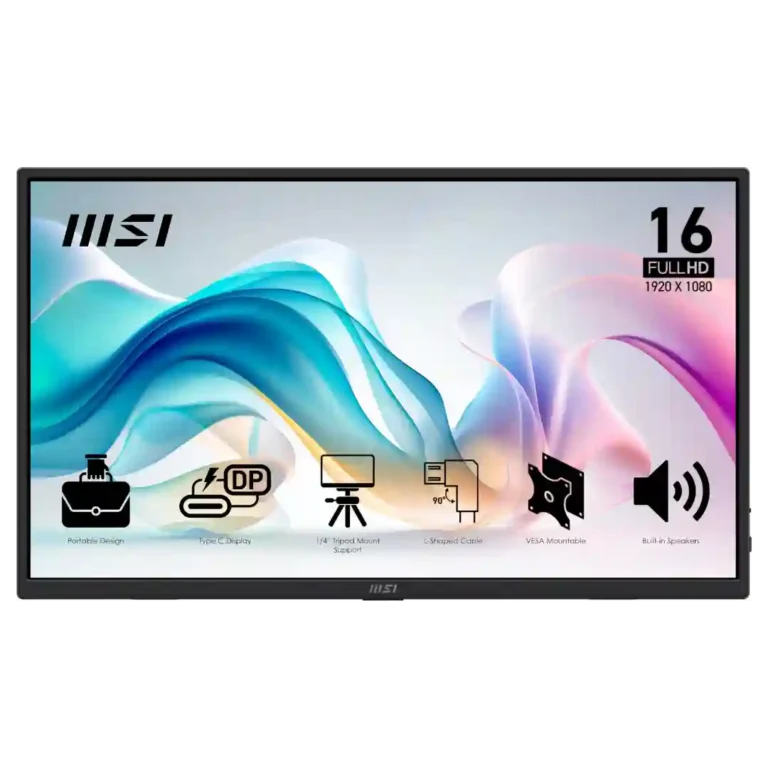
Choose it for an inexpensive, lightweight second screen with easy USB-C/HDMI setup and flexible mounting. Skip it for color-critical work, competitive gaming, or if speaker quality matters.
Travelers, remote workers, students, developers, field technicians, and anyone who wants a compact second screen for productivity without spending much.
Color-critical creators, competitive gamers, buyers who expect premium speakers, or anyone needing a high-refresh or high-resolution primary display.
The MSI Pro MP165 E6 succeeds most clearly as a low-cost productivity companion. Reviewers repeatedly praise its light weight, easy setup, full-size HDMI and USB-C connectivity, sturdy kickstand, and unusually flexible mounting options. Text looks sharp and brightness is generally adequate indoors, making it useful for travel, coding, office work, diagnostics, and secondary-screen duty. The tradeoff is image ambition: expert testing finds narrow color gamut, mediocre contrast, and only 60Hz motion, while speaker quality is frequently criticized. Build quality is viewed more favorably by many owners than by some lab reviewers, and VESA support draws conflicting reports. At the right sub-$100 price, its versatility and portability outweigh the compromises for basic work-focused use.
Compared with other Monitors, this product is above average in portability and weight, value for money, eye comfort features, near average in port selection, brightness, below average in ghosting control, DisplayPort connectivity, VRR compatibility.
| Attribute | This product | Category average | Difference |
|---|---|---|---|
| ghosting control | 1.0 | 4.2 | -3.2 |
| DisplayPort connectivity | 1.5 | 4.2 | -2.7 |
| VRR compatibility | 1.5 | 4.2 | -2.7 |
| motion clarity | 2.0 | 4.6 | -2.6 |
| portability and weight | 4.9 | 2.9 | +2.1 |
| adaptive sync performance | 1.5 | 4.0 | -2.5 |
| delivery condition | 1.8 | 4.1 | -2.4 |
| sleep and wake behavior | 1.0 | 3.1 | -2.1 |
Choose MSI MPG 322URX QD-OLED. It scores 5.0 vs 1.0 for ghosting control, with a 4.1 overall score.
Choose InnoCN GA27S1Q. It scores 5.0 vs 1.8 for competitive gaming suitability, with a 4.3 overall score.
Choose Dell Ultrasharp U3425WE. It scores 5.0 vs 2.0 for motion clarity, with a 4.0 overall score.
Choose Dell UltraSharp 52 Thunderbolt Hub Monitor, U5226KW. It scores 5.0 vs 1.0 for sleep and wake behavior, with a 4.3 overall score.
Products reviewers directly compared with this model, grouped into quick takeaways.
Yes. Productivity is its strongest use case, with repeated praise for second-screen work, coding, travel, and simple USB-C or HDMI setup.
It is sharp and generally bright enough for everyday work, but expert measurements show limited color gamut and average contrast.
Casual gaming is acceptable, but 60Hz, no Adaptive Sync, and reported ghosting make it a poor fit for competitive or motion-heavy gaming.
Mostly weak. Several reviewers describe them as tinny, muffled, or terrible, though a few owners find them adequate for basic audio.
Yes. The thin, light chassis and included sleeve are repeatedly praised, though some reviewers wish the sleeve had more rigid protection.
Expert reviewers praise both VESA and tripod options, but some customers dispute how secure or standard the VESA implementation is.
Most reviewers say yes around the sub-$100 range, especially for productivity. Value looks weaker if you prioritize richer color, higher refresh rates, or premium construction.
These are a few of the reviews included in our analysis.


Complete MSI PRO MP165 E6 review with benchmarks, performance analysis, pros & cons, and buying guide. Best portable monitor for productivity.
This monitor is laser-focused on simple, affordable utility.
The MSI Pro MP165 E6 is a super-light, hyper-functional portable display that is great to have as an extra display for all of your tech
You're not stuck with just the screen on your laptop.
You're not stuck with just the screen on your laptop.

Best for exceptional 4K HDR, accurate color, fast 240Hz gaming, and strong work connectivity. Skip it if you need built-in speakers, ultrawide immersion, television-level HDR brightness, or a budget-friendly upgrade.
Pros: brightness, reflection handling
Cons: cable management

Best for class-leading 360Hz ultrawide motion, spectacular HDR, deep blacks, and unusually strong work-and-play connectivity. Skip it if you want 4K-like text sharpness, a matte screen, or the best value...
Pros: overall satisfaction, sharpness
Cons: Resolution, cable management

Choose the RD280UG for coding, trading, writing, or creative work that benefits from a tall, sharp 3:2 screen and strong eye-care features. Skip it for serious HDR, color-critical creation, esports,...
Pros: productivity versatility, aspect ratio
Cons: value for money, competitive gaming suitability

Best for fast 1440p OLED gaming, deep blacks, and a flexible stand at a bargain sale price. Skip it for bright rooms, USB-C/KVM productivity, or the reassurance of a three-year...
Pros: color gamut, overall picture quality
Cons: brightness, HDR performance