Best overall
Aqara UWB Smart Lock U400
4.4 overall score
Highest ranked product in this category by consolidated review score.

Highest ranked product in this category by consolidated review score.
Balances a strong score with broader review coverage.
Leads this category on a matching scored feature.
Leads this category on a matching scored feature.
Most common complaint: Door-sense (2.9 category average)
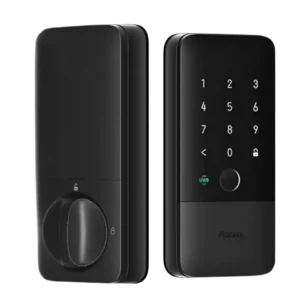
Choose the Aqara U400 if you want hands-free UWB unlocking, strong Apple Home integration, and many backup entry methods. Skip it if you dislike bulky smart-lock hardware or need a...
Pros: Battery, Smart-home integration (Alexa, Google, Siri, HomeKit, Matter, Thread)
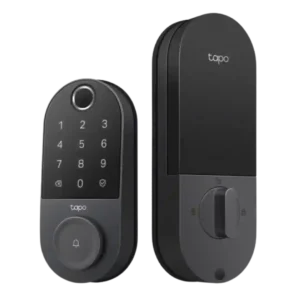
Choose the Tapo DL110 if you want fast fingerprint entry, strong app control, long battery life, and premium features under a lower price. Skip it if your door/strike alignment is...
Pros: App, Guest Codes and Access
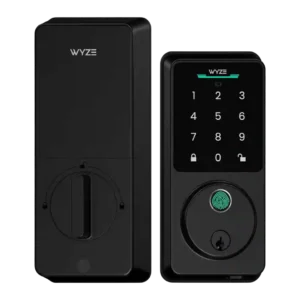
Choose the Wyze Lock Bolt v2 for low-cost Wi-Fi, fast fingerprint entry, and flexible codes. Skip it if you need Matter/HomeKit support, rechargeable batteries, or stronger door-sense behavior.
Pros: Fingerprint, Value and Price
Cons: Smart-home integration (Alexa, Google, Siri, HomeKit, Matter, Thread)
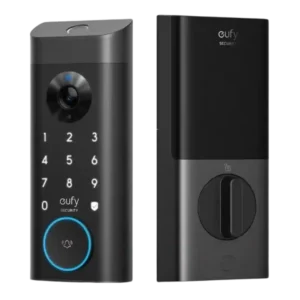
Good if you want one polished lock, camera, and doorbell with excellent fingerprint access. Skip it if short battery life, screen/storm doors, or a narrow camera view would frustrate you.
Pros: Camera and doorbell performance, Installation and Setup
Cons: Keyway quality, Door compatibility (deadbolt fit)
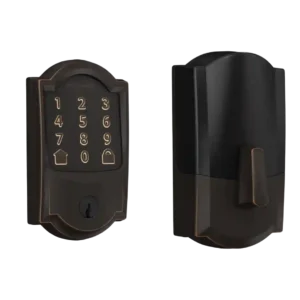
Choose the Schlage Encode if you want a sturdy, hub-free Wi-Fi deadbolt with strong codes, logs, and remote access. Skip it if you need geofencing, HomeKit/IFTTT, quiet motor noise, or...
Pros: Installation and Setup, App
Cons: Battery, Locking motor
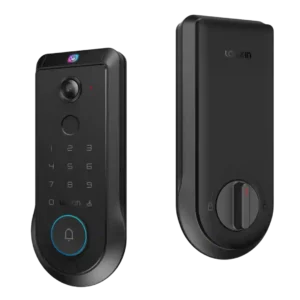
Choose the Lockin Veno Pro if you want touchless palm unlocking, local video storage, and one device for lock plus doorbell. Skip it if you need polished Matter features, discreet...
Pros: Palm vein recognition, Battery
Cons: Feature additions via updates, Geofencing
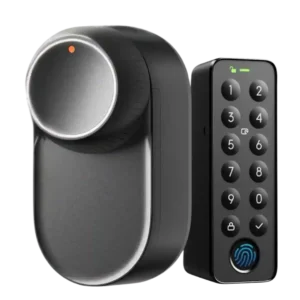
Best for easy retrofit setup, strong motor performance, battery backups, and many unlock methods. Skip it if you need hub-free Matter, dependable geofencing, Apple Home Key, or a full exterior...
Pros: Installation and Setup, Industrial design
Cons: Hub requirement, Auto-lock
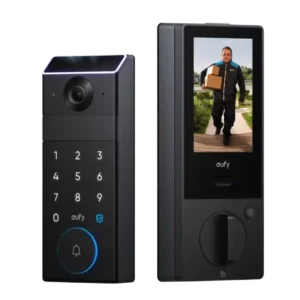
Choose the eufy FamiLock S3 Max if you want a premium all-in-one lock, doorbell, palm scanner, and indoor screen. Skip it if price, low-light video, Matter limits, or a screen/glass...
Pros: Palm vein recognition, Camera and doorbell performance
Cons: Door compatibility (deadbolt fit)
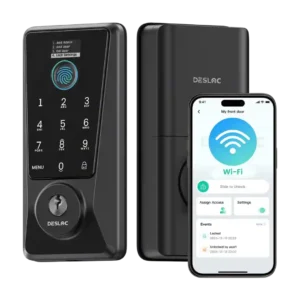
Choose the Desloc D110 Plus for a budget smart lock with fast fingerprint access, built-in Wi-Fi, and flexible codes. Skip it if you need Matter/HomeKit support, a door sensor, or...
Pros: Value and Price, Fingerprint
Cons: Smart-home integration (Alexa, Google, Siri, HomeKit, Matter, Thread), Door-sense
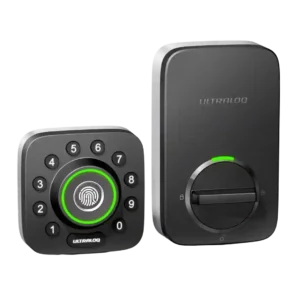
Best for fast fingerprint entry, flexible guest access, and strong smart-lock value. Skip it if you need HomeKit, Amazon Key, polished app behavior, or worry about 2.4 GHz Wi-Fi setup.
Pros: Fingerprint, Installation and Setup
Cons: Hub requirement
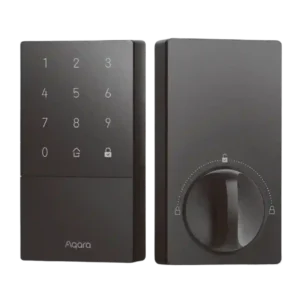
Choose the Aqara U50 for affordable HomeKey access, easy setup, strong keypad controls, and auto-lock. Skip it if you need built-in Wi-Fi, fingerprint unlocking, or hub-free advanced settings.
Pros: Value and Price, Guest Codes and Access
Cons: Industrial design, Hub requirement
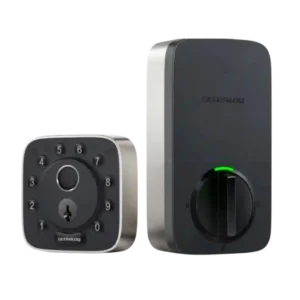
Choose the ULTRALOQ Bolt Fingerprint for fast fingerprint entry, easy installation, broad smart-home support, and strong access controls. Skip it if you need flawless Wi-Fi/app reliability, Home Key, Home Assistant,...
Pros: Fingerprint, Installation and Setup
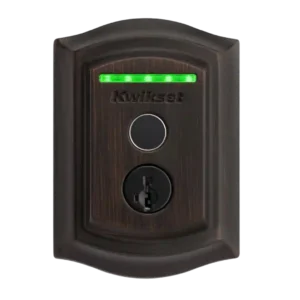
Choose the Kwikset Halo Touch if fingerprint entry, sturdy deadbolt hardware, and no-hub Wi-Fi matter most. Skip it if you need deep smart-home integrations, reliable failed-attempt alerts, geofencing, or safe...
Pros: Fingerprint, User access management
Cons: Notifications, Auto-lock
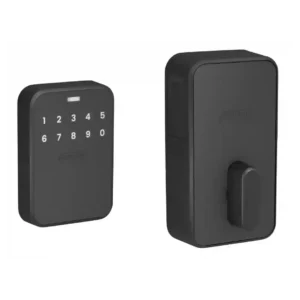
Best for premium build, discreet styling, and fast hands-free Apple unlocking. Skip it if you need a physical key, fingerprint access, Android support today, or cannot tolerate setup and UWB...
Pros: Geofencing, Industrial design
Cons: Feature additions via updates, Key override reliability
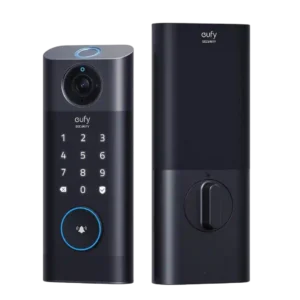
Good if you want one wireless lock, camera, doorbell, and fingerprint system. Skip it if you need HomeKit/Matter, a subtle doorbell button, or tolerance for imperfect door alignment.
Pros: Installation and Setup, Camera and doorbell performance
Cons: Door compatibility (deadbolt fit)
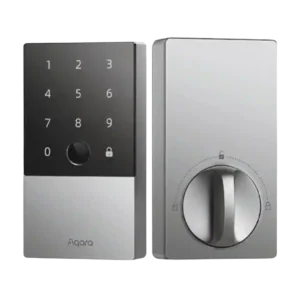
Choose the Aqara U100 for fast fingerprint access, HomeKit/Home Key, and strong feature value. Skip it if you need built-in Wi-Fi, simple re-keying, or rock-solid long-term app reliability.
Pros: Fingerprint, Value and Price
Cons: Hub requirement, Battery
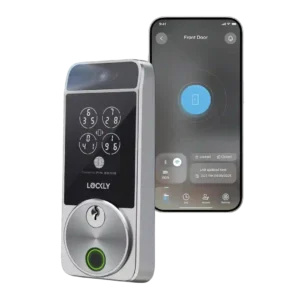
Choose the Lockly Visage if you want fast hands-free facial unlocking, Apple Home Key, and many backup access methods. Skip it if the price, exposed door sensor, app quirks, or...
Pros: Facial recognition, Installation and Setup
Cons: Door-sense, Wi-Fi
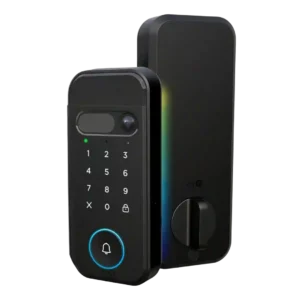
Choose it if you want a fast, camera-equipped smart lock with strong biometric options and myQ ecosystem control. Skip it if open smart-home integrations, subscription-free advanced alerts, or a basic...
Pros: Installation and Setup, Facial recognition
Cons: Value and Price, Smart-home integration (Alexa, Google, Siri, HomeKit, Matter, Thread)
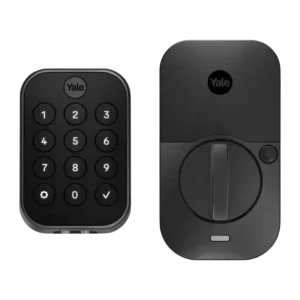
Choose the Yale Assure Lock 2 if you want a stylish smart lock with strong guest codes, access logs, and broad integrations. Skip it if Wi-Fi battery life, spotty connectivity,...
Pros: Installation and Setup, Smart-home integration (Alexa, Google, Siri, HomeKit, Matter, Thread)
Cons: Wi-Fi, Battery
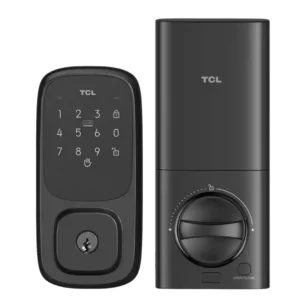
Choose the TCL D1 Pro for fast, reliable palm unlocking, many access methods, and good value. Skip it if you want a polished app, HomeKit/Matter support, geofencing, or door-sense awareness.
Pros: Palm vein recognition, Installation and Setup
Cons: App, Smart-home integration (Alexa, Google, Siri, HomeKit, Matter, Thread)
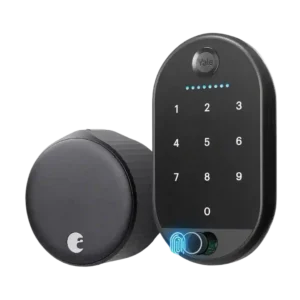
Best for an easy retrofit smart lock with strong app controls, integrations, notifications, and reliable locking. Skip it if you need long battery life, built-in keypad/fingerprint entry, or flawless auto-unlock/HomeKit...
Pros: Installation and Setup, App
Cons: Battery
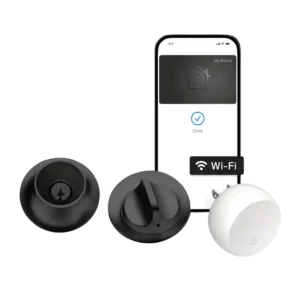
Choose the Level Lock+ if you want a discreet Apple-friendly smart lock with Home Key and flexible access. Skip it if you need built-in keypad/fingerprint access, stronger pick resistance, direct...
Pros: Installation and Setup, Industrial design
Cons: Value and Price, Door compatibility (deadbolt fit)
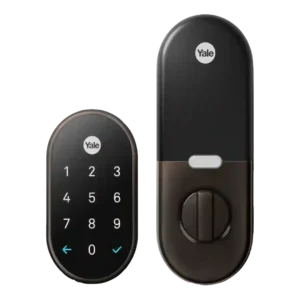
Choose the Google Nest x Yale if you want reliable keyless locking, strong Nest app control, and temporary codes. Skip it if you need broad Alexa/HomeKit integration, automatic unlock, or...
Pros: Installation and Setup, Value and Price
Cons: Voice control, Smart-home integration (Alexa, Google, Siri, HomeKit, Matter, Thread)
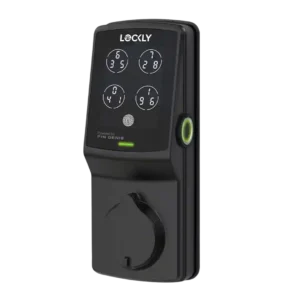
Choose Lockly Secure Plus for fast fingerprint entry, a secure rotating keypad, sturdy hardware, and flexible guest access. Skip it if you need built-in Wi-Fi, broad smart-home support, push notifications,...
Pros: Fingerprint, App
Cons: Smart-home integration (Alexa, Google, Siri, HomeKit, Matter, Thread), Value and Price
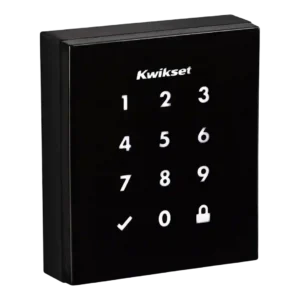
Choose the Kwikset Obsidian for a sleek keyless touchscreen lock with strong SecureScreen and Z-Wave routines. Skip it if you need built-in Wi-Fi, Bluetooth, HomeKit/Google support, a physical key, or...
Pros: Guest Codes and Access, Industrial design
Cons: User access management, Value and Price
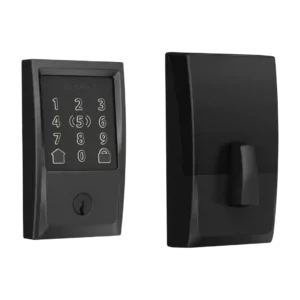
Best for Apple Home Key, fast unlocking, easy install, and strong HomeKit convenience. Skip it if you need fingerprint access, clear keypad visibility, simple app management, or predictable long battery...
Pros: Value and Price, Installation and Setup
Cons: Keypad, App
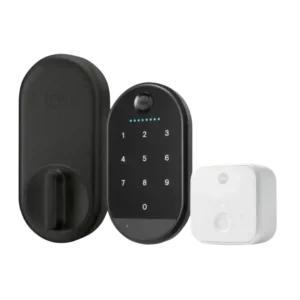
Choose the Yale Approach if you want an affordable retrofit lock with strong app controls and renter-friendly hardware reuse. Skip it if lock reliability, native Wi-Fi, HomeKit/Matter support, or a...
Pros: Installation and Setup, Value and Price
Cons: Keypad, Auto-lock