Best for reflection handling
Samsung Odyssey OLED G81SF S27FG810S
5.0 attribute score
Highest scored product for this attribute based on supporting review evidence.

Highest scored product for this attribute based on supporting review evidence.
Balances the attribute score, supporting reviews, and overall product strength.
Has the broadest review evidence for this attribute.
Strongest overall product among items with scored evidence for this attribute.

Overall: 4.2/5
The matte finish effectively diffuses window and lamp reflections rather than producing mirror-like glare. That advantage comes with some extra perceived grain or haze.
Pros: reflection handling, color gamut
Cons: value for money, brightness

Overall: 3.5/5
The non-grainy matte coating keeps ordinary glare manageable, though some dedicated work monitors handle bright reflections better.
Pros: Resolution, sharpness
Cons: value for money, HDR performance

Overall: 4.2/5
The matte coating significantly suppresses glare, including in sunlit or brightly illuminated workspaces.
Pros: overall satisfaction, screen size
Cons: stand adjustability, Photo editing

Overall: 4.4/5
The understated matte coating cuts glare without obvious grain, though curved geometry can make reflections appear at unexpected angles.
Pros: overall picture quality, color accuracy
Cons: value for money, built-in speakers
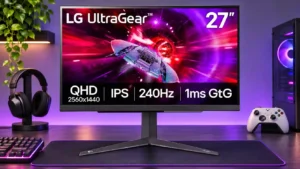
Overall: 4.2/5
A light matte finish suppresses reflections effectively without making the picture overly grainy.
Pros: refresh rate, overall satisfaction
Cons: HDR performance, contrast
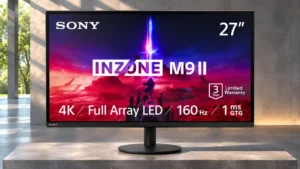
Overall: 3.9/5
The matte surface suppresses distracting room reflections effectively, helping colors and details remain visible under bright lighting.
Pros: color gamut, stand adjustability
Cons: value for money, Bass reproduction

Overall: 4.1/5
The LuxPixel matte finish is consistently excellent at suppressing bright lights and reflections. That benefit comes with a possible grainy or softened image.
Pros: value for money, Resolution
Cons: HDR performance, refresh rate

Overall: 4.1/5
The LuxPixel matte surface does an excellent job suppressing glare and reflections in bright spaces, often at the cost of some glossy-screen crispness.
Pros: color accuracy, overall picture quality
Cons: HDR performance, refresh rate

Overall: 4.1/5
The matte Glare Free treatment diffuses direct window and lamp reflections far better than many glossy OLED competitors.
Pros: PC gaming compatibility, reflection handling
Cons: color accuracy, VRR flicker

Overall: 4.2/5
Optional nano-texture glass is extremely effective against windows and lamps, while the glossy version can retain a punchier appearance.
Pros: refresh rate, HDR performance
Cons: value for money, Device compatibility

Overall: 4.4/5
The Nano Matte coating handles windows, skylights, and room lighting extremely well. It adds only slight grain while keeping reflections from washing out the work area.
Pros: productivity versatility, aspect ratio
Cons: value for money, competitive gaming suitability
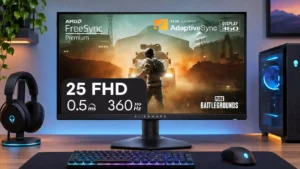
Overall: 3.9/5
The matte anti-glare coating controls room reflections well, helping maintain visibility in bright spaces.
Pros: competitive gaming suitability, stand adjustability
Cons: color gamut, contrast
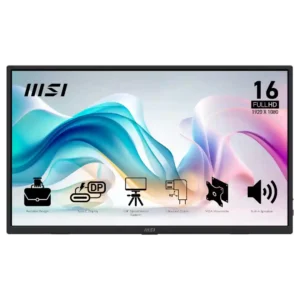
Overall: 4.1/5
The matte anti-glare finish works well indoors and in bright offices, though extreme sunlight can still overwhelm the panel.
Pros: value for money, portability and weight
Cons: built-in speakers, color gamut

Overall: 4.2/5
A light matte coating suppresses bright reflections while preserving clarity, helping in lamp-lit rooms.
Pros: HDR performance, overall satisfaction
Cons: HDR highlight detail, color accuracy

Overall: 4.1/5
The matte anti-glare coating does a convincing job diffusing reflections, especially for a curved display, though direct sunlight can still distract.
Pros: Resolution, overall satisfaction
Cons: value for money, Image scaling
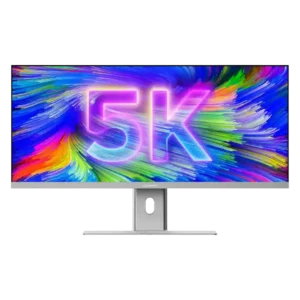
Overall: 4.3/5
The matte coating handles office and studio reflections very well and is repeatedly preferred for work near windows. Bright windows can still create highlights depending on placement.
Pros: productivity versatility, aspect ratio
Cons: built-in speakers, competitive gaming suitability

Overall: 4.4/5
The matte coating helps tame overhead lights, windows, and studio reflections. It is less effective against harsh direct glare and slightly changes image clarity compared with glossy glass.
Pros: color accuracy, stand adjustability
Cons: built-in speakers, Desk footprint

Overall: 4.0/5
Its semi-matte surface reduces distracting room reflections without severe blur for most users. Glossy-screen fans may still notice a slightly grainy finish.
Pros: Resolution, Dual-mode versatility
Cons: value for money, GPU demands

Overall: 3.6/5
The matte treatment significantly reduces mirror-like reflections and preserves black depth in bright rooms. The tradeoff is occasional diffuse haze or grain.
Pros: reflection handling, HDR performance
Cons: screen uniformity, Screen coating clarity

Overall: 3.9/5
The matte surface substantially softens glare compared with glossy competitors, though it sacrifices some of their pristine-looking image clarity.
Pros: brightness, color gamut
Cons: AI scene optimization, value for money

Overall: 4.1/5
The matte screen coating reduces annoying reflections, making the panel easier to use in everyday lighting.
Pros: value for money, overall satisfaction
Cons: HDR performance, Headphone output quality

Overall: 4.4/5
The revised anti-reflective coating noticeably cuts the old magenta tint and distracting glare. Direct reflections still matter more than on some WOLED alternatives.
Pros: brightness, value for money
Cons: port selection, built-in speakers

Overall: 4.4/5
DarkArmor substantially reduces the purple tint and improves perceived blacks in bright rooms while retaining a sharp glossy image. Direct light can still reveal some tint and reflections, so darker...
Pros: brightness, reflection handling
Cons: cable management

Overall: 3.8/5
The matte finish usually keeps reflections manageable, but direct sun or strong daylight can still wash out the image.
Pros: value for money, Resolution
Cons: HDR performance, port selection

Overall: 4.5/5
BlackShield noticeably lessens direct reflections and purple-tinted raised blacks. It cannot fully match the brighter-room black depth of some WOLED alternatives.
Pros: color gamut, contrast
Cons: value for money, Resolution

Overall: 4.0/5
The matte antiglare finish is effective in ambient light and can be especially helpful for glare-sensitive users. The tradeoff is that one tester felt the coating softened some of the...
Pros: overall satisfaction, productivity versatility
Cons: value for money, reliability over time

Overall: 4.2/5
BlackShield visibly cuts reflections and purple-tinted blacks compared with older QD-OLEDs, while retaining a crisp glossy image. Direct lighting and WOLED comparisons expose the remaining limitations.
Pros: overall satisfaction, black levels
Cons: value for money, stand adjustability

Overall: 4.3/5
The matte coating is highly effective at diffusing direct reflections and is especially useful near bright windows. The tradeoff is slightly reduced punch, occasional grain, and lifted QD-OLED blacks under...
Pros: overall satisfaction, competitive gaming suitability
Cons: value for money, screen size

Overall: 4.1/5
The matte surface is effective against ordinary reflections, although direct window glare can still overpower it.
Pros: competitive gaming suitability, refresh rate
Cons: Dual-mode versatility, GPU demands

Overall: 3.6/5
Its matte finish reduces distracting reflections, and it handles bright-room glare better than an older LG model in comparative testing.
Pros: refresh rate, value for money
Cons: HDR performance, contrast

Overall: 3.6/5
The matte finish is effective against typical room glare, supporting bright-space use.
Pros: stand adjustability, competitive gaming suitability
Cons: value for money, port selection

Overall: 4.2/5
The low-reflectance coating handles common office glare well, but intense direct light and some colored reflection effects remain possible.
Pros: port selection, overall satisfaction
Cons: value for money, competitive gaming suitability

Overall: 4.3/5
The matte anti-glare surface usually keeps overhead lights and windows under control without heavily softening the image. A lighter coating and shallow curve can still leave distracting reflections at certain...
Pros: productivity versatility, overall satisfaction
Cons: value for money, response time

Overall: 4.2/5
The matte surface softens strong reflections and helps in offices, with a slight grain or reddish tint in unfavorable light. Placement opposite direct sun is less ideal.
Pros: port selection, USB hub functionality
Cons: competitive gaming suitability, motion clarity

Overall: 4.1/5
The anti-glare coating works well in typical conditions, but other tested monitors can handle particularly bright rooms better.
Pros: Pixel density, Resolution
Cons: GPU demands, HDR performance
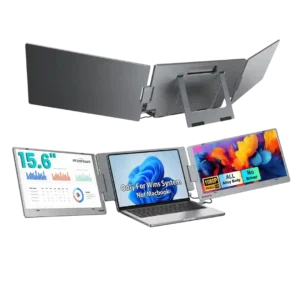
Overall: 4.2/5
The matte surface handles reflections well. Reviewers say it helps with bright environments and cuts distracting reflections, even though brightness itself can still be insufficient outdoors.
Pros: overall satisfaction, portability and weight
Cons: reliability over time

Overall: 4.0/5
The matte coating diffuses lamps and normal room light well, but strong sunny-window reflections can still distract.
Pros: Dual-mode versatility, refresh rate
Cons: black levels, contrast

Overall: 4.0/5
The matte anti-glare finish reduces mirror reflections and preserves blacks under ambient light. It trades away some of a glossy panel’s crispness.
Pros: brightness, contrast
Cons: Text fringing, speaker quality

Overall: 4.2/5
The matte coating generally softens ambient reflections enough for indoor work, though windows behind the user and strong sunlight remain distracting.
Pros: value for money, Resolution
Cons: port selection, competitive gaming suitability
Overall: 3.3/5
The matte surface does a good job dispersing indoor lighting and reflections, although a very bright window can still defeat the display.
Pros: adaptive sync performance, response time
Cons: HDR performance, console gaming compatibility
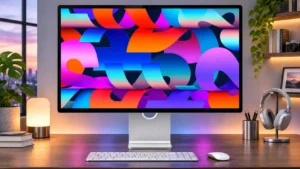
Overall: 3.7/5
Nano-texture glass controls glare remarkably well; standard glossy glass can look clearer, and reviewers differ on which tradeoff they prefer.
Pros: Monitor daisy-chaining, overall picture quality
Cons: value for money, refresh rate

Overall: 4.1/5
The matte treatment is effective against sharp reflections, although certain light positions still create diffuse glare or raised-looking blacks. Moderate room lighting generally suits it better than a sunny window...
Pros: Resolution, overall satisfaction
Cons: value for money, GPU demands

Overall: 4.2/5
The anti-glare surface reduces distracting room reflections without greatly compromising colors for most viewers. Glossy-screen enthusiasts may dislike its softer finish.
Pros: refresh rate, overall satisfaction
Cons: value for money, port selection

Overall: 3.9/5
Its matte anti-glare coating generally limits reflections well, though it can look hazy against a directly sunlit window.
Pros: brightness, portability and weight
Cons: value for money, port selection
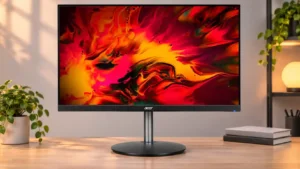
Overall: 3.7/5
The matte coating handles glare well, although at least one compared monitor manages reflections even better.
Pros: adaptive sync performance, PC gaming compatibility
Cons: HDR performance, contrast
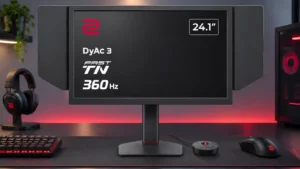
Overall: 3.8/5
The matte surface keeps reflections subdued, making nearby light sources less distracting.
Pros: competitive gaming suitability, motion clarity
Cons: contrast, overall picture quality

Overall: 4.0/5
The matte coating diffuses glare effectively under many lights, although direct windows and edge-spread reflections remain distracting for some.
Pros: refresh rate, competitive gaming suitability
Cons: value for money, brightness

Overall: 3.9/5
The matte coating copes well with typical room glare and bright conditions, though directly facing a strong light source can still be troublesome.
Pros: HDR performance, black levels
Cons: viewing angles, response time

Overall: 3.9/5
Its light matte surface reduces most everyday glare without the grain of heavier coatings, though direct light remains noticeable and can wash out blacks.
Pros: value for money, HDR performance
Cons: on-screen display usability, port selection

Overall: 3.7/5
The coating keeps ordinary reflections manageable for many desks, but direct sunlight or a window opposite the screen can still cause distracting glare.
Pros: value for money, Resolution
Cons: stand adjustability, viewing angles