If you want better VRR flicker
Choose MSI MPG 274URDFW E16M. It scores 5.0 vs 2.1 for VRR flicker, with a 4.0 overall score.

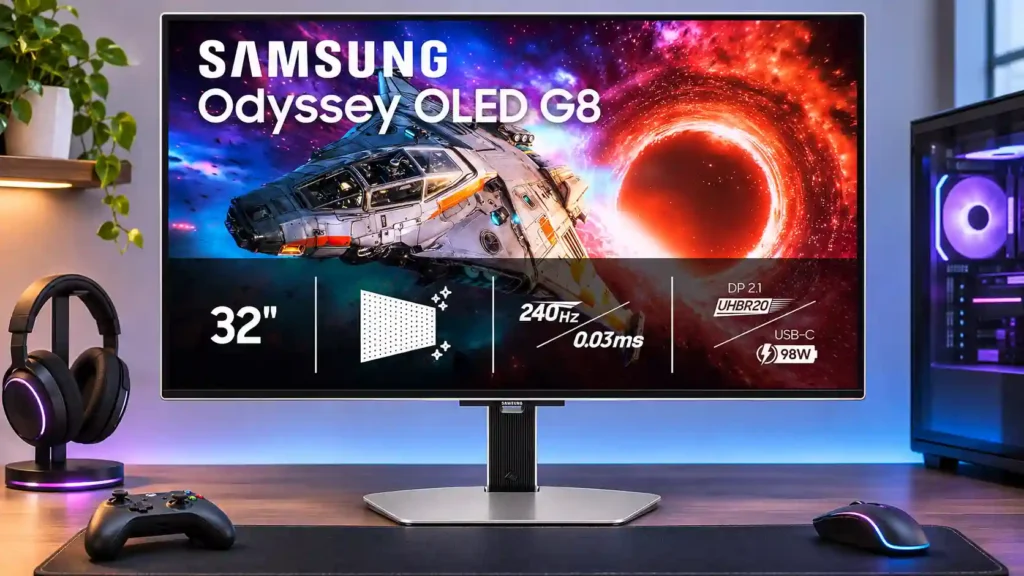
Outstanding 4K/240Hz OLED motion, HDR contrast and flexible USB-C connections make this a compelling gaming display. Its matte coating reduces reflections but adds haze, and blacks can look purple in bright rooms.
Enthusiast PC and console gamers who want razor-sharp 4K motion, immersive HDR and a glare-resistant desktop display. It also suits mixed work-and-play setups that benefit from one-cable USB-C laptop docking.
Budget-first buyers, people who demand glossy clarity and deep blacks under bright room lighting, and multi-computer users needing an integrated KVM. Static office-heavy use and very unstable dark-game frame rates are less ideal.
Samsung’s 32-inch G80SH pairs striking 4K QD-OLED contrast with 240Hz smoothness and exceptionally fast pixel response. HDR highlights, vivid color and low input lag make it an appealing screen for high-end PC gaming and cinematic console titles alike. DisplayPort 2.1 UHBR20, two HDMI 2.1 ports and USB-C video, data and charging also make this a flexible gaming-and-laptop display. Its matte Glare Free finish handles reflections very well, but it can add visible haze, and ambient light can give blacks a purple tint. Dark-game VRR flicker, some black crush in aggressive HDR modes and occasional reports of DisplayPort issues deserve attention. For creative tasks, strong color potential comes with calibration caveats; for sustained office use, text fringing and OLED burn-in risk remain relevant. If you value reduced reflections more than a glossy image, the strengths are compelling.
Compared with other Monitors, this product is above average in HDR performance, competitive gaming suitability, port selection, near average in design and aesthetics, on-screen display usability, below average in Display-mode switching reliability, KVM switch performance, Power-on readiness.
| Attribute | This product | Category average | Difference |
|---|---|---|---|
| Display-mode switching reliability | 1.0 | 3.2 | -2.2 |
| KVM switch performance | 1.2 | 3.0 | -1.8 |
| Power-on readiness | 2.0 | 3.9 | -1.9 |
| HDR performance | 4.9 | 3.4 | +1.5 |
| sleep and wake behavior | 1.0 | 2.7 | -1.7 |
| Gamma tracking | 2.0 | 3.6 | -1.6 |
| competitive gaming suitability | 5.0 | 3.7 | +1.3 |
| port selection | 5.0 | 3.6 | +1.4 |
Choose MSI MPG 274URDFW E16M. It scores 5.0 vs 2.1 for VRR flicker, with a 4.0 overall score.
Choose LG 27GX790A-B. It scores 5.0 vs 3.0 for HDR adjustment controls, with a 4.0 overall score.
Choose Dell Alienware AW2726DM. It scores 5.0 vs 3.0 for GPU demands, with a 3.8 overall score.
Choose Dell Alienware AW2725DF. It scores 5.0 vs 2.8 for Screen coating clarity, with a 4.2 overall score.
Products reviewers directly compared with this model, grouped into quick takeaways.
Yes. The 4K/240Hz panel combines near-instant pixel response with low input lag and crisp motion. Using the full refresh rate calls for a sufficiently powerful PC.
It diffuses lamps and windows effectively, but strong ambient light can turn black areas purple and the coating looks hazier than glossy rivals.
Yes, compatible laptops can receive video, USB peripheral access and up to 98W charging over USB-C. High USB data-speed mode can reduce the maximum video refresh/resolution.
Modern consoles can use 4K HDR, variable refresh and up to 120Hz where supported. The monitor’s full 240Hz ceiling is most useful for capable PC gaming.
There are no built-in speakers. Dolby Vision is not supported for Xbox Series X|S on this monitor; HDMI and headphone-out connections remain available.
Its 4K workspace and wide color gamut are useful, but critical colors may need calibration. Persistent static interfaces pose burn-in risk, and some text fringing may be visible.
Active HDR mapping increases punch but can alter highlights or hide shadow detail, while dark games can show VRR flicker during variable frame rates. Static mapping and careful calibration can help prioritize accuracy.
These are a few of the reviews included in our analysis.


See how the 32-inch Samsung Odyssey OLED G80SH handles 4K 240Hz gaming, reflections, bright-room blacks, work use, and the ASUS PG32UCDM Gen3.
The 32-inch Samsung G80SH pairs 4K 240Hz QD-OLED gaming with a matte finish and USB-C. See its VRR flicker, bright-room, text and burn-in...
The 32-inch Samsung Odyssey OLED G80SH pairs 4K, 240Hz QD-OLED gaming with a matte finish. See its VRR flicker, bright-room, text and burn-in...
Review of the 32-inch Samsung G80SH S32HG802S: 4K 240Hz QD-OLED gaming, matte reflection handling, bright-room black levels, VRR flicker and...
Last year’s Samsung 32" Odyssey OLED G8 left a pretty strong impression, delivering the kind of OLED contrast, colour accuracy and...

This 360Hz QD-OLED ultrawide delivers exceptional gaming motion, vibrant HDR and dramatically cleaner text. Its high price, less-than-perfect bright-room blacks and occasional HDR dimming are the main reasons to hesitate.
Pros: color gamut, contrast
Cons: value for money, Resolution

A huge, sharp ultrawide workspace and unusually capable Thunderbolt dock make the U4025QW outstanding for demanding productivity and editing. Its high price, modest HDR, and imperfect motion handling keep it...
Pros: overall picture quality, color accuracy
Cons: value for money, built-in speakers

Lightning-fast 360Hz OLED gaming, rich color and an unusually flexible USB-C/KVM setup are the big draws. Strong room lighting, limited full-screen HDR brightness and static-content burn-in concerns keep it from...
Pros: color gamut, overall satisfaction
Cons: reflection handling, VRR flicker

The 27-inch 4K OLED picture is exceptionally crisp and responsive, with useful USB-C and KVM extras. Its high price, oversized stand, and bright-room compromises limit its appeal.
Pros: sharpness, overall satisfaction
Cons: value for money, VRR flicker