If you want better port selection
Choose Samsung Odyssey OLED G80SH S32HG802S. It scores 5.0 vs 1.8 for port selection, with a 4.1 overall score.

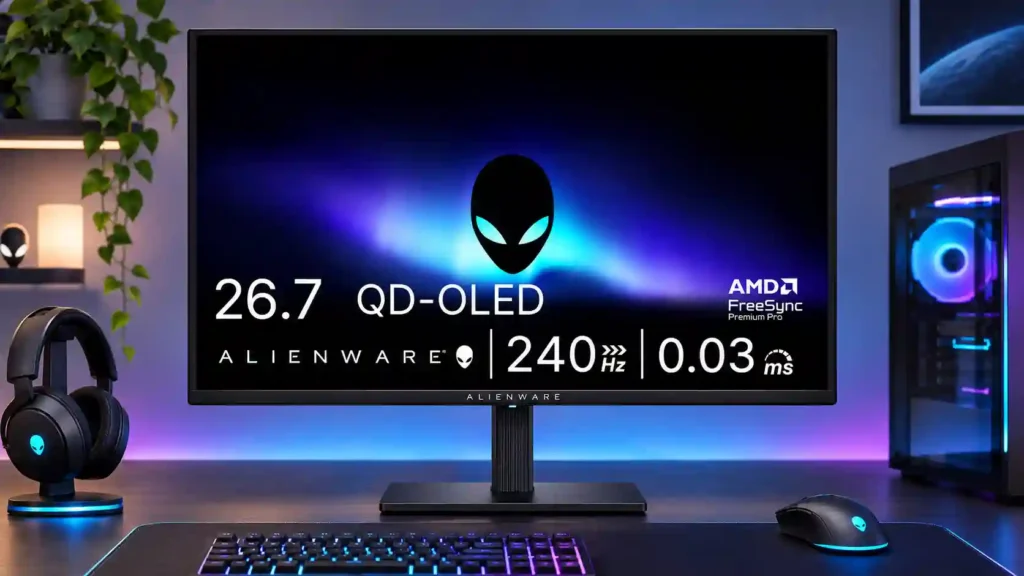
The AW2726DM makes QD-OLED motion and contrast accessible at a remarkable price, especially for fast-paced games. Low HDR brightness, fuzzy small text and limited connectivity are the compromises.
Budget-conscious PC gamers moving up from an IPS or VA screen, especially those playing fast-paced SDR games in controlled lighting.
Bright-room users, HDR-first single-player gamers, color-critical workers, and people needing USB-C laptop docking or crisp all-day document text.
The Alienware AW2726DM concentrates its budget on what gamers notice most: a 27-inch QD-OLED picture, 240Hz refresh rate, near-instant pixel response and beautifully deep blacks. Fast games look remarkably clear, and the move from a conventional IPS or VA display can feel substantial. Its roughly $350 launch price gives buyers a much cheaper route into OLED than many premium alternatives. The savings are real, though. Brightness is unusually low for QD-OLED, so the glossy screen is a poor match for sunlit rooms and HDR highlights rarely have the impact enthusiasts expect. Out-of-box SDR color can be oversaturated without an internal sRGB mode, and small text can show fringing. Connectivity is basic, with HDMI restricted to 120Hz and no USB hub or USB-C docking. For SDR-focused PC gaming, it is an unusually attractive deal; for HDR-first or productivity-heavy buyers, brighter and sharper options make more sense.
Compared with other Monitors, this product is above average in GPU demands, competitive gaming suitability, value for money, near average in overall satisfaction, input lag, below average in cable management, Pixel density, USB hub functionality.
| Attribute | This product | Category average | Difference |
|---|---|---|---|
| cable management | 1.0 | 3.9 | -2.9 |
| Pixel density | 1.5 | 4.3 | -2.8 |
| USB hub functionality | 1.2 | 3.7 | -2.5 |
| premium feel | 1.7 | 4.1 | -2.5 |
| brightness | 1.9 | 4.1 | -2.1 |
| HDMI 2.1 support | 1.7 | 3.9 | -2.3 |
| Content aspect-ratio support | 1.0 | 3.4 | -2.4 |
| Text fringing | 1.6 | 3.8 | -2.2 |
Choose Samsung Odyssey OLED G80SH S32HG802S. It scores 5.0 vs 1.8 for port selection, with a 4.1 overall score.
Choose ASUS ROG Strix OLED XG27ACDNG. It scores 4.8 vs 2.3 for Color calibration controls, with a 4.4 overall score.
Choose MSI MAG 274QPF X30MV. It scores 5.0 vs 1.9 for brightness, with a 3.9 overall score.
Choose ASUS ROG Swift OLED PG27AQWP-W. It scores 5.0 vs 1.5 for software support, with a 4.3 overall score.
Products reviewers directly compared with this model, grouped into quick takeaways.
Yes. Its 240Hz QD-OLED panel combines exceptionally fast pixel response with low input lag and excellent motion clarity.
HDR brightness is a major compromise, with highlights generally measuring around 400 nits or below. Deep blacks still look great, but dazzling HDR effects are limited.
No. The full 1440p 240Hz mode requires DisplayPort; the HDMI inputs are capped at 120Hz.
Modern consoles can benefit from its OLED contrast and 120Hz HDMI support. Its full 240Hz mode is better suited to a gaming PC connected by DisplayPort.
It can handle documents and browsing, but small text can look soft or show color fringing. Static desktop use also calls for OLED burn-in care.
No USB-C docking or USB hub is included, and it has no built-in speakers. It focuses on core display performance instead of extras.
Dell advertises a three-year warranty covering OLED burn-in, which helps reassure buyers worried about long-term image retention.
These are a few of the reviews included in our analysis.




With a gorgeous 1440p QD-OLED panel, blistering 240Hz refresh rate, and a shockingly low price, Alienware's AW2726DM makes a compelling case...
The Alienware AW2726DM represents a shift in the QD-OLED monitor scene, as it offers top-tier vibrancy in a 27-inch 1440p package for under $400.
The AW2726DM slashes the build budget to achieve 240Hz QD-OLED gaming for under £400
The Alienware AW2726DM may skip many premium extras, but its excellent OLED image quality, fast 240 Hz performance and aggressive price make...
We’ve come a long way since exclusively $1,000+ OLED gaming monitors. Alienware’s latest display brings the price down to a shocking $350...

This 360Hz QD-OLED ultrawide delivers exceptional gaming motion, vibrant HDR and dramatically cleaner text. Its high price, less-than-perfect bright-room blacks and occasional HDR dimming are the main reasons to hesitate.
Pros: color gamut, contrast
Cons: value for money, Resolution

The 360Hz QD-OLED panel delivers exceptional HDR gaming, responsive motion, and cleaner text than earlier ultrawides. Its 3440×1440 resolution is less sharp than 4K, and premium pricing remains a hurdle.
Pros: refresh rate, Text fringing
Cons: Resolution, GPU demands

A huge, sharp ultrawide workspace and unusually capable Thunderbolt dock make the U4025QW outstanding for demanding productivity and editing. Its high price, modest HDR, and imperfect motion handling keep it...
Pros: overall picture quality, color accuracy
Cons: value for money, built-in speakers

Lightning-fast 360Hz OLED gaming, rich color and an unusually flexible USB-C/KVM setup are the big draws. Strong room lighting, limited full-screen HDR brightness and static-content burn-in concerns keep it from...
Pros: color gamut, overall satisfaction
Cons: reflection handling, VRR flicker