If you want better Thunderbolt docking connectivity
Choose ASUS ProArt Display 6K PA32QCV. It scores 4.9 vs 2.0 for Thunderbolt docking connectivity, with a 4.1 overall score.

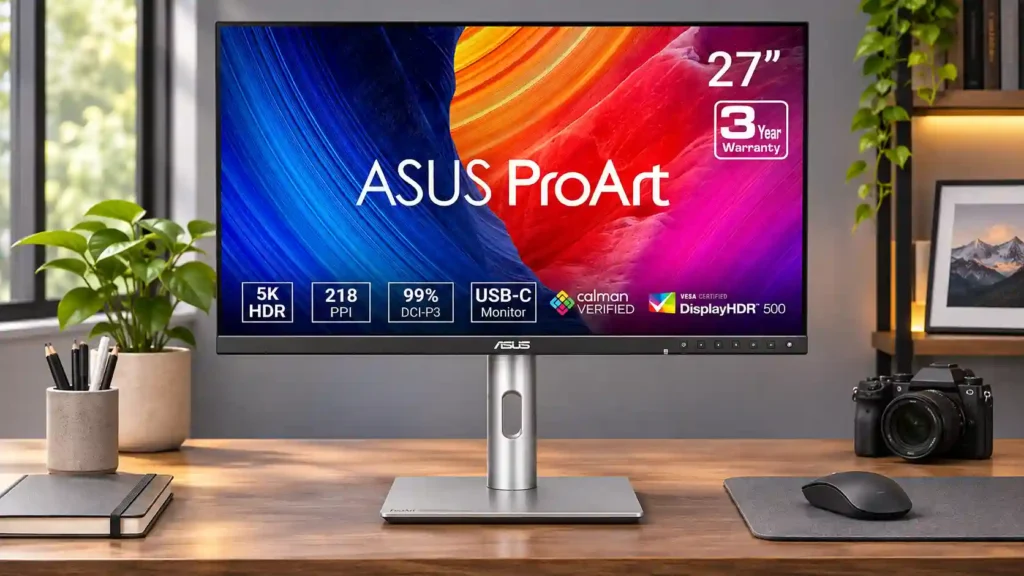
A crisp 5K panel, reliable SDR color and excellent glare control make this a strong-value creative monitor. The 60Hz refresh rate, edge-lit HDR and weak speakers are meaningful compromises.
Photographers, graphic designers, SDR video editors and Mac users who value crisp text, dependable color and convenient USB-C desk connectivity.
Competitive gamers, dedicated HDR colorists or buyers who prioritize deep OLED-like blacks, built-in audio and webcam integration.
The ASUS ProArt PA27JCV offers a compelling combination of 5K sharpness, factory-calibrated color and practical desk features for far less than many premium 5K alternatives. Its dense 27-inch image makes fine text, graphics and photographs especially clear, while the LuxPixel matte coating stays usable around windows and strong indoor light. USB-C laptop charging, flexible positioning and the built-in KVM also make it a capable daily workstation display. The compromises matter: 60Hz scrolling and motion are unremarkable, internal speakers are poor, and its edge-lit HDR cannot reproduce deep blacks or small highlights with the precision of an OLED or good mini-LED panel. Reports of backlight bleed and uneven brightness vary between units. For photography, SDR design and Mac-friendly desktop work, it remains appealing; for fast gaming, HDR mastering or glossy-screen clarity, look elsewhere.
Compared with other Monitors, this product is above average in Image scaling, KVM switch performance, Software and driver support, near average in sharpness, port selection, below average in Blooming control, refresh rate, Speaker volume control.
| Attribute | This product | Category average | Difference |
|---|---|---|---|
| Blooming control | 1.0 | 4.2 | -3.2 |
| refresh rate | 1.9 | 4.4 | -2.5 |
| Speaker volume control | 1.0 | 3.6 | -2.6 |
| competitive gaming suitability | 1.3 | 3.7 | -2.5 |
| speaker quality | 1.0 | 3.4 | -2.4 |
| premium feel | 2.0 | 4.2 | -2.2 |
| Image scaling | 5.0 | 3.0 | +2.0 |
| Thunderbolt docking connectivity | 2.0 | 4.0 | -2.0 |
Choose ASUS ProArt Display 6K PA32QCV. It scores 4.9 vs 2.0 for Thunderbolt docking connectivity, with a 4.1 overall score.
Choose Dell S2725QC. It scores 4.6 vs 1.0 for speaker quality, with a 4.2 overall score.
Choose Dell Alienware AW2523HF. It scores 4.7 vs 1.3 for competitive gaming suitability, with a 3.9 overall score.
Choose ASUS ProArt Display PA279CRV. It scores 5.0 vs 2.0 for premium feel, with a 4.3 overall score.
Products reviewers directly compared with this model, grouped into quick takeaways.
The 5120×2880 panel is exceptionally crisp, especially for small text, photo detail and macOS scaling. Some people find the difference from a good 4K monitor relatively modest because the matte coating diffuses fine detail.
Yes for Retina-like text density and a single-cable display-and-charging setup. It lacks some of the native speaker, camera and display-control integration of Apple’s Studio Display.
The preset SDR modes and factory calibration earn strong praise for photography, design and video editing. Demanding print work should consider the less-than-complete Adobe RGB gamut and screen uniformity.
It supports HDR, but its limited edge-lit dimming can create light pillars and gray blacks. It is not an ideal monitor for critical HDR grading.
Slower-paced and casual games can look sharp, but the 60Hz ceiling and noticeable motion blur make it a poor choice for competitive gaming.
Yes, a supported USB-C connection can provide video, data and substantial charging power through one cable, while the KVM lets two systems share attached peripherals.
No. Several reviewers describe the internal speakers as quiet, muffled or thin; headphones or external speakers are recommended.
These are a few of the reviews included in our analysis.





The ASUS ProArt PA27JCV is a premium 27-inch 5k editing monitor. It competes with other 27-inch 5k displays like the Apple Studio Display...
An affordably-priced 27-inch 5K HDR monitor designed for professional content creators which comes with factory-calibrated picture modes that...
ASUS ProArt PA27JCV review: A 27-inch 5K monitor that offers outstanding color accuracy and performance for creative professionals at an...
The ASUS ProArt PA27JCV is a gorgeous 27-inch 5K monitor with HDR support, a USB hub with auto-KVM (Keyboard, Video, Mouse) support, and...
Today we have something completely different to marvel at, namely the ASUS ProArt PA27JCV. This is a monitor that has its genes not in gaming...

This 360Hz QD-OLED ultrawide delivers exceptional gaming motion, vibrant HDR and dramatically cleaner text. Its high price, less-than-perfect bright-room blacks and occasional HDR dimming are the main reasons to hesitate.
Pros: color gamut, contrast
Cons: value for money, Resolution

A huge, sharp ultrawide workspace and unusually capable Thunderbolt dock make the U4025QW outstanding for demanding productivity and editing. Its high price, modest HDR, and imperfect motion handling keep it...
Pros: overall picture quality, color accuracy
Cons: value for money, built-in speakers

Lightning-fast 360Hz OLED gaming, rich color and an unusually flexible USB-C/KVM setup are the big draws. Strong room lighting, limited full-screen HDR brightness and static-content burn-in concerns keep it from...
Pros: color gamut, overall satisfaction
Cons: reflection handling, VRR flicker

The 27-inch 4K OLED picture is exceptionally crisp and responsive, with useful USB-C and KVM extras. Its high price, oversized stand, and bright-room compromises limit its appeal.
Pros: sharpness, overall satisfaction
Cons: value for money, VRR flicker