If you want better DisplayPort connectivity
Choose Dell U4025QW. It scores 5.0 vs 1.3 for DisplayPort connectivity, with a 4.4 overall score.

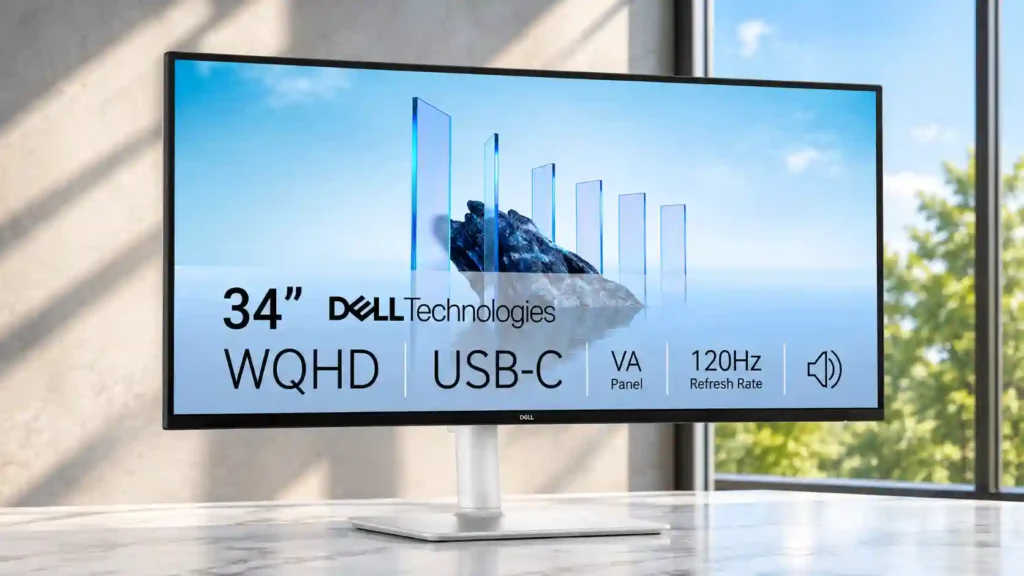
The Dell S3425DW makes multitasking easy with sharp ultrawide space, convenient USB-C docking, and accessible ports. Its low-reaching stand, missing full-size DisplayPort, and imperfect gaming motion are worth weighing.
Home-office and laptop users who want several readable windows on one elegant screen, especially people who value USB-C docking and light evening entertainment.
Competitive gamers, precision colorists, and users needing a traditional DisplayPort connection or a taller, more flexible stand.
The Dell S3425DW is at its best as an approachable 34-inch ultrawide for busy desks. Its sharp 3440 × 1440 workspace accommodates several readable windows at once, while USB-C video and 65W charging simplify laptop connections. A pop-out USB hub, smooth 120Hz desktop operation, surprisingly capable speakers, and an attractive white finish add welcome polish. Color accuracy is impressive for everyday work and light hobby editing, although wide-gamut performance is less convincing for demanding creative tasks. The main frustrations are practical: the stand cannot swivel and may not rise high enough, cable routing can be untidy, and there is no conventional DisplayPort input. Casual games are enjoyable, but reviewers disagree on motion cleanliness, and HDR is limited. It is a work-first monitor with enough entertainment ability to be flexible, not a replacement for a premium gaming or grading screen.
Compared with other Monitors, this product is above average in Model naming clarity, built-in speakers, Bass reproduction, near average in VESA mount compatibility, setup ease, below average in DisplayPort connectivity, stand adjustability, color gamut.
| Attribute | This product | Category average | Difference |
|---|---|---|---|
| Model naming clarity | 5.0 | 1.3 | +3.7 |
| DisplayPort connectivity | 1.3 | 3.9 | -2.6 |
| built-in speakers | 4.6 | 2.5 | +2.1 |
| Bass reproduction | 3.7 | 1.5 | +2.2 |
| stand adjustability | 2.5 | 4.5 | -2.0 |
| color gamut | 2.7 | 4.3 | -1.7 |
| PC-based monitor controls | 5.0 | 3.3 | +1.7 |
| competitive gaming suitability | 2.0 | 3.7 | -1.7 |
Choose Dell U4025QW. It scores 5.0 vs 1.3 for DisplayPort connectivity, with a 4.4 overall score.
Choose Dell S2725DC. It scores 5.0 vs 2.5 for stand adjustability, with a 4.1 overall score.
Choose Samsung Odyssey OLED G6 G60SF. It scores 5.0 vs 2.0 for competitive gaming suitability, with a 4.3 overall score.
Choose ASUS ProArt Display PA34VCNV. It scores 5.0 vs 2.8 for cable management, with a 3.9 overall score.
Products reviewers directly compared with this model, grouped into quick takeaways.
Yes. Its 34-inch 3440 × 1440 ultrawide screen keeps several documents or applications visible and readable, and Dell’s window-management software adds flexible tiling.
Yes. The USB-C connection carries a display signal and up to 65W power delivery, making a tidy one-cable setup possible.
No. Reviewers specifically note the missing conventional DisplayPort socket; the monitor instead emphasizes USB-C video and HDMI.
It works well for casual gaming and feels smooth on the desktop, but fast motion can look blurry and dedicated gaming monitors perform better.
It supports height and tilt adjustments, but no swivel. Multiple reviewers found the maximum height too low and recommended a VESA monitor arm.
They are better than many monitor speakers, with useful volume and a little bass, making them convenient for calls and casual videos.
It is effective for hobbyist editing and accurate sRGB work, but measured wide-gamut limits and curved-screen geometry are drawbacks for precision color and straight-line work.
These are a few of the reviews included in our analysis.

The Dell S3425DW is an entry-level ultrawide monitor geared towards productivity. It has a 34-inch curved screen with a 3440x1440 resolution...
The Dell 34 Plus USB-C is a sleek, 120Hz ultrawide gem that nails the productivity game with a clever port hub, stunning design, and...
I spend a lot of time in front of my monitor and thus I am always on the lookout for a better monitor. My current monitor is a 38-inch...
A respectable 34-inch, 21:9 curved ultrawide screen, if not quite perfect

This 360Hz QD-OLED ultrawide delivers exceptional gaming motion, vibrant HDR and dramatically cleaner text. Its high price, less-than-perfect bright-room blacks and occasional HDR dimming are the main reasons to hesitate.
Pros: color gamut, contrast
Cons: value for money, Resolution

A huge, sharp ultrawide workspace and unusually capable Thunderbolt dock make the U4025QW outstanding for demanding productivity and editing. Its high price, modest HDR, and imperfect motion handling keep it...
Pros: overall picture quality, color accuracy
Cons: value for money, built-in speakers

Lightning-fast 360Hz OLED gaming, rich color and an unusually flexible USB-C/KVM setup are the big draws. Strong room lighting, limited full-screen HDR brightness and static-content burn-in concerns keep it from...
Pros: color gamut, overall satisfaction
Cons: reflection handling, VRR flicker

The 27-inch 4K OLED picture is exceptionally crisp and responsive, with useful USB-C and KVM extras. Its high price, oversized stand, and bright-room compromises limit its appeal.
Pros: sharpness, overall satisfaction
Cons: value for money, VRR flicker