
If you want better reflection handling
Choose ASUS ProArt Display PA27JCV. It scores 4.9 vs 3.1 for reflection handling, with a 4.1 overall score.

The MA270S combines beautifully crisp 5K Mac-friendly visuals with unusually useful docking and an adjustable stand. Its 70Hz response, glossy reflections, and basic audio make it less suitable for gamers or bright-window desks.
MacBook, Mac mini, and Mac Studio owners who want sharp productivity, photo or video editing, single-cable docking, and easy switching between computers.
Competitive gamers, buyers who need strong HDR in dark rooms, those working opposite bright windows, or users wanting a built-in webcam and powerful speakers.
The BenQ MA270S earns its place as a compelling 27-inch 5K monitor for Mac-centered desks. Its most convincing benefit is the combination of Retina-sharp text, consistently pleasing color, and seamless Mac controls without the cost of an Apple Studio Display. Thunderbolt charging, an expansive USB hub, smart KVM switching, daisy chaining, and a versatile bundled stand make it particularly useful for workstations with multiple devices. Photo editing, video work, and ordinary desktop productivity are where it shines. There are compromises: the glossy finish reflects nearby lights, black levels and HDR do not rival advanced mini-LED screens, and a 70Hz panel with slow pixel transitions is a poor match for competitive gaming. Built-in speakers are only adequate for casual audio, and there is no webcam. For a Mac user who values detail and connections over gaming speed, the tradeoff is attractive.
Compared with other Monitors, this product is above average in PC signal connection reliability, Image scaling, KVM switch performance, near average in built-in speakers, premium feel, below average in response time, ghosting control, Power-on readiness.
| Attribute | This product | Category average | Difference |
|---|---|---|---|
| response time | 1.0 | 4.1 | -3.1 |
| ghosting control | 1.0 | 3.9 | -2.9 |
| Power-on readiness | 1.0 | 3.9 | -2.9 |
| motion clarity | 1.3 | 4.1 | -2.8 |
| competitive gaming suitability | 1.0 | 3.6 | -2.6 |
| PC signal connection reliability | 5.0 | 2.5 | +2.5 |
| refresh rate | 2.0 | 4.2 | -2.2 |
| Image scaling | 5.0 | 3.0 | +2.0 |
Choose ASUS ProArt Display PA27JCV. It scores 4.9 vs 3.1 for reflection handling, with a 4.1 overall score.
Choose Dell U2725QE. It scores 5.0 vs 2.0 for Retail availability, with a 4.2 overall score.
Choose Dell S2725QC. It scores 5.0 vs 2.5 for backlight bleed control, with a 4.2 overall score.
Choose Apple Studio Display XDR. It scores 5.0 vs 1.0 for sleep and wake behavior, with a 4.2 overall score.
Products reviewers directly compared with this model, grouped into quick takeaways.
Yes. Reviewers value its similarly sharp 5K image, Mac-oriented controls, KVM, and lower price, though Apple provides better integrated speakers, a camera, and newer Thunderbolt connectivity.
Yes. Its 5K pixel density, Mac-tuned color mode, and Display Pilot 2 controls provide a Mac-like experience. Compatible Thunderbolt connections also handle display and charging.
It can handle casual and story-driven games, including connected consoles, but the 70Hz refresh rate and slow response make competitive gaming a poor fit.
Yes. Reviewers highlight the 96W Thunderbolt connection for display, data, and laptop charging, helping minimize desktop cable clutter.
The speakers are generally considered adequate for calls or casual videos but not serious music listening. There is no built-in webcam.
It depends on room lighting. Some users had no problem under normal conditions, but others reported distracting reflections near bright windows and in dark images.
Its KVM features help share keyboard and mouse between two connected computers. Thunderbolt daisy-chaining also supports a compatible second display when the connected Mac allows it.
These are a few of the reviews included in our analysis.

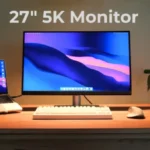
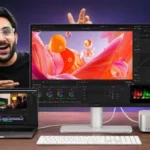

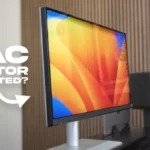
BenQ MA270S is a stunning 5K monitor with superb colour, sharpness, versatile ergonomics and excellent connectivity for creative work.
The BenQ MA270S fuses beautiful design, Mac-readiness, and elements like HDMI and USB to allow this monitor to be used for more than just a...
BenQ has been making excellent Mac-friendly monitors for years, and their new MA270S is the creme de la creme of...
BenQ MA270S review: A premium 5K monitor with seamless macOS integration, excellent connectivity, and one of the best Apple Studio Display...
A MacBook-friendly monitor that’s much cheaper than Apple’s own and can equal it for quality

This 360Hz QD-OLED ultrawide delivers exceptional gaming motion, vibrant HDR and dramatically cleaner text. Its high price, less-than-perfect bright-room blacks and occasional HDR dimming are the main reasons to hesitate.
Pros: color gamut, contrast
Cons: value for money, Resolution

The 360Hz QD-OLED panel delivers exceptional HDR gaming, responsive motion, and cleaner text than earlier ultrawides. Its 3440×1440 resolution is less sharp than 4K, and premium pricing remains a hurdle.
Pros: refresh rate, Text fringing
Cons: Resolution, GPU demands

A huge, sharp ultrawide workspace and unusually capable Thunderbolt dock make the U4025QW outstanding for demanding productivity and editing. Its high price, modest HDR, and imperfect motion handling keep it...
Pros: overall picture quality, color accuracy
Cons: value for money, built-in speakers

Lightning-fast 360Hz OLED gaming, rich color and an unusually flexible USB-C/KVM setup are the big draws. Strong room lighting, limited full-screen HDR brightness and static-content burn-in concerns keep it from...
Pros: color gamut, overall satisfaction
Cons: reflection handling, VRR flicker