Best for color accuracy
Apple Studio Display XDR
5.0 attribute score
Highest scored product for this attribute based on supporting review evidence.

Highest scored product for this attribute based on supporting review evidence.
Balances the attribute score, supporting reviews, and overall product strength.
Has the broadest review evidence for this attribute.
Strongest overall product among items with scored evidence for this attribute.

Overall: 4.2/5
Factory calibration is a major highlight, with very low measured color error across professional presets and brightness settings.
Pros: refresh rate, HDR performance
Cons: value for money, Device compatibility
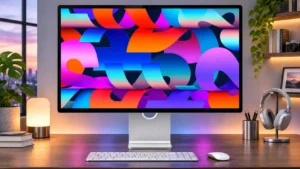
Overall: 3.7/5
Out-of-box sRGB accuracy and vivid, controlled color are among the most consistently praised visual qualities.
Pros: Monitor daisy-chaining, overall picture quality
Cons: value for money, refresh rate
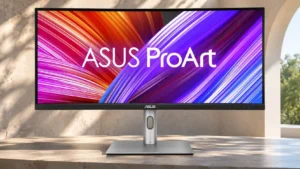
Overall: 3.9/5
Excellent factory accuracy is a standout: one measured unit was exceptionally close to target before calibration, with additional gains possible after profiling.
Pros: color accuracy, value for money
Cons: color gamut, black levels
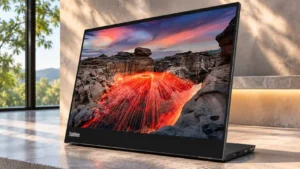
Overall: 3.9/5
A measured low Delta E, accurate sRGB mode, and natural-looking hues earn strong praise. Some saturated blue and cyan shades are less perfect, but ordinary color reproduction is excellent.
Pros: overall picture quality, Stylus usability
Cons: port selection, refresh rate

Overall: 4.4/5
MacBook-like color matching and generally strong accuracy make the screen appealing for editing. One comparative test still favored Apple on accuracy.
Pros: port selection, color accuracy
Cons: built-in speakers, speaker quality

Overall: 4.2/5
Accurate factory settings and strong calibrated results make SDR and HDR colors look convincing without extensive adjustments. Certain presets can be locked down or overly saturated, so the right color...
Pros: overall satisfaction, black levels
Cons: value for money, stand adjustability

Overall: 3.8/5
Excellent sRGB factory tuning is a consistent standout, with impressive accuracy before calibration. Some default wide-gamut settings can oversaturate standard content.
Pros: value for money, Resolution
Cons: HDR performance, port selection

Overall: 4.1/5
SDR calibration impresses testers and can become very accurate with simple tweaks. HDR color and tone mapping are less consistent.
Pros: overall satisfaction, value for money
Cons: reflection handling, screen uniformity

Overall: 4.3/5
Out-of-box sRGB accuracy and results after calibration are consistently very good. Some testers flag color-space preset or white-point differences that matter to exacting professionals.
Pros: USB-C power delivery, port selection
Cons: HDR performance, refresh rate

Overall: 4.4/5
Factory calibration is a major strength, with precise, convincing colors for design, photography, and video work. A few comparisons find Apple displays slightly more vibrant or differently tuned.
Pros: color accuracy, stand adjustability
Cons: built-in speakers, Desk footprint

Overall: 4.0/5
Strong sRGB performance and vivid, believable color win praise, with some measured results outstanding. HDR or factory presets can need adjustment and wider-gamut professional work is less assured.
Pros: overall satisfaction, DisplayPort connectivity
Cons: value for money, reliability over time
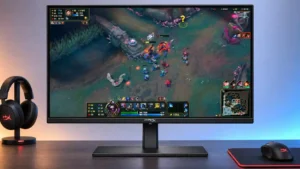
Overall: 4.1/5
Factory color calibration wins especially high praise, with natural-looking hues and unusually strong out-of-box results.
Pros: black levels, overall picture quality
Cons: brightness, Gaming feature selection

Overall: 4.4/5
Color reproduction is a standout strength, frequently praised straight from the factory. One Mac user cautions that choosing the right color mode matters for consistent output.
Pros: overall picture quality, color accuracy
Cons: value for money, built-in speakers

Overall: 3.8/5
Most testers liked the factory sRGB presentation and measured low color error, although some owners encountered a green cast or needed adjustments.
Pros: value for money, Resolution
Cons: port selection, HDR performance

Overall: 4.1/5
Factory calibration earns frequent praise for trustworthy colors with little need for adjustment. A few tests find more modest accuracy or suggest mode-specific calibration.
Pros: color accuracy, overall picture quality
Cons: HDR performance, refresh rate

Overall: 4.2/5
The carefully tuned sRGB mode is an outstanding strength, with excellent factory color even though some users notice a warm default white point.
Pros: refresh rate, HDR performance
Cons: reflection handling, Text fringing

Overall: 4.2/5
Colors generally look pleasing and capable of supporting creative work. Some tuning and preset choices can matter when precision is more important than impact.
Pros: reflection handling, color gamut
Cons: value for money, brightness

Overall: 4.2/5
Color accuracy is a standout strength for photos, video, and general work, with strong results even before calibration.
Pros: port selection, overall satisfaction
Cons: value for money, competitive gaming suitability

Overall: 3.7/5
Rich OLED color is backed by useful picture presets and factory calibration, making the image attractive without extensive tweaking.
Pros: value for money, black levels
Cons: refresh rate, portability and weight

Overall: 4.0/5
SDR accuracy is a frequent strength, especially in the sRGB setting or after calibration, although some units need white-balance correction.
Pros: value for money, overall satisfaction
Cons: HDR performance, HDMI 2.1 support
Overall: 3.9/5
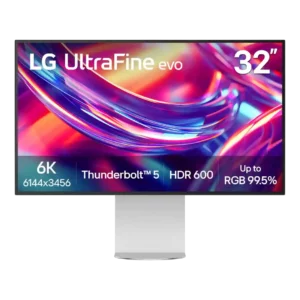
Color accuracy is a major strength, with several reviews reporting highly accurate out-of-box results and realistic-looking color. A few reviewers noted calibration or white-balance quirks, but the overall creative performance...
Pros: port selection, overall satisfaction
Cons: value for money, cable management

Overall: 4.3/5
Color accuracy is a major strength, with professional modes and factory calibration earning frequent praise. Default or wide-gamut settings may need adjustment for strict sRGB work, but calibrated modes perform...
Pros: productivity versatility, overall satisfaction
Cons: value for money, response time

Overall: 4.4/5
Factory sRGB calibration can be exceptionally accurate, particularly in Creator mode. The default wide-gamut setting may oversaturate standard SDR material.
Pros: brightness, value for money
Cons: port selection, built-in speakers

Overall: 4.1/5
Factory calibration is a strong point, with several reviewers observing accurate colors without adjustment; some note minor gamma or temperature deviations.
Pros: Pixel density, Resolution
Cons: GPU demands, HDR performance

Overall: 4.4/5
Factory color is impressively accurate, particularly in the dedicated sRGB mode. Some HDR modes and the default wider gamut require more care for precision.
Pros: sharpness, overall satisfaction
Cons: value for money, VRR flicker
Overall: 4.2/5
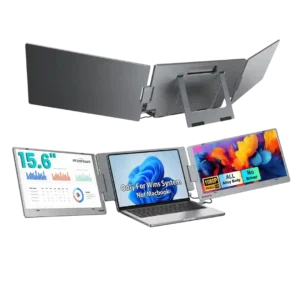
Color reproduction is generally liked, with reviewers describing rich, vibrant colors and one expert calling the included colors very accurate. That strength does not fully offset the narrower overall gamut.
Pros: overall satisfaction, portability and weight
Cons: reliability over time

Overall: 4.4/5
Factory calibration is excellent in the accurate color modes, with several reviewers measuring near-professional results. The default wide-gamut presentation can look oversaturated for unmanaged SDR content, and a slight warm...
Pros: brightness, reflection handling
Cons: cable management

Overall: 4.2/5
Excellent sRGB behavior and positive real-world assessments make the monitor dependable for typical tasks. Professional color-critical work still demands more.
Pros: overall satisfaction, screen size
Cons: stand adjustability, Photo editing

Overall: 4.1/5
Accurate, well-calibrated color is a major attraction for web, photo and video work. Some test samples show modest errors or benefit from further calibration for exacting jobs.
Pros: value for money, Resolution
Cons: HDR performance, refresh rate
Overall: 4.4/5
Accurate factory color and a well-regarded sRGB mode are strengths for visual work. Early previews also emphasize the panel’s improved color reproduction.
Pros: refresh rate, color accuracy
Cons: console gaming compatibility, DisplayPort connectivity

Overall: 4.4/5
Most tests find strong factory accuracy, particularly after selecting the appropriate sRGB profile. Calibration can improve demanding color-sensitive work.
Pros: refresh rate, Text fringing
Cons: Resolution, GPU demands

Overall: 4.3/5
Color accuracy is generally excellent, with strong measured results and good factory calibration. One outlet found the SDR defaults too warm and oversaturated, while other tests found only minor tuning...
Pros: overall satisfaction, competitive gaming suitability
Cons: value for money, screen size

Overall: 4.3/5
sRGB and calibrated modes can look exceptionally accurate, but the default wide-gamut SDR setting may oversaturate colors and the boosted HDR setting can distort tracking.
Pros: black levels, sharpness
Cons: value for money, brightness

Overall: 4.3/5
Factory accuracy and the calibrated sRGB mode receive strong marks for natural tones. Native wide-gamut SDR can oversaturate colors unless the appropriate settings are used.
Pros: overall satisfaction, Text fringing
Cons: brightness, Edge dimming behavior

Overall: 4.2/5
Color is generally strong after selecting the right preset or calibrating, sometimes reaching impressive measured accuracy. Warm whites, variable out-of-box calibration and uneven edges temper the professional promise.
Pros: port selection, USB hub functionality
Cons: competitive gaming suitability, motion clarity

Overall: 3.9/5
Accurate, pleasing SDR colors are a major selling point, especially in sRGB or after calibration. Some testers still flag factory settings or slight deviations that matter for color-critical use.
Pros: Resolution, refresh rate
Cons: HDR performance, contrast

Overall: 3.9/5
Factory grayscale and the adjustable sRGB mode perform well, with outstanding accuracy achievable after fine-tuning. Not every measurement or reviewer found it exceptional out of the box.
Pros: motion clarity, Backlight strobing
Cons: contrast, HDR performance

Overall: 4.2/5
The sRGB mode offers solid accuracy for routine tasks, sometimes impressively so, though white balance, gamma and the warm default tone can benefit from calibration.
Pros: value for money, Resolution
Cons: port selection, competitive gaming suitability

Overall: 4.1/5
Colors are pleasing and unusually accurate for a budget gaming monitor, with strong factory settings and excellent results after calibration.
Pros: value for money, overall satisfaction
Cons: HDR performance, Headphone output quality

Overall: 4.2/5
Most tests find strong out-of-box accuracy and excellent creator modes, although some report a warm white point that demands calibration for precision work.
Pros: overall picture quality, overall satisfaction
Cons: port selection, brightness

Overall: 4.3/5
Color accuracy was generally strong out of the box, but calibration and mode-specific caveats appeared in more technical reviews.
Pros: value for money, sharpness
Cons: brightness, USB hub functionality

Overall: 3.7/5
Factory tuning is frequently a highlight, with natural, accurate color reported without a full calibration process. Some modes fall behind rival gaming monitors, so the chosen picture preset matters.
Pros: glasses-free 3D quality, AI 2D-to-3D conversion
Cons: 3D compatible game library, value for money

Overall: 4.4/5
sRGB and calibrated modes can deliver excellent accuracy, but some tests find default or wide-gamut presets oversaturated and less trustworthy.
Pros: overall satisfaction, response time
Cons: reflection handling, VRR flicker

Overall: 3.9/5
Colors generally track sRGB accurately, with several tests praising faithful rendering; some users nevertheless noticed subtle tint or saturation issues.
Pros: brightness, portability and weight
Cons: value for money, port selection
Overall: 3.8/5
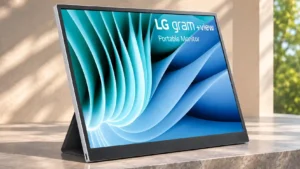
Colors typically appear pleasing and sufficiently accurate for everyday images and some creative tasks, though the Dell P1425 and dedicated creator models can be more accurate.
Pros: portability and weight, overall satisfaction
Cons: port selection, Device compatibility

Overall: 3.6/5
The sRGB Creator mode often measures exceptionally well, with true-to-life results. Default wide-gamut oversaturation and some poorly configured presets temper the praise.
Pros: overall satisfaction, brightness
Cons: Dolby Vision support, VRR flicker

Overall: 4.2/5
Several tests found excellent calibration or color-space presets, particularly in sRGB. Some units and brighter presets show warm white points, gamma shifts or oversaturated colors, so settings matter.
Pros: HDR performance, DisplayPort connectivity
Cons: value for money, brightness

Overall: 4.1/5
SDR color is often pleasing or accurate with appropriate settings, including good factory calibration on some units. Other measurements find oversaturation or color errors, so demanding work benefits from tuning.
Pros: Resolution, overall satisfaction
Cons: value for money, GPU demands

Overall: 4.5/5
Dedicated sRGB and wide-gamut modes can be exceptionally accurate, and calibration results are excellent. Default oversaturation and inconsistent gamma in some modes call for attention.
Pros: color gamut, contrast
Cons: value for money, Resolution
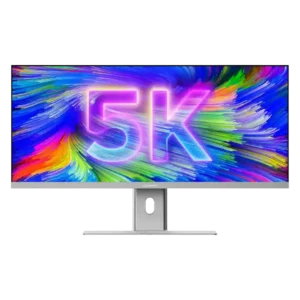
Overall: 4.3/5
Color accuracy can be excellent after calibration, including outstanding lab results. Several reviewers warned that the warm or slightly off factory presentation should be corrected before color-critical work.
Pros: productivity versatility, aspect ratio
Cons: built-in speakers, competitive gaming suitability