Best for VESA mount compatibility
ASUS ProArt Display PA279CRV
5.0 attribute score
Highest scored product for this attribute based on supporting review evidence.

Highest scored product for this attribute based on supporting review evidence.
Balances the attribute score, supporting reviews, and overall product strength.
Has the broadest review evidence for this attribute.
Strongest overall product among items with scored evidence for this attribute.

Overall: 4.3/5
Standard 100mm VESA mounting makes the monitor flexible for arms, wall mounts, and multi-display stands. The attachment arrangement is generally considered easy to manage.
Pros: USB-C power delivery, port selection
Cons: HDR performance, refresh rate

Overall: 4.1/5
Standard VESA mounting offers an easy alternative to the included stand, particularly for arm-based workstations.
Pros: color accuracy, overall picture quality
Cons: HDR performance, refresh rate

Overall: 4.3/5
Standard 100 x 100 VESA support makes moving the display to a monitor arm simple.
Pros: color gamut, overall picture quality
Cons: brightness, HDR performance
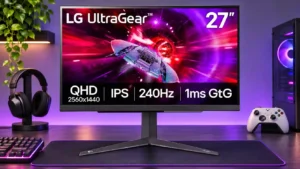
Overall: 4.2/5
Standard 100×100mm mounting and a positive firsthand arm-mounting account make it straightforward to free up desk space.
Pros: refresh rate, overall satisfaction
Cons: HDR performance, contrast

Overall: 4.2/5
An included 100mm adapter allows a monitor arm to replace the broad tripod stand, a practical solution for limited desk space.
Pros: overall satisfaction, black levels
Cons: value for money, stand adjustability

Overall: 4.3/5
Standard VESA mounting offers an alternative to the included stand for buyers wanting to reclaim desk space or improve stability. A sturdy arm is important for this size and weight.
Pros: overall satisfaction, Text fringing
Cons: brightness, Edge dimming behavior

Overall: 3.9/5
Mounting support makes this tiny display more flexible for semi-permanent desk use as well as travel.
Pros: brightness, portability and weight
Cons: value for money, port selection

Overall: 4.2/5
A standard mounting pattern and quick-release panel attachment make it straightforward to fit an aftermarket monitor arm instead of the supplied stand.
Pros: port selection, USB hub functionality
Cons: competitive gaming suitability, motion clarity

Overall: 4.2/5
Standard mounting support makes it easy to move the big panel onto an arm when the included stand does not suit the desk.
Pros: port selection, overall satisfaction
Cons: value for money, competitive gaming suitability

Overall: 4.1/5
Standard VESA mounting gives flexibility to use an arm or wall mount if the desk stand is unsuitable. The size and weight still demand appropriate support.
Pros: Resolution, overall satisfaction
Cons: value for money, GPU demands

Overall: 4.3/5
An included adapter simplifies mounting to a compatible standard monitor arm, especially when the recessed fixture would otherwise obstruct attachment.
Pros: black levels, sharpness
Cons: value for money, brightness

Overall: 4.4/5
Support for a standard monitor arm adds flexibility beyond the already adjustable bundled stand.
Pros: port selection, color accuracy
Cons: built-in speakers, speaker quality

Overall: 4.4/5
A standard 100mm VESA pattern makes arm mounting straightforward. This was welcomed by the reviewer who preferred a monitor arm.
Pros: productivity versatility, aspect ratio
Cons: value for money, competitive gaming suitability

Overall: 4.1/5
The conventional VESA mounting pattern makes it easy to fit existing monitor arms and desk mounts.
Pros: USB hub functionality, USB-C power delivery
Cons: speaker quality

Overall: 4.0/5
VESA mounting lets buyers replace the stock stand with an arm without sacrificing a pivot and height-adjustable stand option at purchase.
Pros: Resolution, Dual-mode versatility
Cons: value for money, GPU demands

Overall: 4.1/5
Standard monitor-arm mounting offers an alternative to the adjustable included stand.
Pros: overall satisfaction, value for money
Cons: reflection handling, screen uniformity

Overall: 4.4/5
Standard 100×100 VESA mounting makes arms and wall mounting practical. A sturdy arm is recommended because this large screen is relatively heavy.
Pros: color accuracy, stand adjustability
Cons: built-in speakers, Desk footprint

Overall: 4.3/5
Multiple VESA patterns make heavy-duty arm or wall mounting feasible, and robust monitor arms can support it successfully. Buyers still need hardware rated for the panel's unusual size and weight.
Pros: productivity versatility, overall satisfaction
Cons: value for money, response time
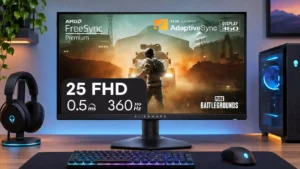
Overall: 3.9/5
Standard 100×100 mm mounting and a readily detachable stand make aftermarket arm installation practical.
Pros: competitive gaming suitability, stand adjustability
Cons: color gamut, contrast

Overall: 4.0/5
Standard 100mm mounting makes monitor arms straightforward, although recessed holes can rule out some quick-release attachments.
Pros: overall satisfaction, DisplayPort connectivity
Cons: value for money, reliability over time

Overall: 4.2/5
Standard VESA support makes an arm a strong option, especially for users frustrated by the included stand’s limited height.
Pros: overall satisfaction, screen size
Cons: stand adjustability, Photo editing

Overall: 4.4/5
A supplied VESA adapter and standard 100×100mm support make monitor arms and wall mounting straightforward.
Pros: color gamut, overall satisfaction
Cons: reflection handling, VRR flicker

Overall: 4.4/5
Standard 100×100mm VESA support makes swapping to a monitor arm simple, useful for saving space or custom setups.
Pros: brightness, value for money
Cons: port selection, built-in speakers

Overall: 4.1/5
A standard 100×100mm mount provides flexibility for monitor arms, an attractive option when the included base or cable opening is inconvenient.
Pros: value for money, Resolution
Cons: HDR performance, refresh rate

Overall: 4.2/5
Standard VESA mounting is useful for monitor arms, but check included bracket hardware and mounting requirements.
Pros: overall satisfaction, black levels
Cons: reflection handling, Color brightness

Overall: 3.8/5
Standard 100×100 VESA support gives buyers the option to replace the supplied stand with an arm or wall mount.
Pros: value for money, Resolution
Cons: HDR performance, port selection

Overall: 4.2/5
Standard 100×100mm VESA support makes it straightforward to swap the supplied stand for a wall mount or monitor arm.
Pros: competitive gaming suitability, color gamut
Cons: brightness, HDMI 2.1 support

Overall: 3.8/5
VESA compatibility makes a monitor arm a practical alternative to the bundled stand.
Pros: value for money, panel type
Cons: brightness, port selection

Overall: 4.0/5
VESA support makes it straightforward to move the large display onto a monitor arm. That is especially useful for reclaiming desk space from the substantial stock stand.
Pros: overall satisfaction, productivity versatility
Cons: value for money, reliability over time

Overall: 4.2/5
The easily removed stock stand exposes standard 100×100mm VESA points for a monitor arm.
Pros: HDR performance, overall satisfaction
Cons: HDR highlight detail, color accuracy
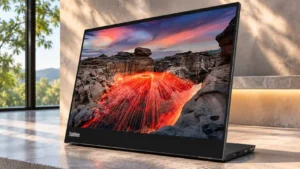
Overall: 3.9/5
VESA support broadens the choice of desk positions and can make it a space-saving permanent second screen. Included clips make mounting more practical.
Pros: overall picture quality, Stylus usability
Cons: port selection, refresh rate

Overall: 3.9/5
Standard 100×100 VESA support makes it easy to use a monitor arm instead of the included stand.
Pros: HDR performance, black levels
Cons: viewing angles, response time

Overall: 4.2/5
Compatible monitor arms offer more positioning options and free up desk space. The standard mount complements the adjustable stand.
Pros: reflection handling, color gamut
Cons: value for money, brightness

Overall: 4.3/5
VESA compatibility was positively assessed in the review that used it on a monitor arm without problems.
Pros: value for money, sharpness
Cons: brightness, USB hub functionality

Overall: 4.2/5
Standard mounting allows a monitor arm to replace the stock stand, useful for anyone troubled by desk wobble.
Pros: value for money, Resolution
Cons: port selection, competitive gaming suitability

Overall: 3.9/5
Standard 100-by-100 mounting lets users replace the included stand with a compatible arm.
Pros: brightness, color gamut
Cons: AI scene optimization, value for money

Overall: 4.4/5
The quick-release stand can be removed for a standard 100×100mm VESA arm or wall mount, giving buyers an easy alternative to the stock stand.
Pros: brightness, reflection handling
Cons: cable management

Overall: 4.3/5
Standard 100x100 VESA support makes it easy to move the display onto a third-party arm or wall mount when the included stand is not ideal.
Pros: overall satisfaction, competitive gaming suitability
Cons: value for money, screen size

Overall: 4.2/5
Standard 100 × 100mm mounting and manageable panel weight make using an ordinary monitor arm straightforward.
Pros: brightness, HDR performance
Cons: speaker quality, built-in speakers
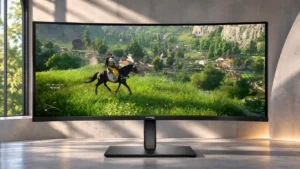
Overall: 4.4/5
VESA compatibility and the included mounting bracket make a monitor arm a straightforward option.
Pros: refresh rate, color accuracy
Cons: console gaming compatibility, DisplayPort connectivity

Overall: 3.8/5
Standard 100×100 mounting allows a monitor arm, which is particularly useful for portrait use or reducing desk clutter.
Pros: value for money, Resolution
Cons: port selection, HDR performance

Overall: 4.2/5
A standard VESA mount lets owners swap the distinctive original stand for a monitor arm. This offsets some of the stand's orientation limitations.
Pros: refresh rate, overall satisfaction
Cons: value for money, port selection

Overall: 3.6/5
Standard mounting gives arm users flexibility, though the included adjustable stand is sufficient for many desks.
Pros: stand adjustability, competitive gaming suitability
Cons: value for money, port selection

Overall: 3.6/5
Standard arm mounting provides a practical escape from the shaky stock stand, though one owner needed to source appropriate screws separately.
Pros: refresh rate, value for money
Cons: HDR performance, contrast
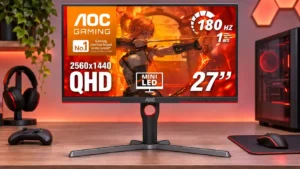
Overall: 3.9/5
Standard 100×100mm mounting provides easy compatibility with a monitor arm when the included stand is too bulky.
Pros: value for money, HDR performance
Cons: on-screen display usability, port selection

Overall: 3.9/5
Standard 100×100 mm VESA mounting makes it easy to replace the included stand with a compatible arm or wall mount.
Pros: Resolution, refresh rate
Cons: HDR performance, contrast

Overall: 4.2/5
A standard 100×100 mount supports monitor arms, though some recessed quick-release mechanisms may not fit cleanly.
Pros: HDR performance, DisplayPort connectivity
Cons: value for money, brightness

Overall: 3.9/5
Standard 100×100 mounting offers a useful alternative to the sometimes stiff or height-limited included stand.
Pros: motion clarity, Backlight strobing
Cons: contrast, HDR performance

Overall: 4.5/5
VESA mounting provides a welcome route to an arm or alternative support instead of using the wide stock stand.
Pros: color gamut, contrast
Cons: value for money, Resolution

Overall: 4.4/5
Standard VESA mounting is available and helps free up desk space. ASUS's required adapter bracket adds a small installation step.
Pros: sharpness, overall satisfaction
Cons: value for money, VRR flicker