
Overall: 4.1/5
Standard VESA mounting offers an easy alternative to the included stand, particularly for arm-based workstations.
Pros: color accuracy, overall picture quality
Cons: HDR performance, refresh rate

Overall: 4.1/5
Standard VESA mounting offers an easy alternative to the included stand, particularly for arm-based workstations.
Pros: color accuracy, overall picture quality
Cons: HDR performance, refresh rate

Overall: 4.4/5
Standard 100×100 VESA mounting makes arms and wall mounting practical. A sturdy arm is recommended because this large screen is relatively heavy.
Pros: color accuracy, stand adjustability
Cons: built-in speakers, Desk footprint

Overall: 4.0/5
Standard 100mm mounting makes monitor arms straightforward, although recessed holes can rule out some quick-release attachments.
Pros: overall satisfaction, DisplayPort connectivity
Cons: value for money, reliability over time

Overall: 4.4/5
A supplied VESA adapter and standard 100×100mm support make monitor arms and wall mounting straightforward.
Pros: color gamut, overall satisfaction
Cons: reflection handling, VRR flicker

Overall: 3.8/5
Standard 100×100 VESA support gives buyers the option to replace the supplied stand with an arm or wall mount.
Pros: value for money, Resolution
Cons: HDR performance, port selection

Overall: 4.2/5
Standard 100×100mm VESA support makes it straightforward to swap the supplied stand for a wall mount or monitor arm.
Pros: competitive gaming suitability, color gamut
Cons: brightness, HDMI 2.1 support

Overall: 4.0/5
VESA support makes it straightforward to move the large display onto a monitor arm. That is especially useful for reclaiming desk space from the substantial stock stand.
Pros: overall satisfaction, productivity versatility
Cons: value for money, reliability over time
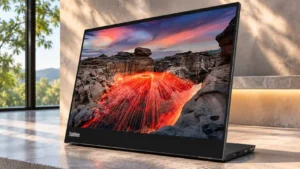
Overall: 3.9/5
VESA support broadens the choice of desk positions and can make it a space-saving permanent second screen. Included clips make mounting more practical.
Pros: overall picture quality, Stylus usability
Cons: port selection, refresh rate

Overall: 4.2/5
A standard VESA mount lets owners swap the distinctive original stand for a monitor arm. This offsets some of the stand's orientation limitations.
Pros: refresh rate, overall satisfaction
Cons: value for money, port selection

Overall: 3.6/5
Standard mounting gives arm users flexibility, though the included adjustable stand is sufficient for many desks.
Pros: stand adjustability, competitive gaming suitability
Cons: value for money, port selection

Overall: 3.9/5
Standard 100×100 mm VESA mounting makes it easy to replace the included stand with a compatible arm or wall mount.
Pros: Resolution, refresh rate
Cons: HDR performance, contrast
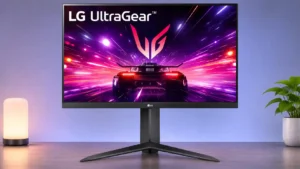
Overall: 3.3/5
A standard 100×100mm VESA mount makes the monitor easy to pair with an arm or wall bracket.
Pros: adaptive sync performance, response time
Cons: HDR performance, console gaming compatibility

Overall: 4.0/5
The standard 100×100mm mount supports alternate stands or arms if the included base is not a good fit.
Pros: refresh rate, competitive gaming suitability
Cons: value for money, brightness

Overall: 4.0/5
A 100×100mm adapter supports monitor arms, though the added plate can increase wall clearance compared with recessed mounts.
Pros: value for money, overall satisfaction
Cons: HDR performance, HDMI 2.1 support

Overall: 4.4/5
Standard 100×100 mounting is helpful, but the large heavy panel may exceed lightweight arms and make installation awkward.
Pros: overall picture quality, color accuracy
Cons: value for money, built-in speakers

Overall: 3.7/5
Monitor arms are possible, but the screen’s weight requires a heavy-duty mount and there are differing accounts of adapter requirements.
Pros: value for money, black levels
Cons: refresh rate, portability and weight

Overall: 3.6/5
Standard VESA mounting lets users replace the large stock stand with a monitor arm, improving desk placement flexibility.
Pros: overall satisfaction, brightness
Cons: Dolby Vision support, VRR flicker