
Overall: 4.3/5
Standard 100 x 100 VESA support makes moving the display to a monitor arm simple.
Pros: color gamut, overall picture quality
Cons: brightness, HDR performance

Overall: 4.3/5
Standard 100 x 100 VESA support makes moving the display to a monitor arm simple.
Pros: color gamut, overall picture quality
Cons: brightness, HDR performance

Overall: 4.2/5
An included 100mm adapter allows a monitor arm to replace the broad tripod stand, a practical solution for limited desk space.
Pros: overall satisfaction, black levels
Cons: value for money, stand adjustability

Overall: 4.3/5
Standard VESA mounting offers an alternative to the included stand for buyers wanting to reclaim desk space or improve stability. A sturdy arm is important for this size and weight.
Pros: overall satisfaction, Text fringing
Cons: brightness, Edge dimming behavior

Overall: 4.3/5
An included adapter simplifies mounting to a compatible standard monitor arm, especially when the recessed fixture would otherwise obstruct attachment.
Pros: black levels, sharpness
Cons: value for money, brightness

Overall: 4.4/5
Support for a standard monitor arm adds flexibility beyond the already adjustable bundled stand.
Pros: port selection, color accuracy
Cons: built-in speakers, speaker quality

Overall: 4.4/5
A standard 100mm VESA pattern makes arm mounting straightforward. This was welcomed by the reviewer who preferred a monitor arm.
Pros: productivity versatility, aspect ratio
Cons: value for money, competitive gaming suitability

Overall: 4.0/5
VESA mounting lets buyers replace the stock stand with an arm without sacrificing a pivot and height-adjustable stand option at purchase.
Pros: Resolution, Dual-mode versatility
Cons: value for money, GPU demands

Overall: 4.3/5
Multiple VESA patterns make heavy-duty arm or wall mounting feasible, and robust monitor arms can support it successfully. Buyers still need hardware rated for the panel's unusual size and weight.
Pros: productivity versatility, overall satisfaction
Cons: value for money, response time

Overall: 4.4/5
Standard 100×100mm VESA support makes swapping to a monitor arm simple, useful for saving space or custom setups.
Pros: brightness, value for money
Cons: port selection, built-in speakers

Overall: 3.8/5
VESA compatibility makes a monitor arm a practical alternative to the bundled stand.
Pros: value for money, panel type
Cons: brightness, port selection

Overall: 3.9/5
Standard 100-by-100 mounting lets users replace the included stand with a compatible arm.
Pros: brightness, color gamut
Cons: AI scene optimization, value for money

Overall: 4.4/5
The quick-release stand can be removed for a standard 100×100mm VESA arm or wall mount, giving buyers an easy alternative to the stock stand.
Pros: brightness, reflection handling
Cons: cable management
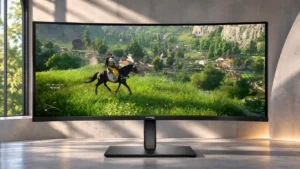
Overall: 4.4/5
VESA compatibility and the included mounting bracket make a monitor arm a straightforward option.
Pros: refresh rate, color accuracy
Cons: console gaming compatibility, DisplayPort connectivity

Overall: 3.9/5
Standard 100×100 mounting offers a useful alternative to the sometimes stiff or height-limited included stand.
Pros: motion clarity, Backlight strobing
Cons: contrast, HDR performance

Overall: 4.5/5
VESA mounting provides a welcome route to an arm or alternative support instead of using the wide stock stand.
Pros: color gamut, contrast
Cons: value for money, Resolution

Overall: 4.2/5
The VESA configuration is useful for custom arms, but the stand choice is important because it is not readily swappable later.
Pros: refresh rate, HDR performance
Cons: value for money, Device compatibility
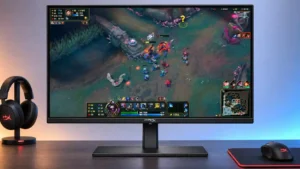
Overall: 4.1/5
Arm mounting offers a practical way around desk wobble or an awkward stand angle.
Pros: black levels, overall picture quality
Cons: brightness, Gaming feature selection
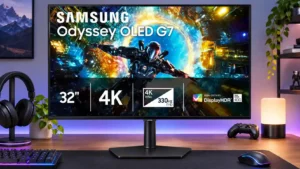
Overall: 3.8/5
VESA mounting enables a separate monitor arm for a cleaner, more flexible desk setup.
Pros: overall satisfaction, contrast
Cons: value for money, port selection

Overall: 4.1/5
Standard 100 × 100 mm mounting allows an arm or wall mount instead of the bundled stand.
Pros: PC gaming compatibility, reflection handling
Cons: color accuracy, VRR flicker
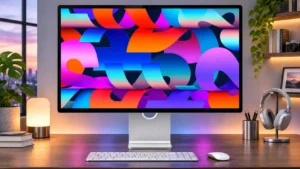
Overall: 3.7/5
A VESA configuration supports flexible arms and portrait use, but mount selection must be made at purchase or changed by service rather than a quick home swap.
Pros: Monitor daisy-chaining, overall picture quality
Cons: value for money, refresh rate