Best for VESA mount compatibility
Dell Alienware AW3926QW
5.0 attribute score
Highest scored product for this attribute based on supporting review evidence.

Highest scored product for this attribute based on supporting review evidence.
Balances the attribute score, supporting reviews, and overall product strength.
Has the broadest review evidence for this attribute.
Strongest overall product among items with scored evidence for this attribute.

Overall: 4.3/5
Standard VESA mounting offers an alternative to the included stand for buyers wanting to reclaim desk space or improve stability. A sturdy arm is important for this size and weight.
Pros: overall satisfaction, Text fringing
Cons: brightness, Edge dimming behavior

Overall: 3.9/5
Mounting support makes this tiny display more flexible for semi-permanent desk use as well as travel.
Pros: brightness, portability and weight
Cons: value for money, port selection

Overall: 4.2/5
A standard mounting pattern and quick-release panel attachment make it straightforward to fit an aftermarket monitor arm instead of the supplied stand.
Pros: port selection, USB hub functionality
Cons: competitive gaming suitability, motion clarity

Overall: 4.2/5
Standard mounting support makes it easy to move the big panel onto an arm when the included stand does not suit the desk.
Pros: port selection, overall satisfaction
Cons: value for money, competitive gaming suitability

Overall: 4.1/5
The conventional VESA mounting pattern makes it easy to fit existing monitor arms and desk mounts.
Pros: USB hub functionality, USB-C power delivery
Cons: speaker quality

Overall: 4.3/5
Multiple VESA patterns make heavy-duty arm or wall mounting feasible, and robust monitor arms can support it successfully. Buyers still need hardware rated for the panel's unusual size and weight.
Pros: productivity versatility, overall satisfaction
Cons: value for money, response time
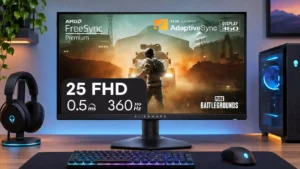
Overall: 3.9/5
Standard 100×100 mm mounting and a readily detachable stand make aftermarket arm installation practical.
Pros: competitive gaming suitability, stand adjustability
Cons: color gamut, contrast

Overall: 4.2/5
Standard VESA support makes an arm a strong option, especially for users frustrated by the included stand’s limited height.
Pros: overall satisfaction, screen size
Cons: stand adjustability, Photo editing

Overall: 4.4/5
Standard 100×100mm VESA support makes swapping to a monitor arm simple, useful for saving space or custom setups.
Pros: brightness, value for money
Cons: port selection, built-in speakers

Overall: 4.2/5
Standard 100×100mm VESA support makes it straightforward to swap the supplied stand for a wall mount or monitor arm.
Pros: competitive gaming suitability, color gamut
Cons: brightness, HDMI 2.1 support

Overall: 3.8/5
VESA compatibility makes a monitor arm a practical alternative to the bundled stand.
Pros: value for money, panel type
Cons: brightness, port selection

Overall: 4.0/5
VESA support makes it straightforward to move the large display onto a monitor arm. That is especially useful for reclaiming desk space from the substantial stock stand.
Pros: overall satisfaction, productivity versatility
Cons: value for money, reliability over time

Overall: 4.3/5
VESA compatibility was positively assessed in the review that used it on a monitor arm without problems.
Pros: value for money, sharpness
Cons: brightness, USB hub functionality

Overall: 4.2/5
Standard mounting allows a monitor arm to replace the stock stand, useful for anyone troubled by desk wobble.
Pros: value for money, Resolution
Cons: port selection, competitive gaming suitability

Overall: 3.8/5
Standard 100×100 mounting allows a monitor arm, which is particularly useful for portrait use or reducing desk clutter.
Pros: value for money, Resolution
Cons: port selection, HDR performance

Overall: 3.9/5
Standard 100×100 mm VESA mounting makes it easy to replace the included stand with a compatible arm or wall mount.
Pros: Resolution, refresh rate
Cons: HDR performance, contrast

Overall: 4.0/5
VESA mounting offers an alternative to the included stand, and attachment was described as straightforward.
Pros: overall satisfaction, refresh rate
Cons: HDR performance, HDMI 2.1 support

Overall: 4.4/5
Standard 100×100 mounting is helpful, but the large heavy panel may exceed lightweight arms and make installation awkward.
Pros: overall picture quality, color accuracy
Cons: value for money, built-in speakers

Overall: 4.2/5
Standard mounting lets users swap out the stand, although recessed fixing holes may require spacers.
Pros: refresh rate, HDR performance
Cons: reflection handling, Text fringing

Overall: 4.2/5
Standard 100mm mounting supports monitor arms and wall brackets if the included stand does not suit your space.
Pros: overall picture quality, overall satisfaction
Cons: port selection, brightness

Overall: 3.6/5
Standard VESA mounting lets users replace the large stock stand with a monitor arm, improving desk placement flexibility.
Pros: overall satisfaction, brightness
Cons: Dolby Vision support, VRR flicker