
Overall: 3.9/5
Mounting support makes this tiny display more flexible for semi-permanent desk use as well as travel.
Pros: brightness, portability and weight
Cons: value for money, port selection

Overall: 3.9/5
Mounting support makes this tiny display more flexible for semi-permanent desk use as well as travel.
Pros: brightness, portability and weight
Cons: value for money, port selection

Overall: 4.2/5
A standard mounting pattern and quick-release panel attachment make it straightforward to fit an aftermarket monitor arm instead of the supplied stand.
Pros: port selection, USB hub functionality
Cons: competitive gaming suitability, motion clarity

Overall: 4.2/5
Standard mounting support makes it easy to move the big panel onto an arm when the included stand does not suit the desk.
Pros: port selection, overall satisfaction
Cons: value for money, competitive gaming suitability

Overall: 4.1/5
Standard VESA mounting gives flexibility to use an arm or wall mount if the desk stand is unsuitable. The size and weight still demand appropriate support.
Pros: Resolution, overall satisfaction
Cons: value for money, GPU demands

Overall: 4.1/5
The conventional VESA mounting pattern makes it easy to fit existing monitor arms and desk mounts.
Pros: USB hub functionality, USB-C power delivery
Cons: speaker quality

Overall: 4.1/5
Standard monitor-arm mounting offers an alternative to the adjustable included stand.
Pros: overall satisfaction, value for money
Cons: reflection handling, screen uniformity

Overall: 4.2/5
Standard VESA support makes an arm a strong option, especially for users frustrated by the included stand’s limited height.
Pros: overall satisfaction, screen size
Cons: stand adjustability, Photo editing

Overall: 4.1/5
A standard 100×100mm mount provides flexibility for monitor arms, an attractive option when the included base or cable opening is inconvenient.
Pros: value for money, Resolution
Cons: HDR performance, refresh rate

Overall: 4.2/5
Standard VESA mounting is useful for monitor arms, but check included bracket hardware and mounting requirements.
Pros: overall satisfaction, black levels
Cons: reflection handling, Color brightness

Overall: 4.2/5
The easily removed stock stand exposes standard 100×100mm VESA points for a monitor arm.
Pros: HDR performance, overall satisfaction
Cons: HDR highlight detail, color accuracy

Overall: 3.9/5
Standard 100×100 VESA support makes it easy to use a monitor arm instead of the included stand.
Pros: HDR performance, black levels
Cons: viewing angles, response time

Overall: 4.2/5
Compatible monitor arms offer more positioning options and free up desk space. The standard mount complements the adjustable stand.
Pros: reflection handling, color gamut
Cons: value for money, brightness

Overall: 4.3/5
VESA compatibility was positively assessed in the review that used it on a monitor arm without problems.
Pros: value for money, sharpness
Cons: brightness, USB hub functionality

Overall: 4.2/5
Standard mounting allows a monitor arm to replace the stock stand, useful for anyone troubled by desk wobble.
Pros: value for money, Resolution
Cons: port selection, competitive gaming suitability

Overall: 4.3/5
Standard 100x100 VESA support makes it easy to move the display onto a third-party arm or wall mount when the included stand is not ideal.
Pros: overall satisfaction, competitive gaming suitability
Cons: value for money, screen size

Overall: 4.2/5
Standard 100 × 100mm mounting and manageable panel weight make using an ordinary monitor arm straightforward.
Pros: brightness, HDR performance
Cons: speaker quality, built-in speakers

Overall: 3.8/5
Standard 100×100 mounting allows a monitor arm, which is particularly useful for portrait use or reducing desk clutter.
Pros: value for money, Resolution
Cons: port selection, HDR performance

Overall: 3.6/5
Standard arm mounting provides a practical escape from the shaky stock stand, though one owner needed to source appropriate screws separately.
Pros: refresh rate, value for money
Cons: HDR performance, contrast

Overall: 4.2/5
A standard 100×100 mount supports monitor arms, though some recessed quick-release mechanisms may not fit cleanly.
Pros: HDR performance, DisplayPort connectivity
Cons: value for money, brightness

Overall: 4.4/5
Standard VESA mounting is available and helps free up desk space. ASUS's required adapter bracket adds a small installation step.
Pros: sharpness, overall satisfaction
Cons: value for money, VRR flicker

Overall: 4.0/5
VESA mounting offers an alternative to the included stand, and attachment was described as straightforward.
Pros: overall satisfaction, refresh rate
Cons: HDR performance, HDMI 2.1 support

Overall: 4.0/5
Standard 100-by-100 mounting works with many monitor arms, and the stand can be replaced when needed.
Pros: Dual-mode versatility, refresh rate
Cons: black levels, contrast

Overall: 3.7/5
Standard mounting support offers an alternative to the included stand. A wall mount or monitor arm can help personalize a desk or clear more working space.
Pros: glasses-free 3D quality, AI 2D-to-3D conversion
Cons: 3D compatible game library, value for money
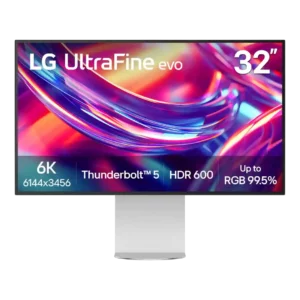
Overall: 3.9/5
Most reviews describe standard 100×100 VESA support and easy arm mounting, though one embedded comment claimed the opposite. Rear-facing ports can also make wall-mounted setups awkward.
Pros: port selection, overall satisfaction
Cons: value for money, cable management
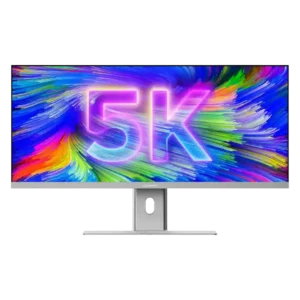
Overall: 4.3/5
A standard 100×100mm VESA pattern adds mounting choice, but the panel’s size and weight make a very sturdy arm essential. One reviewer advised against arm mounting altogether.
Pros: productivity versatility, aspect ratio
Cons: built-in speakers, competitive gaming suitability

Overall: 4.2/5
Standard mounting lets users swap out the stand, although recessed fixing holes may require spacers.
Pros: refresh rate, HDR performance
Cons: reflection handling, Text fringing

Overall: 3.7/5
A 100×100mm mount is supported, but one test found standard 10mm screws too short; 12mm M4 screws may be needed.
Pros: overall satisfaction, PC gaming compatibility
Cons: color accuracy, local dimming performance
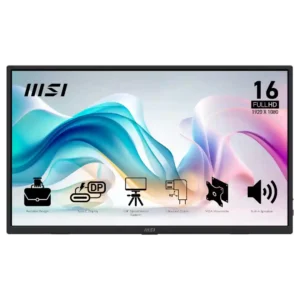
Overall: 4.1/5
VESA mounting is a differentiator in expert reviews, but customer reports conflict sharply, with some saying the two-hole implementation is not secure or not truly VESA-compatible.
Pros: value for money, portability and weight
Cons: built-in speakers, color gamut

Overall: 4.2/5
Standard 100mm mounting supports monitor arms and wall brackets if the included stand does not suit your space.
Pros: overall picture quality, overall satisfaction
Cons: port selection, brightness

Overall: 4.1/5
VESA mounting is possible, but the recessed mounting area and trim removal can complicate fitting certain arms and stands.
Pros: Pixel density, Resolution
Cons: GPU demands, HDR performance

Overall: 3.5/5
The recessed 75×75mm mounting area and standoffs complicate compatibility with some standard arms.
Pros: HDR performance, overall satisfaction
Cons: local dimming performance, Blooming control