If you want better reflection handling
Choose MSI Pro MP165 E6. It scores 4.8 vs 2.0 for reflection handling, with a 4.1 overall score.

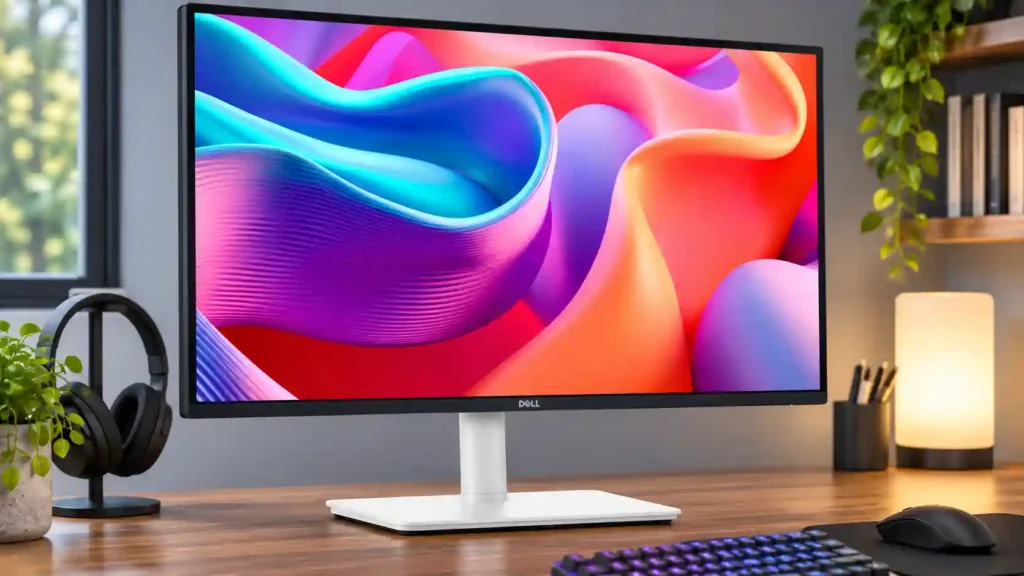
Easy one-cable laptop docking, smooth 144Hz scrolling and a flexible stand make this a practical, affordable office monitor. It is less convincing for fast gaming, HDR viewing or color-critical editing.
Office workers, people who regularly connect a USB-C laptop, and home users who want an ergonomic QHD screen with smoother scrolling and occasional casual gaming.
Color-critical photo and video editors, competitive gamers who need clean motion, or anyone expecting HDR or dense 4K text. Powerful laptops may also need additional charging.
The Dell S2725DC stands out as a genuinely useful everyday work monitor rather than a stripped-down gaming display. At 27 inches, its QHD picture provides good text clarity, while the 144Hz refresh rate makes scrolling and pointer movement feel noticeably smoother than on basic 60Hz monitors. A USB-C connection delivers video, peripheral access and up to 65W laptop charging through one cable, and the adjustable stand and pop-out USB ports help maintain a flexible, tidy workspace. Those strengths make it particularly attractive for office work, coding and laptop-based setups. The tradeoffs are real: dedicated testing finds motion blur despite the fast refresh, HDR is absent, and the speakers range from merely serviceable to pleasantly adequate depending on expectations. Image professionals may want stronger color control and more pixels, while high-power workstations may need their own chargers. For routine work with occasional casual play, however, its balanced feature set is compelling.
Compared with other Monitors, this product is above average in warranty and support service, USB-C power delivery, Cleaning ease, near average in premium feel, port selection, below average in reflection handling, ghosting control, competitive gaming suitability.
| Attribute | This product | Category average | Difference |
|---|---|---|---|
| reflection handling | 2.0 | 4.0 | -2.0 |
| ghosting control | 2.0 | 3.7 | -1.7 |
| warranty and support service | 5.0 | 3.3 | +1.7 |
| USB-C power delivery | 4.7 | 3.4 | +1.3 |
| Cleaning ease | 5.0 | 3.7 | +1.3 |
| competitive gaming suitability | 2.0 | 3.3 | -1.3 |
| USB hub functionality | 4.7 | 3.6 | +1.1 |
| sharpness | 3.5 | 4.6 | -1.1 |
Choose MSI Pro MP165 E6. It scores 4.8 vs 2.0 for reflection handling, with a 4.1 overall score.
Choose Dell S2725QS. It scores 5.0 vs 3.0 for portability and weight, with a 3.8 overall score.
Choose Alogic Edge 40-inch 5K ultrawide. It scores 4.5 vs 3.5 for sharpness, with a 4.3 overall score.
Choose InnoCN GA27S1Q. It scores 5.0 vs 2.0 for competitive gaming suitability, with a 4.3 overall score.
Products reviewers directly compared with this model, grouped into quick takeaways.
Yes. USB-C carries display data and USB peripherals while providing up to 65W charging. Some power-hungry workstations need more power.
Text and spreadsheets look good for most office tasks, and several assessments like the size-resolution balance. It is noticeably less dense than a comparable 4K display.
It works as an occasional PC gaming monitor thanks to 144Hz and VRR. More demanding motion testing found blur, so it is not a top pick for competitive play.
No. Its lack of HDR is a limitation for HDR content and image-focused creative work.
They are useful for calls, casual video and background audio, but audio assessments vary and they do not replace quality external speakers.
Yes. The stand supports height, tilt, swivel and portrait rotation, and a standard 100×100 VESA pattern suits compatible arms.
Professional photo or video editors, high-DPI shoppers and serious gamers should consider a more specialized or higher-resolution model.
These are a few of the reviews included in our analysis.
Dell 27 Plus QHD USB-C monitor at $236: 144Hz, 1ms response, USB-C with charging. For gaming-adjacent teams, not pixel-density work.
A simple business monitor that's simply perfect in most professional contexts.
The Dell S2725DC is a budget-friendly 27-inch, 1440p work monitor. As an entry-level model in the Dell Plus Series lineup, it sits just above...

The 27-inch 4K OLED picture is exceptionally crisp and responsive, with useful USB-C and KVM extras. Its high price, oversized stand, and bright-room compromises limit its appeal.
Pros: sharpness, overall satisfaction
Cons: value for money, VRR flicker

Best for exceptional 4K HDR, accurate color, fast 240Hz gaming, and strong work connectivity. Skip it if you need built-in speakers, ultrawide immersion, television-level HDR brightness, or a budget-friendly upgrade.
Pros: brightness, reflection handling
Cons: cable management

Best for class-leading 360Hz ultrawide motion, spectacular HDR, deep blacks, and unusually strong work-and-play connectivity. Skip it if you want 4K-like text sharpness, a matte screen, or the best value...
Pros: overall satisfaction, sharpness
Cons: Resolution, cable management

Choose the RD280UG for coding, trading, writing, or creative work that benefits from a tall, sharp 3:2 screen and strong eye-care features. Skip it for serious HDR, color-critical creation, esports,...
Pros: productivity versatility, aspect ratio
Cons: value for money, competitive gaming suitability