If you want better black levels
Choose AOC Q27G3XMN. It scores 5.0 vs 1.4 for black levels, with a 3.9 overall score.

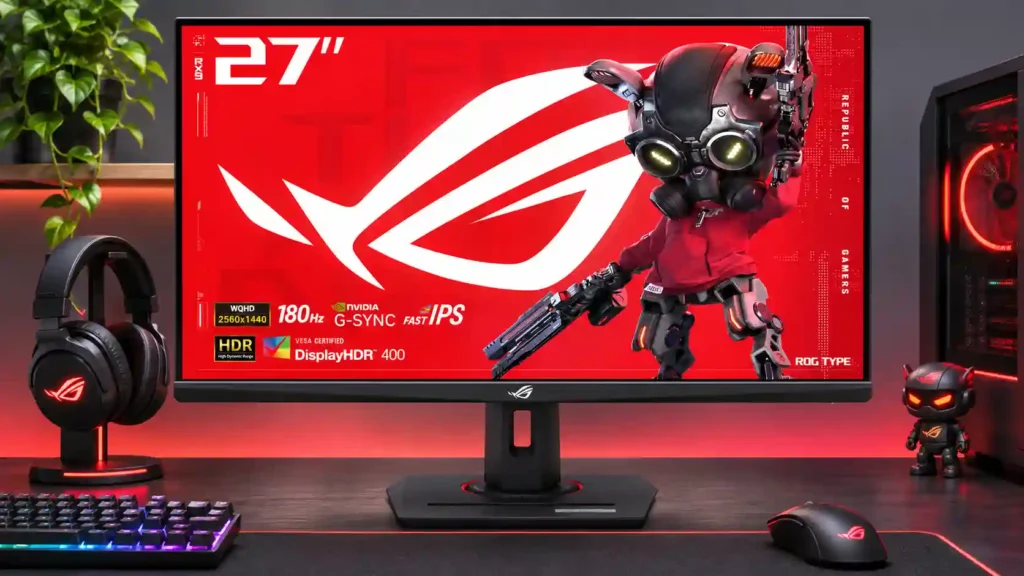
Exceptional IPS motion tuning and precise factory color make this a strong 1440p gaming buy, especially on sale. Gray blacks, limited HDR, and weak USB-C laptop charging are the tradeoffs.
Fast-paced PC and console gamers who value crisp 1440p motion, strong SDR color, and adjustable ergonomics; also useful for everyday desktop productivity.
HDR-first cinematic gamers, buyers needing deep blacks or native 4K editing, and laptop users seeking a full-power one-cable docking display.
The ROG Strix XG27ACS earns its place among affordable 1440p gaming displays through unusually careful tuning rather than spectacular specifications. A 180Hz IPS panel delivers quick response, little overshoot with sensible overdrive settings, low input lag, and impressively accurate factory sRGB color. Its ergonomic stand, useful USB-C video input, and crisp desktop image extend the appeal beyond shooters. There are real compromises: the edge-lit IPS backlight produces gray blacks and limited HDR impact, and the 7.5W USB-C output cannot properly charge a laptop. ELMB strobing can sharpen movement, but its lost brightness and artifacts divide opinion. Rivals with mini-LED backlights serve HDR-first players better, while less expensive IPS monitors may suffice if the extra motion tuning does not matter. For responsive SDR gaming and accurate color at a competitive sale price, however, this remains a compelling choice.
Compared with other Monitors, this product is above average in SDR/HDR mode switching, Software and driver support, competitive gaming suitability, near average in stand adjustability, brightness, below average in USB-C power delivery, black levels, local dimming performance.
| Attribute | This product | Category average | Difference |
|---|---|---|---|
| USB-C power delivery | 1.0 | 3.7 | -2.7 |
| black levels | 1.4 | 4.1 | -2.7 |
| local dimming performance | 1.0 | 3.6 | -2.6 |
| USB hub functionality | 1.3 | 3.7 | -2.5 |
| Text fringing | 2.0 | 4.3 | -2.3 |
| contrast | 2.1 | 4.3 | -2.2 |
| Integrated power supply | 2.0 | 4.3 | -2.3 |
| KVM switch performance | 1.0 | 3.2 | -2.2 |
Choose AOC Q27G3XMN. It scores 5.0 vs 1.4 for black levels, with a 3.9 overall score.
Choose ASUS ROG Swift OLED PG27UCDM. It scores 5.0 vs 1.0 for local dimming performance, with a 4.4 overall score.
Choose Dell S2725QS. It scores 4.4 vs 2.0 for HDMI 2.1 support, with a 3.8 overall score.
Choose ASUS ROG Swift OLED PG32UCDM Gen3. It scores 4.9 vs 1.0 for USB-C power delivery, with a 4.2 overall score.
Products reviewers directly compared with this model, grouped into quick takeaways.
Yes. Its 180Hz refresh rate, low input lag, and well-tuned variable overdrive make fast multiplayer motion particularly clear, though very serious esports players may prefer 240Hz or faster.
No. Although it accepts HDR signals and can give some extra punch, the lack of local dimming and weak IPS black levels prevent convincing HDR contrast.
USB-C supports DisplayPort Alt Mode for video, but its 7.5W power delivery is far too little to run or meaningfully charge most laptops.
The sRGB modes receive unusually strong praise for out-of-box accuracy. Wide-gamut defaults can oversaturate SDR content, so choosing a calibrated sRGB mode is worthwhile.
It accepts console video and can support responsive 1440p gaming, but HDMI 2.0 limits refresh compared with the DisplayPort connection, and there is no native 4K panel.
It can sharpen moving details at high refresh rates, but reduced brightness, crosstalk, red fringes, and occasional double images make it a personal choice.
For everyday productivity and SDR color work, the sharp QHD image and adjustable stand are strong assets. Native 4K editing and serious HDR grading are beyond its strengths.
These are a few of the reviews included in our analysis.

ASUS ROG Strix XG27ACS review: 27-inch 1440p 180Hz, ELMB Sync, HDMI, DP, USB-C with 7.5W PD, internal power supply, 100 x 100 VESA. No score yet.
The ASUS ROG Strix XG27ACS is a budget-friendly 27-inch, 1440p gaming monitor. It sits alongside a sibling variant, the XG27ACS-W, with the...
The ASUS ROG Strix XG27ACS 27-Inch Monitor offers excellent value for gamers prioritizing performance and color accuracy.
We have seen many ROG monitors, though it has usually been on the pricier side. But not the one we are going to talk about though. This is
Asus' ROG Strix XG27ACS is an impressive budget gaming monitor, that undercuts the NZXT Canvas 27Q and buts heads with the Acer Nitro XV272U...

The 27-inch 4K OLED picture is exceptionally crisp and responsive, with useful USB-C and KVM extras. Its high price, oversized stand, and bright-room compromises limit its appeal.
Pros: sharpness, overall satisfaction
Cons: value for money, VRR flicker

Best for exceptional 4K HDR, accurate color, fast 240Hz gaming, and strong work connectivity. Skip it if you need built-in speakers, ultrawide immersion, television-level HDR brightness, or a budget-friendly upgrade.
Pros: brightness, reflection handling
Cons: cable management

Best for class-leading 360Hz ultrawide motion, spectacular HDR, deep blacks, and unusually strong work-and-play connectivity. Skip it if you want 4K-like text sharpness, a matte screen, or the best value...
Pros: overall satisfaction, sharpness
Cons: Resolution, cable management

Choose the RD280UG for coding, trading, writing, or creative work that benefits from a tall, sharp 3:2 screen and strong eye-care features. Skip it for serious HDR, color-critical creation, esports,...
Pros: productivity versatility, aspect ratio
Cons: value for money, competitive gaming suitability