
If you want better viewing angles
Choose Samsung Odyssey OLED G6 G60SF. It scores 5.0 vs 4.2 for viewing angles, with a 4.3 overall score.

With phenomenal 360Hz QD-OLED motion, clean text and excellent laptop/KVM features, this is a compelling PC ultrawide. Limited console modes, bright-room blacks and OLED burn-in concerns narrow its appeal.
PC gamers with capable hardware who want ultra-smooth, immersive 21:9 play, plus laptop owners who benefit from USB-C charging and KVM-equipped multitasking.
PS5 or Xbox-first gamers, people who need consistently deep blacks in bright rooms, or users leaving static desktop interfaces visible for prolonged periods.
The HyperX OMEN OLED 34 is at its best paired with a capable gaming PC. Its 360Hz QD-OLED panel delivers outstanding motion clarity, richly colored OLED visuals and an expansive 21:9 view for games that support ultrawide. An improved stripe subpixel layout also gives it unusually clean text, making the wide screen useful for side-by-side work and creative timelines. USB-C laptop charging, a hub and integrated KVM strengthen its work-and-play credentials. The largest compromise is console compatibility: PlayStation and especially Xbox are restricted to comparatively low-refresh modes, so other monitors make more sense for console-first gaming. Bright rooms can also raise the appearance of black levels, and long hours of fixed desktop elements bring OLED burn-in considerations. Rivals with the same panel generation add DisplayPort 2.1, so the strongest reason to choose this model is its particular combination of PC speed and convenient laptop connectivity.
Compared with other Monitors, this product is above average in KVM switch performance, HDR performance, picture-in-picture and picture-by-picture, near average in panel type, input lag, below average in console gaming compatibility, black levels, DisplayPort connectivity.
| Attribute | This product | Category average | Difference |
|---|---|---|---|
| console gaming compatibility | 1.2 | 3.8 | -2.6 |
| KVM switch performance | 4.8 | 2.9 | +1.9 |
| black levels | 2.0 | 3.9 | -1.9 |
| DisplayPort connectivity | 2.4 | 3.9 | -1.5 |
| HDR performance | 4.8 | 3.2 | +1.6 |
| picture-in-picture and picture-by-picture | 5.0 | 3.8 | +1.2 |
| Gaming feature selection | 4.7 | 3.7 | +1.0 |
| competitive gaming suitability | 4.6 | 3.6 | +1.0 |
Choose Samsung Odyssey OLED G6 G60SF. It scores 5.0 vs 4.2 for viewing angles, with a 4.3 overall score.
Choose Dell UltraSharp 52 Thunderbolt Hub Monitor, U5226KW. It scores 5.0 vs 2.4 for DisplayPort connectivity, with a 4.3 overall score.
Choose MSI MPG 322UR QD-OLED X24. It scores 4.9 vs 2.0 for black levels, with a 4.4 overall score.
Choose MSI MPG 341CQR QD-OLED X36. It scores 5.0 vs 4.6 for screen size, with a 4.4 overall score.
Products reviewers directly compared with this model, grouped into quick takeaways.
Yes. Its 360Hz ceiling, low input lag and near-instant OLED response produce excellent motion clarity when a powerful PC can render high frame rates.
It can display console games, but reported limitations include PS5 4K at 60Hz and Xbox 1440p at 60Hz. Console-first players will get more from alternatives with stronger console compatibility.
Testing found good text clarity without noticeable color fringing on the updated RGB Stripe OLED panel. Its wide workspace and accurate sRGB mode are also helpful for editing.
USB-C video and up to 100W power delivery make a one-cable laptop arrangement practical, although actual charging adequacy depends on the laptop.
Yes. The built-in KVM and USB hub can share peripherals between connected computers, supporting work-laptop and gaming-desktop setups.
The main concern is that blacks can appear gray under strong ambient lighting. Controlled or dim light better preserves the OLED picture advantage.
Static taskbars, spreadsheets and other fixed elements can carry burn-in risk over time. The sources do not establish a failure rate or lifespan for this specific display.
These are a few of the reviews included in our analysis.
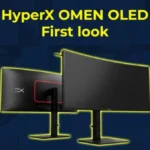
The HyperX OMEN OLED 34 pairs 3440 × 1440 QD-OLED with 360Hz PC gaming, USB-C and KVM. See console limits, OLED caveats, ports, and dated US...
Our HyperX OMEN OLED 34 review covers 360Hz PC gaming, console limits, text clarity, OLED burn-in risk, USB-C 100W, KVM, warranty and dated...
The HyperX OMEN OLED 34 is a premium OLED gaming monitor released in 2026. Its a 34-inch ultrawide screen with an 1800R curve radius and...
Accurate color, great speed, and ports galore
Andy built his first gaming PC at the tender age of 12, when IDE cables were a thing and high resolution wasn't. 26 years later (yes he's...

This 360Hz QD-OLED ultrawide delivers exceptional gaming motion, vibrant HDR and dramatically cleaner text. Its high price, less-than-perfect bright-room blacks and occasional HDR dimming are the main reasons to hesitate.
Pros: color gamut, contrast
Cons: value for money, Resolution

A huge, sharp ultrawide workspace and unusually capable Thunderbolt dock make the U4025QW outstanding for demanding productivity and editing. Its high price, modest HDR, and imperfect motion handling keep it...
Pros: overall picture quality, color accuracy
Cons: value for money, built-in speakers

Lightning-fast 360Hz OLED gaming, rich color and an unusually flexible USB-C/KVM setup are the big draws. Strong room lighting, limited full-screen HDR brightness and static-content burn-in concerns keep it from...
Pros: color gamut, overall satisfaction
Cons: reflection handling, VRR flicker

The 27-inch 4K OLED picture is exceptionally crisp and responsive, with useful USB-C and KVM extras. Its high price, oversized stand, and bright-room compromises limit its appeal.
Pros: sharpness, overall satisfaction
Cons: value for money, VRR flicker