If you want better overdrive tuning
Choose Samsung Odyssey OLED G6 G60SF. It scores 5.0 vs 1.5 for overdrive tuning, with a 4.3 overall score.

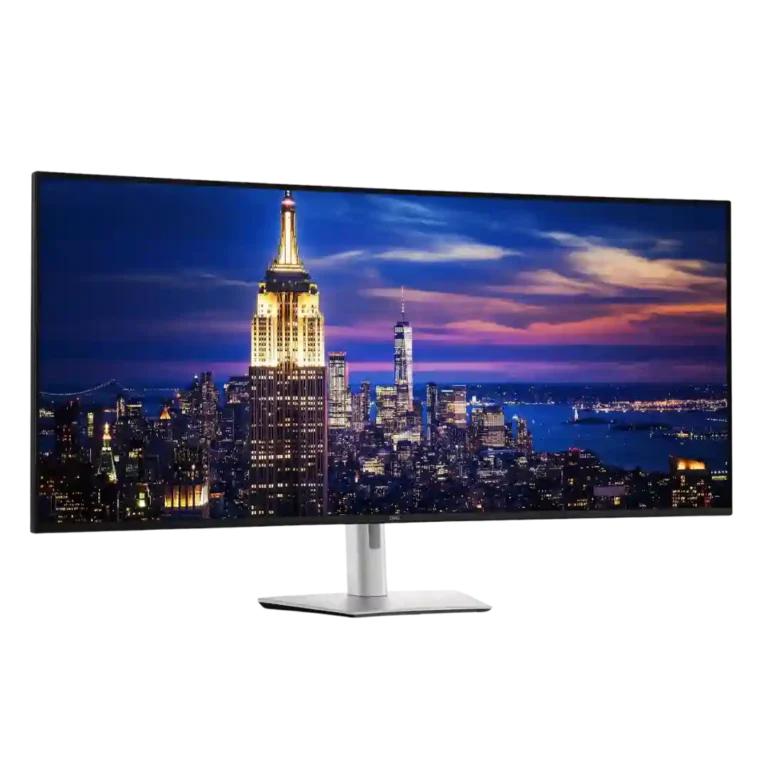
Choose it for a seamless 6K command center that replaces several displays and docks a laptop through one cable. Skip it if you lack desk space or prioritize price, HDR, fast response, or console gaming.
Traders, analysts, developers, editors, researchers, and multi-device professionals who can use one continuous 6K canvas and a full Thunderbolt dock. It is especially compelling when replacing several displays, a KVM, and a docking station.
Small desks, limited budgets, colorists who require HDR, console-first setups, or competitive gamers seeking OLED response and very high refresh rates. It is also a poor fit for users who prefer independently angled monitors.
The U5226KW succeeds because its scale is functional rather than merely spectacular. Its sharp 6K canvas, smooth 120Hz motion, accurate wide-gamut color, strong IPS Black contrast, extensive ports, flexible partitions, and integrated hub can replace several monitors and a separate dock. That combination is transformative for traders, developers, editors, analysts, and other multi-system professionals. The tradeoff is specialization: it needs a large, deep desk, costs nearly $3,000, omits HDR, and trails gaming displays in response time, ghosting, console behavior, and dark-room contrast. KVM performance is also implementation-dependent, with network switching stronger than some USB auto-switching tests. For the right workflow it is a premium productivity centerpiece; for ordinary computing or gaming, it is expensive overkill.
Compared with other Monitors, this product is above average in sleep and wake behavior, warranty and support service, picture-in-picture and picture-by-picture, near average in overall satisfaction, contrast, below average in overdrive tuning, console gaming compatibility, ghosting control.
| Attribute | This product | Category average | Difference |
|---|---|---|---|
| overdrive tuning | 1.5 | 4.9 | -3.4 |
| sleep and wake behavior | 5.0 | 2.4 | +2.6 |
| console gaming compatibility | 2.3 | 4.4 | -2.1 |
| ghosting control | 2.0 | 4.0 | -2.0 |
| warranty and support service | 4.9 | 3.3 | +1.5 |
| picture-in-picture and picture-by-picture | 4.7 | 3.8 | +1.0 |
| competitive gaming suitability | 2.1 | 3.4 | -1.3 |
| USB hub functionality | 4.9 | 4.0 | +0.9 |
Choose Samsung Odyssey OLED G6 G60SF. It scores 5.0 vs 1.5 for overdrive tuning, with a 4.3 overall score.
Choose MSI MPG 341CQR QD-OLED X36. It scores 5.0 vs 2.0 for ghosting control, with a 4.4 overall score.
Choose Dell Ultrasharp U3425WE. It scores 4.8 vs 3.7 for curved screen immersion, with a 4.0 overall score.
Choose MSI MPG 322URX QD-OLED. It scores 4.4 vs 2.1 for competitive gaming suitability, with a 4.1 overall score.
Products reviewers directly compared with this model, grouped into quick takeaways.
Yes. Its 52-inch 6K canvas, screen partitions, picture-by-picture modes, and five video inputs can replace several displays without bezels, though you lose the ability to angle each screen independently.
It is enjoyable for casual PC gaming at 120Hz and can feel spectacular in supported ultrawide titles. Slower response, visible ghosting, no HDR, console quirks, and a 120Hz ceiling make it unsuitable as a competitive gaming-first monitor.
A lot: the panel is roughly four feet wide and benefits from a deep desk so the edges remain comfortable to view. Several reviewers had to change desks or use a heavy-duty arm.
Many Macs reached full 6144×2560 resolution and 120Hz through Thunderbolt, but support depends on the chip and connection. Some multi-display, partition, software, and daisy-chain workflows were limited or inconsistent on macOS.
The hub is exceptional, combining laptop charging, Ethernet, many USB ports, and front-access connections. KVM control is powerful, but one detailed test found USB auto-switching slow and buggy while network KVM switching was excellent.
It can be worth it for professionals who will replace multiple monitors, a dock, and a premium KVM while gaining a seamless workspace. For ordinary productivity or entertainment, less expensive dual-monitor and ultrawide setups deliver better value.
These are a few of the reviews included in our analysis.



BEST Gaming Monitors, 4K monitors, AND 144HZ MONITORS Computer & Video Games
Earlier this month Dell sent over a review sample of their new UltraSharp U5226KW monitor.
This might just be the best screen on the market right now — but only if you like having a 6K TV as a monitor.
Dell's new U5226KW is for when big isn't big enough.
Dell UltraSharp U5226KW review: a 52-inch 6K monitor built to replace multi-monitor setups with one screen.

Best for exceptional 4K HDR, accurate color, fast 240Hz gaming, and strong work connectivity. Skip it if you need built-in speakers, ultrawide immersion, television-level HDR brightness, or a budget-friendly upgrade.
Pros: brightness, reflection handling
Cons: cable management

Best for class-leading 360Hz ultrawide motion, spectacular HDR, deep blacks, and unusually strong work-and-play connectivity. Skip it if you want 4K-like text sharpness, a matte screen, or the best value...
Pros: overall satisfaction, sharpness
Cons: Resolution, cable management

Choose the RD280UG for coding, trading, writing, or creative work that benefits from a tall, sharp 3:2 screen and strong eye-care features. Skip it for serious HDR, color-critical creation, esports,...
Pros: productivity versatility, aspect ratio
Cons: value for money, competitive gaming suitability

Best for fast 1440p OLED gaming, deep blacks, and a flexible stand at a bargain sale price. Skip it for bright rooms, USB-C/KVM productivity, or the reassurance of a three-year...
Pros: color gamut, overall picture quality
Cons: brightness, HDR performance