If you want better HDMI 2.1 support
Choose ASUS ROG Swift OLED PG32UCDM Gen3. It scores 5.0 vs 1.3 for HDMI 2.1 support, with a 4.2 overall score.

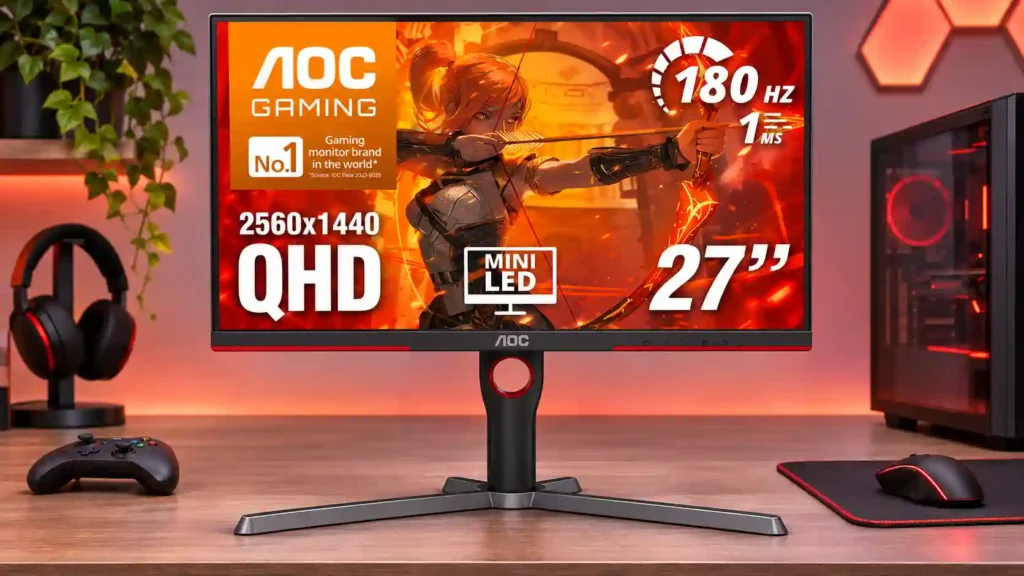
Its unusually bright Mini LED HDR and deep VA blacks make 1440p gaming exceptional for the money. Be prepared for VRR flicker, some dark smearing and bare-bones connectivity.
Budget-minded PC gamers who want immersive single-player and HDR visuals at 1440p, plus buyers watching HDR movies from a head-on seat.
Highly competitive esports players, flicker-sensitive users, groups sharing one screen, and professional color editors who need consistent angles and precise calibration.
The AOC Q27G3XMN punches above its price class by pairing a 27-inch 1440p display with genuinely effective Mini LED local dimming. Dark scenes look dramatically deeper than on ordinary budget IPS monitors, while bright HDR effects can exceed 1,000 nits. A 180Hz DisplayPort mode, low SDR input lag and a fully adjustable stand make it a particularly attractive PC gaming choice. It is not a universal winner, though: VA smearing remains visible in dark motion, off-center viewing washes out quickly, and variable refresh can produce distracting brightness flicker when frame rates fluctuate. The button-driven menu is awkward, and the absence of HDMI 2.1, USB data ports and a KVM limits console and workstation convenience. For cinematic HDR gaming at a modest price, the image quality is compelling; esports specialists, collaborative viewers and precision color workers should consider alternatives.
Compared with other Monitors, this product is above average in documentation quality, value for money, HDR performance, near average in overall picture quality, local dimming performance, below average in HDMI 2.1 support, viewing angles, USB hub functionality.
| Attribute | This product | Category average | Difference |
|---|---|---|---|
| HDMI 2.1 support | 1.3 | 4.3 | -3.0 |
| viewing angles | 1.8 | 4.7 | -3.0 |
| USB hub functionality | 1.2 | 4.0 | -2.9 |
| on-screen display usability | 1.8 | 4.1 | -2.3 |
| port selection | 2.1 | 4.4 | -2.3 |
| aspect ratio | 2.0 | 4.2 | -2.2 |
| picture-in-picture and picture-by-picture | 2.0 | 4.0 | -2.0 |
| documentation quality | 3.5 | 1.7 | +1.8 |
Choose ASUS ROG Swift OLED PG32UCDM Gen3. It scores 5.0 vs 1.3 for HDMI 2.1 support, with a 4.2 overall score.
Choose Samsung Odyssey OLED G6 G60SF. It scores 5.0 vs 1.8 for viewing angles, with a 4.3 overall score.
Choose Dell UltraSharp 52 Thunderbolt Hub Monitor, U5226KW. It scores 4.9 vs 1.2 for USB hub functionality, with a 4.3 overall score.
Choose MSI MPG 341CQR QD-OLED X36. It scores 4.9 vs 2.1 for port selection, with a 4.4 overall score.
Products reviewers directly compared with this model, grouped into quick takeaways.
Yes. The 336-zone Mini LED backlight, strong native VA contrast and very bright HDR highlights deliver a substantial improvement over basic edge-lit budget HDR monitors, though small bright objects can produce blooming.
No. The full 180Hz mode uses DisplayPort 1.4; HDMI 2.0 reaches up to 144Hz on this monitor.
It can display 1440p at 120Hz and handle downsampled 4K signals, but it lacks HDMI 2.1 and has limits on console VRR compatibility.
Dark trails are better controlled than on many older VA monitors but have not vanished. Medium overdrive is broadly useful, while Strong at 180Hz can improve clarity at the cost of overshoot.
Both generally work with compatible PC GPUs, but variable refresh can cause visible flicker during frame-rate swings, especially in darker content.
QHD text and a full-adjustment stand are helpful for daily work. Turn local dimming off for documents; narrow viewing angles and variable color calibration make professional color-critical work a weaker fit.
The newer Q27G40XMN has more dimming zones and higher brightness, while the Q27G3XMN offers more stand adjustments and advantages in DisplayPort bandwidth. They are distinct models.
These are a few of the reviews included in our analysis.

AOC Q27G3XMN review covering HDR, 336-zone Mini LED dimming, 1440p/180Hz gaming, VA smearing, VRR flicker, console support, and setup.
The AOC Q27G3XMN is an affordable 27" 1440p 180Hz flat-screen VA gaming monitor with DisplayHDR 1000, VRR and 336-zone mini LED FALD.
Zu diesem Testbericht haben wir uns den AOC Q27G3XMN, einen QHD-Monitor vom Hersteller AOC mal etwas genauer angeschaut. Der Gaming-Monitor...
Mini LED at a very attractive price point! The AOC Q27G3XMN offers 27" 1440p VA panel, 180Hz refresh, HDR 1000 and 336-zone Mini LED backlight
AOC Q27G3XMN is a gaming monitor with 27" VA screen and 180Hz refresh rate. See all measured data and compare monitor with other displays.

Best for exceptional 4K HDR, accurate color, fast 240Hz gaming, and strong work connectivity. Skip it if you need built-in speakers, ultrawide immersion, television-level HDR brightness, or a budget-friendly upgrade.
Pros: brightness, reflection handling
Cons: cable management

Best for class-leading 360Hz ultrawide motion, spectacular HDR, deep blacks, and unusually strong work-and-play connectivity. Skip it if you want 4K-like text sharpness, a matte screen, or the best value...
Pros: overall satisfaction, sharpness
Cons: Resolution, cable management

Choose the RD280UG for coding, trading, writing, or creative work that benefits from a tall, sharp 3:2 screen and strong eye-care features. Skip it for serious HDR, color-critical creation, esports,...
Pros: productivity versatility, aspect ratio
Cons: value for money, competitive gaming suitability
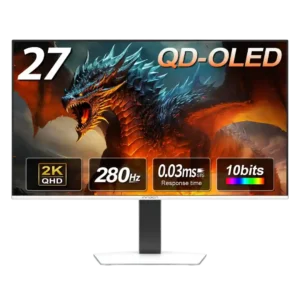
Best for fast 1440p OLED gaming, deep blacks, and a flexible stand at a bargain sale price. Skip it for bright rooms, USB-C/KVM productivity, or the reassurance of a three-year...
Pros: color gamut, overall picture quality
Cons: brightness, HDR performance