Best for local dimming performance
Gigabyte MO27Q28G
5.0 attribute score
Highest scored product for this attribute based on supporting review evidence.

Highest scored product for this attribute based on supporting review evidence.
Balances the attribute score, supporting reviews, and overall product strength.
Has the broadest review evidence for this attribute.
Strongest overall product among items with scored evidence for this attribute.

Overall: 4.0/5
Self-emissive pixels provide precise local control rather than coarse backlight zones, avoiding halos in mixed bright and dark scenes.
Pros: brightness, contrast
Cons: Text fringing, speaker quality

Overall: 4.2/5
Per-pixel OLED illumination creates powerful dark-scene contrast and bright objects without distracting halos. It is a major advantage over many backlit LCD displays.
Pros: overall satisfaction, black levels
Cons: value for money, stand adjustability

Overall: 4.4/5
Self-emissive pixels turn fully off beside bright details, providing contrast precision that zone-based LCD backlights cannot match.
Pros: overall satisfaction, response time
Cons: reflection handling, VRR flicker

Overall: 4.1/5
Per-pixel lighting eliminates zone transitions and sharply limits blooming around bright objects. High-contrast scenes look cleaner than on zone-lit LCDs.
Pros: motion clarity, PC gaming compatibility
Cons: color accuracy, software support

Overall: 4.4/5
Per-pixel local dimming produces precise highlights without halos or blooming. Reviewers consider it fundamentally superior to even full-array local-dimming LCDs for dark HDR scenes.
Pros: brightness, reflection handling
Cons: cable management

Overall: 4.4/5
Individual OLED pixels eliminate the zone-transition and halo artifacts associated with conventional local-dimming backlights.
Pros: color gamut, overall satisfaction
Cons: reflection handling, VRR flicker

Overall: 4.2/5
OLED’s per-pixel lighting preserves dark areas naturally rather than depending on coarse backlight zones.
Pros: overall satisfaction, black levels
Cons: reflection handling, Color brightness

Overall: 4.5/5
Unlike zoned LCD backlights, individual OLED pixels can turn fully off next to bright pixels, avoiding halos.
Pros: color gamut, contrast
Cons: value for money, Resolution

Overall: 4.3/5
Local dimming performance works especially well in supported gaming or desktop scenarios, helping the monitor feel polished and capable.
Pros: black levels, motion clarity
Cons: value for money, Dual-mode versatility

Overall: 4.4/5
Per-pixel dimming allows fine control of bright objects against black backgrounds, avoiding the zone-by-zone compromises of typical LCDs.
Pros: sharpness, overall satisfaction
Cons: value for money, VRR flicker

Overall: 4.3/5
Individual OLED pixels give exceptionally precise light control, keeping black areas dark even beside bright details.
Pros: black levels, sharpness
Cons: value for money, brightness

Overall: 4.3/5
Local dimming was treated as a strength because OLED’s per-pixel control minimized blooming in high-contrast scenes.
Pros: value for money, sharpness
Cons: brightness, USB hub functionality

Overall: 4.2/5
Each OLED pixel dims independently, producing clean transitions between light and dark objects.
Pros: refresh rate, HDR performance
Cons: reflection handling, Text fringing

Overall: 4.4/5
Pixel-level control makes bright and dark areas coexist cleanly without the blooming associated with zone-based backlights.
Pros: brightness, value for money
Cons: port selection, built-in speakers

Overall: 4.3/5
Per-pixel OLED lighting produces clean dark scenes without the halos associated with zone-based backlights.
Pros: color gamut, overall picture quality
Cons: brightness, HDR performance

Overall: 4.3/5
Per-pixel OLED dimming gives precise control with minimal blooming and clean separation between bright highlights and dark objects.
Pros: overall satisfaction, competitive gaming suitability
Cons: value for money, screen size

Overall: 4.2/5
Each OLED pixel independently controls light, keeping bright details sharply separated from dark ones. The result is effectively halo-free contrast.
Pros: reflection handling, color gamut
Cons: value for money, brightness

Overall: 4.2/5
More than two thousand dimming zones give the LCD exceptional contrast and bright highlights, with occasional haloing still possible.
Pros: refresh rate, HDR performance
Cons: value for money, Device compatibility

Overall: 4.2/5
The 1,400-zone backlight brings excellent black depth and bright highlights. A moderate setting can avoid unwanted desktop darkening.
Pros: brightness, HDR performance
Cons: speaker quality, built-in speakers
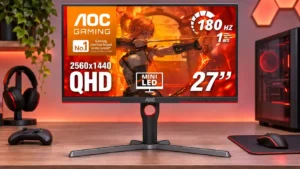
Overall: 3.9/5
The 336-zone backlight delivers unusually strong contrast for its price, but opinions diverge on blooming, zone transitions and flicker. Several recommend Strong for video while others prefer Medium or disabling...
Pros: value for money, HDR performance
Cons: on-screen display usability, port selection

Overall: 4.2/5
High-zone-count backlighting creates strong HDR contrast but can dim small highlights and low-contrast desktop text.
Pros: HDR performance, overall satisfaction
Cons: HDR highlight detail, color accuracy

Overall: 3.9/5
The dense backlight substantially improves blacks and HDR contrast, but stronger dimming can alter colors, darken small objects and create uneven brightness transitions.
Pros: HDR performance, black levels
Cons: viewing angles, response time

Overall: 4.0/5
The 1,152 zones bring vivid HDR and deeper blacks, but especially in SDR they can alter gamma or wash out the image.
Pros: Dual-mode versatility, refresh rate
Cons: black levels, contrast

Overall: 4.0/5
The dense Mini LED backlight brings powerful contrast and controlled bloom. Its conservative tuning can obscure tiny light sources, and not all testers observed stable sustained brightness.
Pros: Resolution, Dual-mode versatility
Cons: value for money, GPU demands

Overall: 3.7/5
The 1,152-zone system strengthens HDR depth at a remarkably low price, yet halos, small-object dimming, and occasional mode-reset behavior leave it short of premium implementations.
Pros: overall satisfaction, PC gaming compatibility
Cons: color accuracy, local dimming performance

Overall: 3.5/5
HDR dimming strengthens blacks and highlights, but black crush, halos and the inability to use it in SDR limit the benefit.
Pros: HDR performance, overall satisfaction
Cons: local dimming performance, Blooming control

Overall: 3.7/5
The edge-lit approach relies on basic whole-frame dimming rather than precise zones. It can boost overall contrast, but it does not reliably protect highlights and may introduce distracting tonal changes.
Pros: glasses-free 3D quality, AI 2D-to-3D conversion
Cons: 3D compatible game library, value for money
Overall: 3.7/5
No local-dimming capability is available to deepen shadows or boost local contrast in challenging scenes.
Pros: adaptive sync performance, PC gaming compatibility
Cons: HDR performance, contrast
Overall: 3.9/5
Local dimming is a clear weakness because the display relies on limited edge lighting rather than dense full-array zones. Bright HDR elements can lift large portions of the image instead...
Pros: port selection, overall satisfaction
Cons: value for money, cable management

Overall: 4.1/5
Its simple edge-based dimming is widely criticized for weak black control and visible unevenness. One test saw measurable contrast gains, but the overall HDR presentation remains limited.
Pros: value for money, Resolution
Cons: HDR performance, refresh rate

Overall: 4.2/5
No effective local dimming is available to deepen blacks or give HDR highlights enough separation, limiting picture punch.
Pros: value for money, Resolution
Cons: port selection, competitive gaming suitability

Overall: 3.6/5
The limited backlighting zones add little meaningful contrast and fail to resolve gray blacks.
Pros: stand adjustability, competitive gaming suitability
Cons: value for money, port selection

Overall: 4.4/5
Without fine-grained backlight zones, illuminated areas lift surrounding blacks and weaken HDR contrast.
Pros: overall picture quality, color accuracy
Cons: value for money, built-in speakers
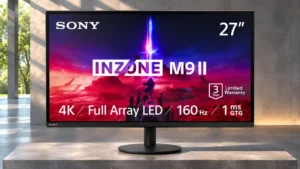
Overall: 3.9/5
The local-dimming system is a major weak point: limited, slow-moving zones can leave conspicuous blotches, particularly around small highlights on dark images.
Pros: color gamut, stand adjustability
Cons: value for money, Bass reproduction

Overall: 4.1/5
Dynamic dimming is a weak spot; large zones can brighten unrelated portions of the image. Several testers prefer leaving it disabled.
Pros: color accuracy, overall picture quality
Cons: HDR performance, refresh rate

Overall: 4.1/5
Ten edge-lit zones are inadequate for convincing HDR contrast and can create halos or distracting brightness patches.
Pros: Pixel density, Resolution
Cons: GPU demands, HDR performance

Overall: 4.3/5
Limited or ineffective dimming is a core reason the HDR image lacks depth. Testers disagree on how to describe the dimming implementation, but not its lack of useful impact.
Pros: USB-C power delivery, port selection
Cons: HDR performance, refresh rate

Overall: 4.4/5
The static backlight cannot provide meaningful local dimming. Dark HDR scenes lose depth and highlights lack the separation available from OLED or advanced mini-LED displays.
Pros: productivity versatility, aspect ratio
Cons: value for money, competitive gaming suitability
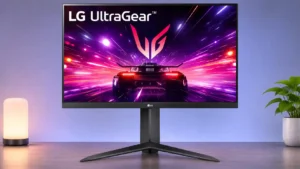
Overall: 3.3/5
There is no useful local dimming to boost contrast or create strong HDR highlights. That leaves dark HDR scenes looking flat.
Pros: adaptive sync performance, response time
Cons: HDR performance, console gaming compatibility

Overall: 3.6/5
There is no local dimming to deepen blacks or give bright HDR highlights much more impact, leaving darker scenes with modest contrast.
Pros: refresh rate, value for money
Cons: HDR performance, contrast

Overall: 3.1/5
The 32-zone edge-lit system is widely criticized for doing little to improve dark scenes and for lighting large areas around bright details.
Pros: PC gaming compatibility, overall picture quality
Cons: overall satisfaction, Smart TV platform

Overall: 3.9/5
The edge-lit zones offer little useful control over dark and bright elements. Several tests describe haloing, raised blacks or muted highlights, with limited ability to disable dimming in HDR.
Pros: Resolution, refresh rate
Cons: HDR performance, contrast

Overall: 3.8/5
There is no local dimming hardware, so HDR cannot isolate bright highlights from dark backgrounds.
Pros: value for money, Resolution
Cons: HDR performance, port selection

Overall: 3.7/5
Only eight edge-lit zones are used in HDR, producing elevated blacks and blooming with no option to disable the effect in that mode.
Pros: ultrawide gaming experience, black levels
Cons: HDR performance, viewing angles

Overall: 3.6/5
Just eight edge-lit zones are too coarse for convincing HDR. Enabling them often adds halos, delayed transitions or muted highlights instead of genuinely deeper scenes.
Pros: refresh rate, Dual-mode versatility
Cons: motion clarity, black levels

Overall: 3.5/5
The minimal edge-lit dimming system seldom adds much real-scene contrast and is the clearest technical obstacle to convincing HDR.
Pros: Resolution, sharpness
Cons: value for money, HDR performance

Overall: 4.2/5
Only a few broad edge-lit zones are used, causing blooming and obvious shifts in brightness. This is one of the clearest weaknesses for HDR viewing.
Pros: port selection, USB hub functionality
Cons: competitive gaming suitability, motion clarity

Overall: 3.8/5
Lack of local dimming prevents HDR from separating small highlights from dark surroundings and leaves blacks looking gray.
Pros: value for money, Resolution
Cons: port selection, HDR performance

Overall: 3.9/5
There is no useful local dimming for HDR contrast; the segmented Pulsar backlight is designed for motion, not independent dark-scene illumination.
Pros: motion clarity, Backlight strobing
Cons: contrast, HDR performance

Overall: 4.4/5
With no local-dimming system, deep blacks and HDR highlights lack the separation delivered by more advanced backlit displays.
Pros: port selection, color accuracy
Cons: built-in speakers, speaker quality