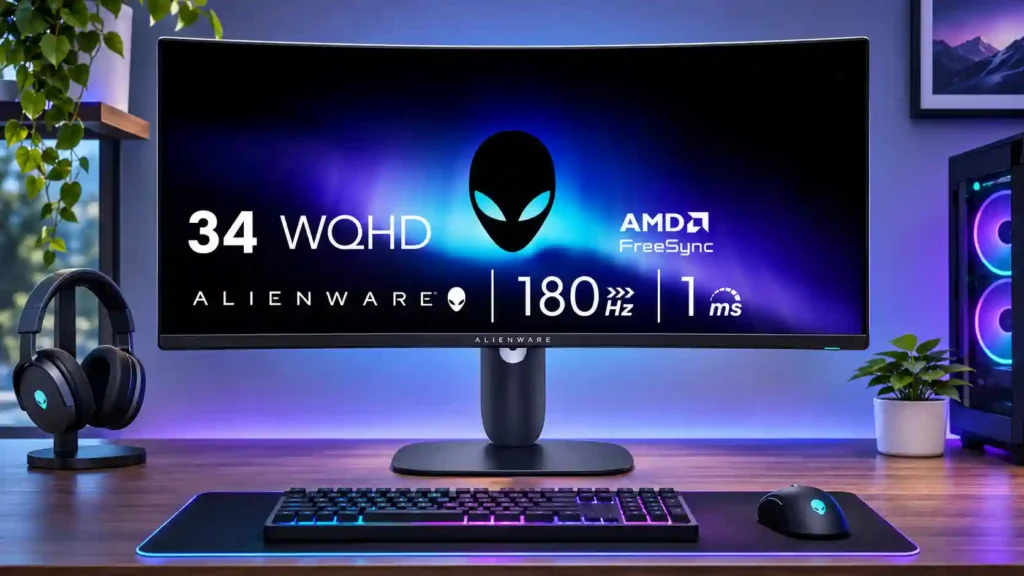
Dell Alienware AW3425DWM

Dell Alienware AW3425DWM Monitor Review

Brand: Dell
Released: March 6, 2025
Updated: 4 hours ago
3.7
Overall review score
255
Review insights
67
Scored features
7
Expert reviews

Bottom Line

The 34-inch ultrawide screen delivers immersive SDR gaming and a roomy work surface at a competitive price. Dark smearing, VRR flicker and especially weak HDR keep it from matching better IPS or OLED displays.

Budget-minded PC gamers who sit centered at the display and play immersive, ultrawide-friendly games, as well as desktop users who want ample side-by-side window space.

HDR-focused gamers, motion-sensitive competitive players, people viewing from the side, console-only players or laptop users needing one-cable USB-C docking.

Verdict

The Dell Alienware AW3425DWM makes 34-inch ultrawide gaming relatively accessible without feeling cheaply built. Its 3440×1440 panel, 180Hz refresh rate, low input lag and unusually rich SDR blacks produce a satisfying experience for supported PC games, especially cinematic titles. The wide desktop also proves handy for side-by-side windows, and the compact stand and HDMI 2.1 connectivity add practical appeal. But the VA panel is no match for modern IPS or OLED alternatives in dark motion clarity, while variable-refresh flicker can intrude during uneven frame rates. Its eight-zone HDR dimming performs especially poorly, producing blooming and weak highlights, so SDR is the better way to use it. Narrow viewing angles and missing USB-C docking or speakers further limit versatility. For budget-focused, centered-seat PC gaming, it is compelling; enthusiasts demanding strong HDR, crisp fast motion or a shared viewing setup should look elsewhere.

Feature Scorecards

Summary

67 reviewed features
  • Very positive 4.5-5.0
    17 (25%)
  • Positive 3.5-4.4
    27 (40%)
  • Neutral 2.5-3.4
    12 (18%)
  • Negative 1.5-2.4
    8 (12%)
  • Very negative below 1.5
    3 (4%)

Pros highlights

  • 4.6
    7 reviews strong consensus
    ultrawide gaming experience: 4.6, 7 reviews, strong consensus
    Supported 21:9 games feel more cinematic and spacious, though black bars appear in titles without ultrawide support.
  • 4.5
    7 reviews strong consensus
    black levels: 4.5, 7 reviews, strong consensus
    Deep SDR blacks are a signature benefit of this VA screen, especially compared with conventional IPS panels.
  • 4.4
    7 reviews strong consensus
    PC gaming compatibility: 4.4, 7 reviews, strong consensus
    A wide 180Hz canvas with low lag is enjoyable for mainstream PC play; demanding competitive players may notice smearing.
  • 4.4
    7 reviews strong consensus
    value for money: 4.4, 7 reviews, strong consensus
    The mix of size, 180Hz speed, deep blacks and solid construction is compelling at its budget price, if HDR and crystal-clear motion are not essential.
  • 4.2
    7 reviews strong consensus
    contrast: 4.2, 7 reviews, strong consensus
    High native VA contrast makes dark SDR scenes convincing. The advantage does not carry over into convincing HDR local dimming.
  • 4.2
    7 reviews strong consensus
    refresh rate: 4.2, 7 reviews, strong consensus
    A 180Hz ceiling gives fluid gaming and plenty of headroom, though the VA panel cannot fully keep up with every transition.

Cons highlights

  • 1.6
    6 reviews moderate consensus
    HDR performance: 1.6, 6 reviews, moderate consensus
    HDR is repeatedly criticized for weak highlights, elevated blacks and intrusive local dimming; SDR is the safer choice.
  • 2.0
    6 reviews strong consensus
    viewing angles: 2.0, 6 reviews, strong consensus
    Colors and brightness fade noticeably off center, making the screen best used directly in front of the curve.
  • 2.3
    6 reviews moderate consensus
    ghosting control: 2.3, 6 reviews, moderate consensus
    Visible dark trailing is the most persistent weakness, particularly in rapid high-refresh scenes and against dark backgrounds.
  • 2.8
    6 reviews moderate consensus
    motion clarity: 2.8, 6 reviews, moderate consensus
    Camera pans look smoother at high refresh, but dark transitions remain considerably blurrier than on good IPS or OLED displays.
  • 2.8
    6 reviews low consensus
    reflection handling: 2.8, 6 reviews, low consensus
    The matte coating diffuses some glare, but strong light sources can spread across the curved screen and impair visibility.
  • 3.3
    6 reviews moderate consensus
    port selection: 3.3, 6 reviews, moderate consensus
    Two HDMI inputs, DisplayPort and a small USB-A hub cover essential devices, but USB-C and audio output are missing.

Use Cases

Best for

  • 4.6
    7 reviews strong consensus
    Budget-conscious buyers: 4.6, 7 reviews, strong consensus
    A relatively inexpensive way to get 34-inch ultrawide gaming and strong SDR contrast, provided premium HDR and ultrafast motion are not priorities.
  • 4.8
    3 reviews strong consensus
    Desktop productivity: 4.8, 3 reviews, strong consensus
    The 34-inch width accommodates documents, browsers, spreadsheets and several windows at once, making everyday work comfortable.
  • 4.7
    3 reviews strong consensus
    Dual-monitor setups: 4.7, 3 reviews, strong consensus
    One wide display can feel less cramped than two separated screens for everyday side-by-side tasks, without matching every dual-monitor workflow.

Not ideal for

  • HDR gaming
    1.1
    4 reviews strong consensus
    HDR gaming: 1.1, 4 reviews, strong consensus
    The display accepts HDR but cannot produce the impactful dark-scene contrast or highlights that make HDR games worthwhile.
  • Shared-screen viewing
    1.9
    4 reviews strong consensus
    Shared-screen viewing: 1.9, 4 reviews, strong consensus
    The curved VA image loses contrast and color from the sides, making it a poor choice for several viewers at different angles.

Compared With Category Average

Compared with other Monitors, this product is above average in ultrawide gaming experience, Power efficiency, HDMI 2.1 support, near average in overall satisfaction, Resolution, below average in Blooming control, USB-C power delivery, Cleaning ease.

Comparison summary

66 compared features
  • Above average 0.4+ pts higher
    17 (26%)
  • Same as average within 0.3 pts
    18 (27%)
  • Below average 0.4+ pts lower
    31 (47%)

Largest category differences

Attribute This product Category average Difference
Blooming control 1.0 4.0 -3.0
USB-C power delivery 1.0 3.7 -2.7
Cleaning ease 2.0 4.7 -2.7
local dimming performance 1.0 3.6 -2.6
viewing angles 2.0 4.5 -2.5
HDR performance 1.6 3.2 -1.6
KVM switch performance 1.5 3.2 -1.7
motion clarity 2.8 4.2 -1.4

Consider This Instead

If you want better local dimming performance

Choose AOC Q27G3XMN. It scores 4.1 vs 1.0 for local dimming performance, with a 3.9 overall score.

Compare

If you want better VRR flicker

Choose Dell S2725QS. It scores 5.0 vs 2.1 for VRR flicker, with a 3.8 overall score.

Compare

Compared in Reviews

Products reviewers directly compared with this model, grouped into quick takeaways.

  • Similar: overall cumulative deviation Response deviation was similar to the recommended AOC VA model.

Dell Alienware AW3423DWF

  • Better: HDR and burn-in QD-OLED is a superior enthusiast screen; this VA LCD is cheaper and burn-in-free.
  • Better: premium performance The more expensive AW3423DWF is presented as a clear performance step up.
  • More expensive: OLED performance versus value The author prefers this budget VA monitor as a value proposition despite the QD-OLED model’s clarity.

Dell Alienware AW3425DW

  • More expensive: model identity and performance tier The similarly named AW3425DW is a separate, more premium 240Hz QD-OLED product.
  • More expensive: design and OLED pricing The less costly VA shares much of the flagship model’s admired styling.
  • Better: QD-OLED image quality The budget VA version is more accessible, but its OLED counterpart has higher-end performance.

FAQ

Is the AW3425DWM good for PC gaming?

Yes. Its 34-inch 3440×1440 screen, 180Hz refresh rate and low input lag make many PC games smooth and immersive, though dark smearing is visible.

Does the AW3425DWM have good HDR?

No. Its eight-zone edge-lit local dimming produces blooming and weak highlights, so SDR is generally the better choice.

Does it work well with PlayStation and Xbox?

It accepts many modern console signals, but consoles typically output 16:9 images with black bars on this 21:9 panel. It makes more sense for a PC-first setup.

Does it support USB-C laptop docking?

No. The USB-A hub is useful for peripherals, but there is no USB-C video input or laptop power delivery.

How does it compare with OLED ultrawides?

OLED alternatives deliver clearer motion and dramatically better HDR, whereas this VA LCD is less expensive, brighter in typical SDR use and not vulnerable to OLED burn-in.

Can it replace two monitors for work?

Often, yes. The wide canvas comfortably holds several windows, but it lacks a KVM and docking features and is less flexible for some multi-computer setups.

Will VRR flicker or ghosting be noticeable?

Dark-scene smearing is a recurring concern. VRR flicker varies by frame-rate behavior and game; some testers noticed it often, while others rarely encountered it.

Sample Expert Reviews We Analyzed

These are a few of the reviews included in our analysis.
Video Reviews

Article Reviews

rtings.com

The Dell Alienware AW3425DWM is an entry-level ultrawide gaming monitor. Part of the Alienware gaming lineup, it's newer than the popular...

Review score
3.5

Top Monitors to Consider

#1 ASUS ROG Swift OLED PG27UCDM
4.4

The 27-inch 4K OLED picture is exceptionally crisp and responsive, with useful USB-C and KVM extras. Its high price, oversized stand, and bright-room compromises limit its appeal.

Pros: sharpness, overall satisfaction

Cons: value for money, VRR flicker

#2 MSI MPG 322UR QD-OLED X24
4.4

Best for exceptional 4K HDR, accurate color, fast 240Hz gaming, and strong work connectivity. Skip it if you need built-in speakers, ultrawide immersion, television-level HDR brightness, or a budget-friendly upgrade.

Pros: brightness, reflection handling

Cons: cable management

#3 MSI MPG 341CQR QD-OLED X36
4.4

Best for class-leading 360Hz ultrawide motion, spectacular HDR, deep blacks, and unusually strong work-and-play connectivity. Skip it if you want 4K-like text sharpness, a matte screen, or the best value...

Pros: overall satisfaction, sharpness

Cons: Resolution, cable management

#4 BenQ RD280UG
4.4

Choose the RD280UG for coding, trading, writing, or creative work that benefits from a tall, sharp 3:2 screen and strong eye-care features. Skip it for serious HDR, color-critical creation, esports,...

Pros: productivity versatility, aspect ratio

Cons: value for money, competitive gaming suitability