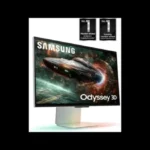
Samsung Odyssey 3D G90XF S27FG900X Monitor Review

Brand: Samsung
Released: April 22, 2025
Updated: 2 hours ago
3.7
Overall review score
400
Review insights
75
Scored features
20
Expert reviews

Bottom Line

A striking glasses-free 3D effect brings compatible games to life, backed by enjoyable 4K 2D performance. Its small game catalog, inconsistent software and conversion, and hefty price make it a niche enthusiast purchase.

Dedicated glasses-free 3D enthusiasts and technology early adopters who already have a powerful gaming PC will enjoy the unusually convincing depth. RPG and exploration players can especially savor supported worlds.

Budget-conscious gamers, console-only players hoping for stereo 3D, and people who want to share the effect with someone beside them should look elsewhere. Conventional 2D gaming value is much stronger on cheaper alternatives.

Verdict

The Samsung Odyssey 3D G90XF makes a convincing case that glasses-free 3D can feel more than gimmicky. Optimized PC games deliver striking depth, and the eye tracking usually lets you move naturally without losing the illusion. In ordinary 2D, its 27-inch 4K IPS display provides crisp visuals, pleasing color, and smooth 165 Hz gaming, while the design feels polished and sturdy. But the experience is far from seamless: compatible games remain limited, Reality Hub can miss titles, and video conversion is inconsistent or blocked by DRM. Stereo mode can also soften detail, disable HDR, and demand expensive graphics hardware. For most buyers, less costly OLED or 4K gaming displays offer stronger overall value. For a dedicated 3D enthusiast willing to accept those limits, the sense of depth is genuinely memorable.

Feature Scorecards

Summary

75 reviewed features
  • Very positive 4.5-5.0
    24 (32%)
  • Positive 3.5-4.4
    23 (31%)
  • Neutral 2.5-3.4
    16 (21%)
  • Negative 1.5-2.4
    9 (12%)
  • Very negative below 1.5
    3 (4%)

Pros highlights

  • 4.7
    20 reviews low consensus
    glasses-free 3D quality: 4.7, 20 reviews, low consensus
    Lifelike depth without wearing glasses is the standout accomplishment, producing memorable foreground effects and convincing environments. Alignment hiccups, limited content, and occasional artifacts prevent it from feeling completely mature.
  • 3.5
    16 reviews low consensus
    AI 2D-to-3D conversion: 3.5, 16 reviews, low consensus
    The automatic converter can make compatible videos feel layered and surprisingly immersive. Dark scenes, protected streams, unsupported content, and depth-map artifacts keep it from matching games designed for 3D.
  • 4.2
    15 reviews moderate consensus
    3D viewing flexibility: 4.2, 15 reviews, moderate consensus
    Tracking permits some head movement without losing the stereo illusion. Sitting too far to the side, moving rapidly, or leaving the viewing range can still compromise the image.
  • 4.8
    12 reviews strong consensus
    design and aesthetics: 4.8, 12 reviews, strong consensus
    The silver chassis, flat stand, and relatively restrained styling look modern and premium. The extra tracking hardware is incorporated neatly enough that the screen largely resembles a normal gaming monitor.
  • 4.6
    12 reviews strong consensus
    3D eye tracking: 4.6, 12 reviews, strong consensus
    Head and eye tracking generally keeps the stereo picture anchored as the viewer shifts position. Fast movements can cause a brief loss of alignment, and the system is designed around a single primary viewer.
  • 3.9
    12 reviews low consensus
    3D viewing comfort: 3.9, 12 reviews, low consensus
    Avoiding a headset or glasses makes extended 3D sessions feel surprisingly natural for many viewers. Others encounter disorientation, eye strain, or distraction, so individual tolerance matters.

Cons highlights

  • 1.4
    15 reviews strong consensus
    3D compatible game library: 1.4, 15 reviews, strong consensus
    The supported game selection is the monitor's biggest stumbling block. It can make compatible titles spectacular, but the roster has been small and inconsistent enough to make the premium difficult to justify.
  • 1.8
    14 reviews low consensus
    value for money: 1.8, 14 reviews, low consensus
    Glasses-free 3D is exciting, but the high asking price is hard to defend for most shoppers given its narrow compatible catalog. A minority find the uniqueness worth paying for as dedicated early adopters.
  • 1.4
    11 reviews strong consensus
    GPU demands: 1.4, 11 reviews, strong consensus
    Smooth 3D places heavy demands on the connected PC, often calling for high-end Nvidia graphics and substantial system memory. Less powerful or differently configured machines face restricted features or big frame-rate losses.
  • 1.9
    9 reviews strong consensus
    3D mode HDR and refresh limitations: 1.9, 9 reviews, strong consensus
    Three-dimensional play involves substantial display compromises: HDR and adaptive sync cannot be combined with the effect in the described setups, while 3D refresh or effective resolution may be lower than in 2D.
  • 3.0
    9 reviews low consensus
    Reality Hub software: 3.0, 9 reviews, low consensus
    The launcher can discover compatible games and manage depth settings, but its stability and usability vary sharply. Missing titles, disruptive visuals, extra setup steps, and a small catalog make the software feel unfinished to some users.
  • 1.0
    8 reviews strong consensus
    DRM video restrictions: 1.0, 8 reviews, strong consensus
    Copy-protected streaming is a major barrier to automatic 3D video conversion. Netflix and other protected movies may stay in 2D or produce a blank screen rather than the promised dimensional effect.

Use Cases

Best for

  • 4.6
    20 reviews low consensus
    3D gaming: 4.6, 20 reviews, low consensus
    In well-supported games, foreground objects, scenery, and weather effects develop an unusually convincing sense of depth without glasses. Enjoyment depends heavily on the title and comes with resolution, performance, or setup tradeoffs.
  • 4.4
    15 reviews moderate consensus
    Technology enthusiasts: 4.4, 15 reviews, moderate consensus
    The display is especially appealing as an early look at a possible future of glasses-free 3D. Living with experimental software, narrow game support, and premium pricing is part of the bargain.
  • 4.3
    16 reviews low consensus
    3D enthusiasts: 4.3, 16 reviews, low consensus
    The convincing glasses-free effect gives dedicated 3D fans something genuinely unusual to enjoy. Its steep price and narrow catalog still make it more of a specialty purchase than an easy recommendation.

Not ideal for

  • Budget-conscious buyers
    1.4
    14 reviews strong consensus
    Budget-conscious buyers: 1.4, 14 reviews, strong consensus
    The price is hard to justify when more conventional 4K gaming screens deliver comparable or stronger 2D results for much less. It makes most sense to pay extra only if glasses-free 3D itself is essential.
  • Shared-screen viewing
    1.0
    4 reviews strong consensus
    Shared-screen viewing: 1.0, 4 reviews, strong consensus
    The 3D effect is built around one viewer's tracked eyes, so a friend sitting beside them may see a distorted or incomplete picture. It is not a good choice for watching stereo content together.

Compared With Category Average

Compared with other Monitors, this product is above average in HDR tone mapping accuracy, built-in speakers, PWM flicker comfort, near average in refresh rate, input lag, below average in value for money, PS5 gaming, reflection handling.

Comparison summary

61 compared features
  • Above average 0.4+ pts higher
    24 (39%)
  • Same as average within 0.3 pts
    15 (25%)
  • Below average 0.4+ pts lower
    22 (36%)

Largest category differences

Attribute This product Category average Difference
value for money 1.8 3.8 -2.0
PS5 gaming 2.0 4.0 -2.0
reflection handling 1.8 3.7 -1.9
GPU demands 1.4 3.0 -1.7
HDR tone mapping accuracy 5.0 3.1 +1.9
DisplayPort connectivity 2.0 3.8 -1.8
viewing angles 2.5 4.2 -1.7
Spatial audio quality 2.7 4.3 -1.6

Consider This Instead

If you want better reflection handling

Choose LG 27GR83Q-B. It scores 5.0 vs 1.8 for reflection handling, with a 4.2 overall score.

Compare

If you want better Headphone jack convenience

Choose Dell Alienware AW2523HF. It scores 4.3 vs 2.0 for Headphone jack convenience, with a 3.9 overall score.

Compare

Compared in Reviews

Products reviewers directly compared with this model, grouped into quick takeaways.

Acer Predator SpatialLabs View 27

  • Worse: eye-tracking sweet spot Samsung’s tracking is less finicky than the narrower viewing sweet spot on the Acer.
  • Better: positional audio Acer’s SpatialLabs View 27 delivers more convincing positional sound with its 3D presentation.
  • Worse: industrial design and build impression Samsung’s cleaner, more refined construction is favored over the Acer’s less upscale appearance.

Nintendo 3DS (2011)

  • Worse: 3D technology sophistication The eye-tracked monitor is presented as a far more advanced take on the handheld’s glasses-free concept.
  • Similar: stereo eye strain Its stereo depth can cause mild eye fatigue, much as it could on the handheld.
  • Worse: glasses-free stereo immersion The Odyssey evokes the Nintendo handheld’s 3D concept at a more immersive scale.

FAQ

Does the Odyssey 3D need special glasses?

No. Its lenticular display and eye-tracking cameras create a stereoscopic effect for one main viewer without glasses or a headset.

Will every PC game run in 3D?

No. Only a limited set of games are fully supported, and other titles may not work properly or at all. Reality Hub compatibility and recognition can also be inconsistent.

Can it convert Netflix or other protected streaming video into 3D?

Automatic conversion has DRM restrictions, and multiple tests found protected streams blocked or blank. Eligible full-screen, unprotected clips and some side-by-side video can work.

Can I play in 4K at 165 Hz with HDR and 3D together?

The 4K 165 Hz specification describes standard display operation. The proprietary 3D effect has lower effective per-eye resolution and cannot be combined with HDR or some high-refresh and adaptive-sync features in the tested configurations.

Is it suitable for PlayStation or Xbox gaming?

It can function as a conventional gaming monitor, but the main glasses-free 3D software requires a compatible PC. Console games should not be expected to gain the 3D effect.

Is it worth buying instead of a regular 4K OLED gaming monitor?

Only if glasses-free 3D is your priority and the supported games interest you. For conventional gaming, OLED alternatives can provide deeper blacks, stronger HDR, or faster motion at a lower price.

Can two people watch the 3D effect together?

The eye tracking is designed around one viewer, so a second person beside them may not see the correct stereo image. A controlled viewing angle and distance are important.

Sample Expert Reviews We Analyzed

These are a few of the reviews included in our analysis.

Video Reviews

Article Reviews

rtings.com

The Samsung Odyssey 3D G90XF S27FG900X is a 27-inch 4k 3D gaming monitor. Its most distinctive feature is the ability to create a 3D viewing...

Review score
1.7
bestreviews.com

We put the Samsung Odyssey 3D G90XF to the test to determine if it’s just for early adopters or something that may offer broader appeal to PC...

Review score
4.4

Top Monitors to Consider

#1 Asus ROG Swift 34 QD-OLED PG34WCDN
4.5

This 360Hz QD-OLED ultrawide delivers exceptional gaming motion, vibrant HDR and dramatically cleaner text. Its high price, less-than-perfect bright-room blacks and occasional HDR dimming are the main reasons to hesitate.

Pros: color gamut, contrast

Cons: value for money, Resolution

#2 MSI MPG 341CQR QD-OLED X36
4.4

The 360Hz QD-OLED panel delivers exceptional HDR gaming, responsive motion, and cleaner text than earlier ultrawides. Its 3440×1440 resolution is less sharp than 4K, and premium pricing remains a hurdle.

Pros: refresh rate, Text fringing

Cons: Resolution, GPU demands

#3 Dell U4025QW
4.4

A huge, sharp ultrawide workspace and unusually capable Thunderbolt dock make the U4025QW outstanding for demanding productivity and editing. Its high price, modest HDR, and imperfect motion handling keep it...

Pros: overall picture quality, color accuracy

Cons: value for money, built-in speakers

#4 ASUS ROG Strix OLED XG27ACDNG
4.4

Lightning-fast 360Hz OLED gaming, rich color and an unusually flexible USB-C/KVM setup are the big draws. Strong room lighting, limited full-screen HDR brightness and static-content burn-in concerns keep it from...

Pros: color gamut, overall satisfaction

Cons: reflection handling, VRR flicker