If you want better KVM switch performance
Choose ASUS ROG Strix OLED XG32UCWMG. It scores 5.0 vs 1.0 for KVM switch performance, with a 4.2 overall score.

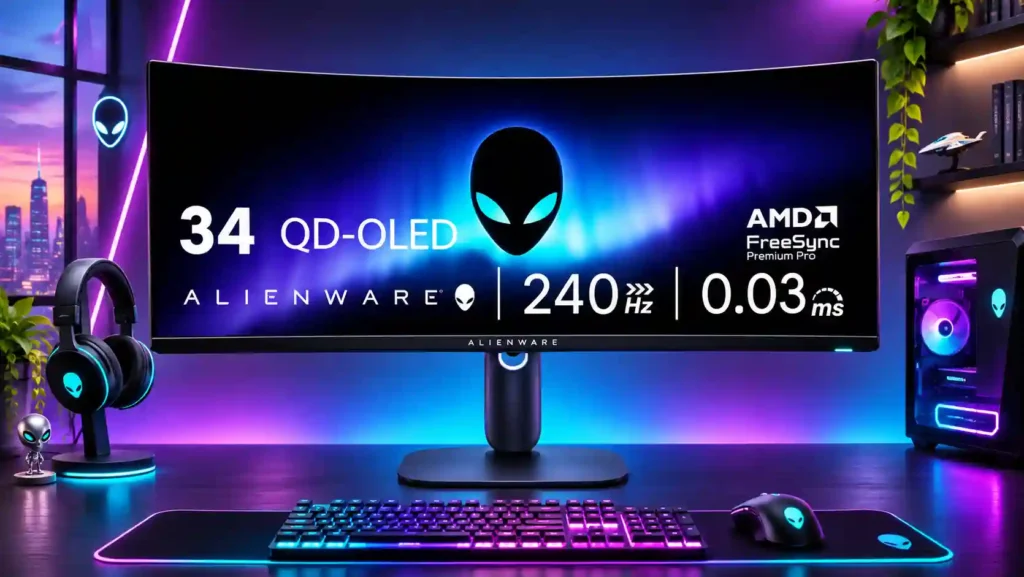
With vivid OLED blacks, accurate color, and exceptional 240Hz motion, the AW3425DW is a strong ultrawide gaming choice. It is less convincing for bright rooms, text-heavy work, or USB-C docking.
PC gamers with controllable room lighting who want a cinematic 34-inch 21:9 field of view, fast 240Hz response, and strong HDR contrast. Racing and atmospheric games are especially well suited.
Bright-window workspaces, all-day coding and static office displays, or laptop and multi-PC users needing USB-C docking or KVM convenience. Owners of earlier Alienware QD-OLED ultrawides may not gain enough to justify upgrading.
The Alienware AW3425DW is at its best in a controlled-light gaming setup. Its 34-inch curved QD-OLED screen combines genuinely dark blacks, vivid color, convincing HDR highlights, and exceptionally clear 240Hz motion. Factory color accuracy is unusually good, while the compact stand improves desk usability over earlier Alienware ultrawides. Its 3440×1440 resolution is also less demanding than 4K, helping capable gaming PCs reach high refresh rates. The compromises matter outside gaming: glossy reflections and raised blacks weaken daytime viewing, small text can show colored fringes, and static office applications bring OLED burn-in considerations. The USB hub is sparse, there is no KVM, headset output, or USB-C laptop video, and some HDR modes dim large bright scenes. Existing AW3423DW and AW3423DWF owners should weigh the faster refresh against the familiar panel behavior and compare newer alternatives before paying full price.
Compared with other Monitors, this product is above average in local dimming performance, Windows Auto Color Management compatibility, Automatic brightness limiting, near average in design and aesthetics, GPU demands, below average in Headphone jack convenience, KVM switch performance, Screen bezel design.
| Attribute | This product | Category average | Difference |
|---|---|---|---|
| Headphone jack convenience | 1.2 | 3.3 | -2.2 |
| KVM switch performance | 1.0 | 3.1 | -2.1 |
| Screen bezel design | 2.0 | 4.2 | -2.2 |
| USB-C power delivery | 1.6 | 3.7 | -2.1 |
| VRR flicker | 1.0 | 3.1 | -2.1 |
| PS5 gaming | 2.0 | 4.1 | -2.1 |
| local dimming performance | 5.0 | 2.9 | +2.1 |
| Pixel density | 2.3 | 4.3 | -1.9 |
Choose ASUS ROG Strix OLED XG32UCWMG. It scores 5.0 vs 1.0 for KVM switch performance, with a 4.2 overall score.
Choose Dell Alienware AW3426DW. It scores 4.8 vs 2.4 for Text fringing, with a 4.4 overall score.
Choose MSI MPG 272URX QD-OLED. It scores 4.9 vs 1.6 for USB-C power delivery, with a 4.2 overall score.
Choose Dell Alienware AW2725QF. It scores 4.8 vs 2.3 for Pixel density, with a 3.9 overall score.
Products reviewers directly compared with this model, grouped into quick takeaways.
Yes. A 240Hz refresh rate, extremely quick OLED pixel response, and low input lag make motion very clear. The advantage is greatest when the PC can sustain high frame rates.
No. Its USB-C port is for downstream peripherals and up to 15W charging, not video input or laptop-class power delivery.
Only conditionally. The glossy panel reflects lights and QD-OLED blacks can look purple-gray in bright environments, so controlled lighting is preferable.
Some owners find the text usable, but the triangular subpixel arrangement can create colored fringes around letters. Long static desktop sessions also require consideration of OLED burn-in.
Yes, it accepts supported console signals through HDMI 2.1, including console mode options. Consoles normally output 16:9 rather than native 21:9, so side bars may appear.
It offers a more compact stand, HDMI 2.1, and 240Hz instead of 165Hz. However, the picture character and resolution remain similar, so the upgrade is most worthwhile for high-frame-rate gamers.
Dark scenes with small bright highlights look striking thanks to OLED contrast and broad color. Peak 1000 can dim large bright scenes, while True Black offers steadier brightness with lower peaks.
These are a few of the reviews included in our analysis.





The Alienware AW3425DW review verdict: this 240Hz 3440×1440 QD-OLED is excellent for PC gaming at a discount, but text fringing, bright-room...
Scores 86/100 from 13 independent sources. At $799, this 34-inch 240Hz QD-OLED hits 99.3% DCI-P3, making it a strong pick for gamers and...
With fantastic image quality, great gaming performance, and much better text clarity than earlier OLEDs, this 240Hz display is simply superb.
The Dell Alienware AW3425DW is a high-end, 34-inch ultrawide gaming monitor. It uses a curved Gen 2 QD-OLED panel with a 240Hz refresh rate...
34-inch WQHD curved ultra-wide 21:9 QD-OLED gaming monitor with 240 Hz, Adaptive-Sync, HDR10, and wide gamut color

This 360Hz QD-OLED ultrawide delivers exceptional gaming motion, vibrant HDR and dramatically cleaner text. Its high price, less-than-perfect bright-room blacks and occasional HDR dimming are the main reasons to hesitate.
Pros: color gamut, contrast
Cons: value for money, Resolution

The 360Hz QD-OLED panel delivers exceptional HDR gaming, responsive motion, and cleaner text than earlier ultrawides. Its 3440×1440 resolution is less sharp than 4K, and premium pricing remains a hurdle.
Pros: refresh rate, Text fringing
Cons: Resolution, GPU demands

A huge, sharp ultrawide workspace and unusually capable Thunderbolt dock make the U4025QW outstanding for demanding productivity and editing. Its high price, modest HDR, and imperfect motion handling keep it...
Pros: overall picture quality, color accuracy
Cons: value for money, built-in speakers

Lightning-fast 360Hz OLED gaming, rich color and an unusually flexible USB-C/KVM setup are the big draws. Strong room lighting, limited full-screen HDR brightness and static-content burn-in concerns keep it from...
Pros: color gamut, overall satisfaction
Cons: reflection handling, VRR flicker