
If you want better Desk footprint
Choose Dell U2725QE. It scores 5.0 vs 2.0 for Desk footprint, with a 4.2 overall score.

A huge, sharp ultrawide workspace and unusually capable Thunderbolt dock make the U4025QW outstanding for demanding productivity and editing. Its high price, modest HDR, and imperfect motion handling keep it from being a do-everything display.
Professionals who spend long days multitasking, editing photos or videos, programming, and docking one or more laptops benefit most from its enormous canvas and hub.
Budget-focused shoppers, competitive gamers, HDR-focused creators, fine-art print proofers and people with cramped desks should look elsewhere.
The Dell U4025QW is at its best when a 40-inch ultrawide becomes the center of a serious workstation. Its crisp 5120×2160 image, unusually accurate SDR color, gentle curve and 120Hz refresh rate make spreadsheets, code, photography and long editing timelines pleasant to navigate. A sprawling Thunderbolt 4 hub, laptop charging, Ethernet, KVM and multiple-screen modes can replace a separate dock and simplify switching between computers. Those strengths earn unusually consistent praise, including from longer-term owners. The compromises are substantial: it is expensive, bulky, and sometimes wobbly on its stand, while some Mac setups need extra attention to scaling or wake behavior. HDR lacks the local contrast needed for impactful highlights, and pixel response is too slow for demanding competitive gaming. For professionals using the full screen and connections every day, it can justify its premium; for basic office work, there are more economical choices.
Compared with other Monitors, this product is above average in Image retention, KVM switch performance, Content aspect-ratio support, near average in refresh rate, design and aesthetics, below average in portability and weight, Desk footprint, competitive gaming suitability.
| Attribute | This product | Category average | Difference |
|---|---|---|---|
| Image retention | 5.0 | 2.8 | +2.2 |
| portability and weight | 2.0 | 4.0 | -2.0 |
| KVM switch performance | 5.0 | 3.0 | +2.0 |
| Desk footprint | 2.0 | 3.9 | -1.9 |
| Content aspect-ratio support | 5.0 | 3.0 | +2.0 |
| Thunderbolt docking connectivity | 4.9 | 3.4 | +1.5 |
| port selection | 5.0 | 3.6 | +1.4 |
| competitive gaming suitability | 2.0 | 3.7 | -1.7 |
Choose Dell U2725QE. It scores 5.0 vs 2.0 for Desk footprint, with a 4.2 overall score.
Choose Dell Alienware AW3926QW. It scores 5.0 vs 3.0 for response time, with a 4.3 overall score.
Choose ASUS ProArt Display 6K PA32QCV. It scores 4.9 vs 4.1 for stand adjustability, with a 4.1 overall score.
Choose Samsung Odyssey OLED G6 G60SF. It scores 5.0 vs 1.7 for local dimming performance, with a 4.3 overall score.
Products reviewers directly compared with this model, grouped into quick takeaways.
Yes. Its 40-inch 5K2K screen can show numerous documents or wide spreadsheets, while the built-in hub and KVM make multi-computer work much easier.
Often yes. Window zones, picture-by-picture and a seamless curved panel are popular substitutes, though separate monitors give more independent positioning.
Yes. The Thunderbolt 4 connection carries the display, USB devices and up to 140W charging, while the monitor also provides wired Ethernet.
SDR color is a major strength, especially for screen-delivered work and long editing timelines. Print soft-proofing and reference HDR grading are less ideal.
It can be enjoyable for casual and cinematic games at 120Hz with variable refresh, but fast-motion blur and the heavy GPU requirements make it less suited to esports.
Not particularly. Despite HDR support, the limited backlight control often raises dark areas and prevents convincing highlight contrast.
The high price, physical size and weight, occasional stand wobble, mediocre speakers, and weak HDR are the most relevant compromises.
These are a few of the reviews included in our analysis.

Color gamut, hardware calibration, and resolution define the best photo editing monitors. This guide compares 27-inch 4K panels under $1000...
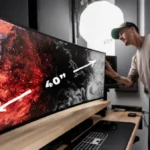
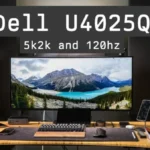
The Dell U4025QW is a 40" 5120x2160 120Hz IPS Black monitor with Thunderbolt 4, DisplayHDR 600, HDMI 2.1 and more!
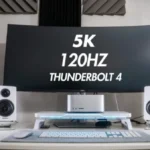
Dell's UltraSharp 40 U4025QW is a beautiful 40' IPS Black monitor that's ideal for professional creation and office work with superb color...
The Dell U4025QW is an impressive ultrawide productivity monitor with a built-in Thunderbolt hub
The Dell U4025QW is one of this year’s heaviest hitters in the mixed-use or professional monitor market

This 360Hz QD-OLED ultrawide delivers exceptional gaming motion, vibrant HDR and dramatically cleaner text. Its high price, less-than-perfect bright-room blacks and occasional HDR dimming are the main reasons to hesitate.
Pros: color gamut, contrast
Cons: value for money, Resolution

The 360Hz QD-OLED panel delivers exceptional HDR gaming, responsive motion, and cleaner text than earlier ultrawides. Its 3440×1440 resolution is less sharp than 4K, and premium pricing remains a hurdle.
Pros: refresh rate, Text fringing
Cons: Resolution, GPU demands

A huge, sharp ultrawide workspace and unusually capable Thunderbolt dock make the U4025QW outstanding for demanding productivity and editing. Its high price, modest HDR, and imperfect motion handling keep it...
Pros: overall picture quality, color accuracy
Cons: value for money, built-in speakers

Lightning-fast 360Hz OLED gaming, rich color and an unusually flexible USB-C/KVM setup are the big draws. Strong room lighting, limited full-screen HDR brightness and static-content burn-in concerns keep it from...
Pros: color gamut, overall satisfaction
Cons: reflection handling, VRR flicker