Best for local dimming performance
Dell Alienware AW3426DW
5.0 attribute score
Highest scored product for this attribute based on supporting review evidence.

Highest scored product for this attribute based on supporting review evidence.
Balances the attribute score, supporting reviews, and overall product strength.
Has the broadest review evidence for this attribute.
Strongest overall product among items with scored evidence for this attribute.

Overall: 4.3/5
Local dimming was treated as a strength because OLED’s per-pixel control minimized blooming in high-contrast scenes.
Pros: value for money, sharpness
Cons: brightness, USB hub functionality

Overall: 4.2/5
Each OLED pixel dims independently, producing clean transitions between light and dark objects.
Pros: refresh rate, HDR performance
Cons: reflection handling, Text fringing

Overall: 4.4/5
Pixel-level control makes bright and dark areas coexist cleanly without the blooming associated with zone-based backlights.
Pros: brightness, value for money
Cons: port selection, built-in speakers

Overall: 4.2/5
No effective local dimming is available to deepen blacks or give HDR highlights enough separation, limiting picture punch.
Pros: value for money, Resolution
Cons: port selection, competitive gaming suitability

Overall: 4.4/5
Without fine-grained backlight zones, illuminated areas lift surrounding blacks and weaken HDR contrast.
Pros: overall picture quality, color accuracy
Cons: value for money, built-in speakers

Overall: 3.9/5
The edge-lit zones offer little useful control over dark and bright elements. Several tests describe haloing, raised blacks or muted highlights, with limited ability to disable dimming in HDR.
Pros: Resolution, refresh rate
Cons: HDR performance, contrast

Overall: 3.7/5
Only eight edge-lit zones are used in HDR, producing elevated blacks and blooming with no option to disable the effect in that mode.
Pros: ultrawide gaming experience, black levels
Cons: HDR performance, viewing angles

Overall: 4.2/5
Only a few broad edge-lit zones are used, causing blooming and obvious shifts in brightness. This is one of the clearest weaknesses for HDR viewing.
Pros: port selection, USB hub functionality
Cons: competitive gaming suitability, motion clarity

Overall: 3.8/5
Lack of local dimming prevents HDR from separating small highlights from dark surroundings and leaves blacks looking gray.
Pros: value for money, Resolution
Cons: port selection, HDR performance
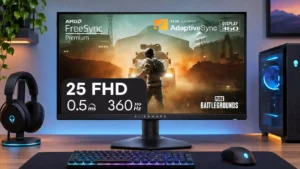
Overall: 3.9/5
The absence of effective local dimming leaves HDR unable to show bright highlights beside deep blacks.
Pros: competitive gaming suitability, stand adjustability
Cons: color gamut, contrast

Overall: 4.0/5
The local-dimming implementation produces distracting halos and cannot be switched off in HDR, making it one of the clearest drawbacks.
Pros: overall satisfaction, refresh rate
Cons: HDR performance, HDMI 2.1 support

Overall: 3.7/5
Without sophisticated local dimming, HDR highlights and dark-scene precision cannot match premium displays.
Pros: value for money, Resolution
Cons: stand adjustability, viewing angles

Overall: 4.2/5
Edge-lit HDR dimming is a major weakness: bright elements affect large screen areas and the HDR dimming behavior cannot be disabled.
Pros: port selection, overall satisfaction
Cons: value for money, competitive gaming suitability

Overall: 4.1/5
HDR local dimming is a serious weak point: a technical assessment finds the system ineffective and impossible to turn off while using HDR.
Pros: value for money, overall satisfaction
Cons: HDR performance, Headphone output quality