Best for input lag
LG 45GX950A-B
5.0 attribute score
Highest scored product for this attribute based on supporting review evidence.

Highest scored product for this attribute based on supporting review evidence.
Balances the attribute score, supporting reviews, and overall product strength.
Has the broadest review evidence for this attribute.
Strongest overall product among items with scored evidence for this attribute.

Overall: 4.1/5
Input lag is consistently very low on PC, keeping controls responsive in both primary modes. Some console measurements are less impressive, but PC gaming responsiveness is a clear strength.
Pros: Resolution, overall satisfaction
Cons: value for money, GPU demands

Overall: 4.5/5
Exceptionally low processing delay makes even fast shooters feel immediate and reactive.
Pros: color gamut, contrast
Cons: value for money, Resolution

Overall: 4.2/5
Controls feel immediate, with particularly low lag at high refresh rates and strong responsiveness even at 60Hz and 120Hz. That helps both PC and console play.
Pros: reflection handling, color gamut
Cons: value for money, brightness

Overall: 4.3/5
Input lag is consistently described as effectively imperceptible or extremely low, helping the G6 feel immediate in reaction-heavy games.
Pros: overall satisfaction, competitive gaming suitability
Cons: value for money, screen size

Overall: 4.4/5
Controls feel immediate, with measured low processing delay that makes the monitor highly responsive in fast games.
Pros: color gamut, overall satisfaction
Cons: reflection handling, VRR flicker

Overall: 3.8/5
Input lag is low enough for satisfying, immediate responses in fast games, including competitive shooters.
Pros: value for money, panel type
Cons: brightness, port selection

Overall: 3.6/5
Input processing is impressively quick at 60Hz, 120Hz, 240Hz and in the fast mode. Response-time blur, not control delay, is the bigger gaming concern.
Pros: refresh rate, Dual-mode versatility
Cons: motion clarity, black levels
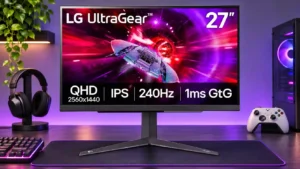
Overall: 4.2/5
Controls feel immediate, and measured processing delay is consistently very low. That makes fast reactions one of the monitor's most convincing strengths.
Pros: refresh rate, overall satisfaction
Cons: HDR performance, contrast

Overall: 4.2/5
Tests and gameplay impressions show quick reactions and a responsive feel at high refresh rates. Low-refresh-rate figures are somewhat less exceptional, but largely acceptable for casual use.
Pros: HDR performance, DisplayPort connectivity
Cons: value for money, brightness

Overall: 4.3/5
Input lag works especially well in supported gaming or desktop scenarios, helping the monitor feel polished and capable.
Pros: black levels, motion clarity
Cons: value for money, Dual-mode versatility

Overall: 4.3/5
Input latency is consistently outstanding in high-speed play, with a particularly quick 480Hz mode and very little processing delay.
Pros: black levels, sharpness
Cons: value for money, brightness

Overall: 4.1/5
Input lag is very low in the gaming presets and main refresh modes, although certain picture modes and low-rate dual-mode inputs add delay.
Pros: Resolution, overall satisfaction
Cons: value for money, Image scaling

Overall: 3.5/5
Across the native and fast modes, input lag stays extremely low and controls feel responsive.
Pros: Resolution, sharpness
Cons: value for money, HDR performance

Overall: 4.1/5
Reviewers consistently describe gaming input as responsive, with little delay during fast movement and precision aiming.
Pros: Pixel density, Resolution
Cons: GPU demands, HDR performance

Overall: 4.2/5
Button and mouse response are consistently praised, with lag low enough to feel instantaneous even in games requiring fast reactions.
Pros: value for money, Resolution
Cons: port selection, competitive gaming suitability

Overall: 4.2/5
Measured input lag is low even at 60Hz, and gaming controls feel responsive across refresh settings.
Pros: HDR performance, overall satisfaction
Cons: HDR highlight detail, color accuracy

Overall: 4.1/5
Fast responses and negligible perceived delay help games feel connected and snappy, including when frame rates are below the monitor’s peak.
Pros: competitive gaming suitability, refresh rate
Cons: Dual-mode versatility, GPU demands
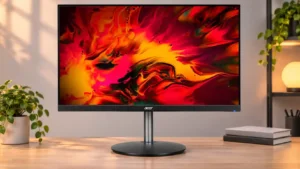
Overall: 3.7/5
Measured lag was extremely low, including at 60Hz, giving fast games a particularly immediate feel.
Pros: adaptive sync performance, PC gaming compatibility
Cons: HDR performance, contrast

Overall: 3.6/5
Low input lag makes both PC and console controls feel highly responsive, matching the quick OLED pixel transitions.
Pros: reflection handling, HDR performance
Cons: screen uniformity, Screen coating clarity

Overall: 4.2/5
Input responsiveness is generally good and can make 120Hz controls feel immediate. The greater gaming obstacle is slow pixel transitions, not control delay.
Pros: port selection, USB hub functionality
Cons: competitive gaming suitability, motion clarity

Overall: 4.1/5
Processing delay is extremely low in both SDR and HDR, making controls feel immediate and competitive play highly responsive.
Pros: motion clarity, PC gaming compatibility
Cons: color accuracy, software support
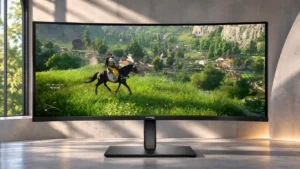
Overall: 4.4/5
Low measured input lag contributes to responsive PC gameplay. It pairs with very fast OLED transitions for immediate-feeling controls.
Pros: refresh rate, color accuracy
Cons: console gaming compatibility, DisplayPort connectivity
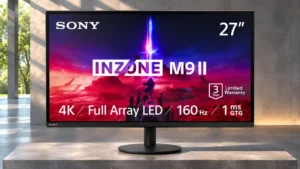
Overall: 3.9/5
Low delay gives games an immediate, responsive feel, with no perceptible lag in tested PlayStation play.
Pros: color gamut, stand adjustability
Cons: value for money, Bass reproduction

Overall: 4.2/5
Measured additional latency is low enough to make slower-paced games responsive despite imperfect pixel transitions.
Pros: refresh rate, HDR performance
Cons: value for money, Device compatibility

Overall: 4.3/5
Very low measured display lag makes control feel responsive for its class. That cannot fully compensate for its refresh-rate ceiling in fast games.
Pros: USB-C power delivery, port selection
Cons: HDR performance, refresh rate

Overall: 4.2/5
Low input lag helps controls feel responsive even though pixel response and resulting motion blur are weaker.
Pros: port selection, overall satisfaction
Cons: value for money, competitive gaming suitability

Overall: 4.3/5
Measured input latency was exceptionally low at roughly a few milliseconds, making interactions feel immediate despite the monitor's productivity focus.
Pros: productivity versatility, overall satisfaction
Cons: value for money, response time

Overall: 3.7/5
Input response is extremely quick at gaming refresh rates, with no appreciable delay expected for most players.
Pros: overall satisfaction, PC gaming compatibility
Cons: color accuracy, local dimming performance

Overall: 4.2/5
Measured control-to-display latency is exceptionally low at both 120Hz and 165Hz, keeping the screen responsive.
Pros: brightness, HDR performance
Cons: speaker quality, built-in speakers

Overall: 4.2/5
Near-instant inputs make games feel remarkably responsive at 240Hz; lower fixed refresh rates are still fast. ELMB can introduce an additional delay when used.
Pros: overall satisfaction, black levels
Cons: value for money, stand adjustability

Overall: 4.2/5
The monitor feels strikingly responsive at high refresh rates and remains impressively quick with 60Hz inputs.
Pros: overall satisfaction, black levels
Cons: reflection handling, Color brightness

Overall: 4.2/5
Very low display lag delivers quick-feeling mouse and controller responses, an advantage in fast competitive titles.
Pros: competitive gaming suitability, color gamut
Cons: brightness, HDMI 2.1 support

Overall: 4.3/5
Input lag was consistently praised as low or immediate, making the monitor feel responsive in gaming.
Pros: value for money, sharpness
Cons: brightness, USB hub functionality
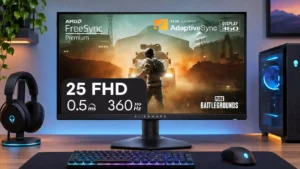
Overall: 3.9/5
Lag is consistently described as extremely low, translating to near-instant feedback in twitch shooters and fast mouse movements.
Pros: competitive gaming suitability, stand adjustability
Cons: color gamut, contrast

Overall: 3.1/5
Low lag is a clear advantage for responsive PC and console play, with several sources describing immediate-feeling controls.
Pros: PC gaming compatibility, overall picture quality
Cons: overall satisfaction, Smart TV platform

Overall: 4.0/5
Input lag is exceptionally low at high refresh rates, giving clicks and camera movement a responsive, connected feel.
Pros: brightness, contrast
Cons: Text fringing, speaker quality

Overall: 4.4/5
Input lag is very low, making games feel immediate and responsive. The monitor is particularly attractive for fast competitive play.
Pros: sharpness, overall satisfaction
Cons: value for money, VRR flicker

Overall: 4.2/5
Very low processing delay makes controls feel immediate even in demanding games, with some limitations at lower refresh rates.
Pros: refresh rate, HDR performance
Cons: reflection handling, Text fringing

Overall: 4.1/5
Controls feel immediate with very little input delay. The optional flicker-reduction setting can add substantial latency, however.
Pros: PC gaming compatibility, reflection handling
Cons: color accuracy, VRR flicker

Overall: 3.9/5
At high refresh rates, input response is exceptionally quick. Fixed-rate 60Hz ULMB introduces more delay than the normal gaming mode.
Pros: motion clarity, Backlight strobing
Cons: contrast, HDR performance

Overall: 4.4/5
At its full refresh rate, input responsiveness is excellent and generally imperceptible in play, though one measurement set found somewhat higher low-refresh latency.
Pros: brightness, value for money
Cons: port selection, built-in speakers

Overall: 3.9/5
Inputs feel very responsive with little visible delay, which helps both fast shooters and general gaming.
Pros: HDR performance, black levels
Cons: viewing angles, response time

Overall: 4.2/5
Input lag is exceptionally low at high refresh rates, supporting immediate-feeling control. Results are less exceptional for some lower-refresh signals, including 60Hz.
Pros: refresh rate, overall satisfaction
Cons: value for money, port selection

Overall: 4.4/5
Several testers report low perceived delay at 120Hz, helping desktop interaction and casual gaming despite slower pixel transitions.
Pros: overall picture quality, color accuracy
Cons: value for money, built-in speakers

Overall: 4.0/5
SDR signal processing is exceptionally quick; HDR zone processing raises latency somewhat but play remains responsive.
Pros: Dual-mode versatility, refresh rate
Cons: black levels, contrast

Overall: 3.6/5
Measured delay is very low, helping games respond promptly to commands.
Pros: stand adjustability, competitive gaming suitability
Cons: value for money, port selection

Overall: 4.0/5
Low latency makes high-refresh PC play very responsive. One owner noticed slightly less immediate feedback at console-style lower refresh rates.
Pros: overall satisfaction, DisplayPort connectivity
Cons: value for money, reliability over time

Overall: 3.8/5
Very low processing delay makes controls feel immediate, including at lower fixed refresh rates.
Pros: value for money, Resolution
Cons: HDR performance, port selection

Overall: 3.5/5
Low input delay produces a responsive feel even when frame rates or refresh settings change.
Pros: HDR performance, overall satisfaction
Cons: local dimming performance, Blooming control

Overall: 3.6/5
PC gaming controls feel immediate, with low processing lag standing out as a major speed advantage.
Pros: refresh rate, value for money
Cons: HDR performance, contrast