Best for input lag
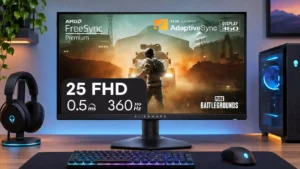
Dell Alienware AW2726DM
5.0 attribute score
Highest scored product for this attribute based on supporting review evidence.

Highest scored product for this attribute based on supporting review evidence.
Balances the attribute score, supporting reviews, and overall product strength.
Has the broadest review evidence for this attribute.
Strongest overall product among items with scored evidence for this attribute.

Overall: 3.8/5
Input lag is low enough for satisfying, immediate responses in fast games, including competitive shooters.
Pros: value for money, panel type
Cons: brightness, port selection

Overall: 4.2/5
Button and mouse response are consistently praised, with lag low enough to feel instantaneous even in games requiring fast reactions.
Pros: value for money, Resolution
Cons: port selection, competitive gaming suitability

Overall: 4.2/5
Input responsiveness is generally good and can make 120Hz controls feel immediate. The greater gaming obstacle is slow pixel transitions, not control delay.
Pros: port selection, USB hub functionality
Cons: competitive gaming suitability, motion clarity

Overall: 4.2/5
Low input lag helps controls feel responsive even though pixel response and resulting motion blur are weaker.
Pros: port selection, overall satisfaction
Cons: value for money, competitive gaming suitability

Overall: 4.3/5
Measured input latency was exceptionally low at roughly a few milliseconds, making interactions feel immediate despite the monitor's productivity focus.
Pros: productivity versatility, overall satisfaction
Cons: value for money, response time

Overall: 4.2/5
Very low display lag delivers quick-feeling mouse and controller responses, an advantage in fast competitive titles.
Pros: competitive gaming suitability, color gamut
Cons: brightness, HDMI 2.1 support

Overall: 4.3/5
Input lag was consistently praised as low or immediate, making the monitor feel responsive in gaming.
Pros: value for money, sharpness
Cons: brightness, USB hub functionality
Overall: 3.9/5
Lag is consistently described as extremely low, translating to near-instant feedback in twitch shooters and fast mouse movements.
Pros: competitive gaming suitability, stand adjustability
Cons: color gamut, contrast

Overall: 4.2/5
Very low processing delay makes controls feel immediate even in demanding games, with some limitations at lower refresh rates.
Pros: refresh rate, HDR performance
Cons: reflection handling, Text fringing

Overall: 4.4/5
At its full refresh rate, input responsiveness is excellent and generally imperceptible in play, though one measurement set found somewhat higher low-refresh latency.
Pros: brightness, value for money
Cons: port selection, built-in speakers

Overall: 4.4/5
Several testers report low perceived delay at 120Hz, helping desktop interaction and casual gaming despite slower pixel transitions.
Pros: overall picture quality, color accuracy
Cons: value for money, built-in speakers

Overall: 3.9/5
Low input lag is a consistent gaming advantage, especially in the higher-refresh 1080p mode. Testers report responsive aiming and little control delay.
Pros: Resolution, refresh rate
Cons: HDR performance, contrast

Overall: 3.8/5
Inputs feel responsive and measured signal delay is low, although pixel blur can still make motion look less crisp than the controls feel.
Pros: value for money, Resolution
Cons: port selection, HDR performance

Overall: 4.0/5
Low measured input lag supports responsive play in fast games.
Pros: overall satisfaction, refresh rate
Cons: HDR performance, HDMI 2.1 support

Overall: 3.6/5
Extremely low processing delay makes actions feel immediate, with fast 240Hz response especially compelling for games.
Pros: overall satisfaction, brightness
Cons: Dolby Vision support, VRR flicker

Overall: 3.7/5
Low processing latency makes controls feel immediate across refresh rates, even if the panel's pixel transitions lag behind.
Pros: ultrawide gaming experience, black levels
Cons: HDR performance, viewing angles

Overall: 4.2/5
Controls feel responsive and measured lag is low enough for regular and console gaming, though competitive options can respond faster.
Pros: overall picture quality, overall satisfaction
Cons: port selection, brightness

Overall: 4.3/5
Controls usually respond quickly in both native and high-speed modes, supporting responsive PC gaming. Some 4K test conditions showed more delay than the reviewer wanted.
Pros: overall satisfaction, Text fringing
Cons: brightness, Edge dimming behavior

Overall: 3.7/5
One competitive gaming test described actions as slower to register than expected, reinforcing that speed-focused gaming is not the panel’s strength.
Pros: value for money, Resolution
Cons: stand adjustability, viewing angles