
Overall: 4.5/5
Exceptionally low processing delay makes even fast shooters feel immediate and reactive.
Pros: color gamut, contrast
Cons: value for money, Resolution

Overall: 4.5/5
Exceptionally low processing delay makes even fast shooters feel immediate and reactive.
Pros: color gamut, contrast
Cons: value for money, Resolution

Overall: 3.8/5
Input lag is low enough for satisfying, immediate responses in fast games, including competitive shooters.
Pros: value for money, panel type
Cons: brightness, port selection

Overall: 4.3/5
Input latency is consistently outstanding in high-speed play, with a particularly quick 480Hz mode and very little processing delay.
Pros: black levels, sharpness
Cons: value for money, brightness

Overall: 4.1/5
Input lag is very low in the gaming presets and main refresh modes, although certain picture modes and low-rate dual-mode inputs add delay.
Pros: Resolution, overall satisfaction
Cons: value for money, Image scaling

Overall: 3.5/5
Across the native and fast modes, input lag stays extremely low and controls feel responsive.
Pros: Resolution, sharpness
Cons: value for money, HDR performance

Overall: 4.1/5
Fast responses and negligible perceived delay help games feel connected and snappy, including when frame rates are below the monitor’s peak.
Pros: competitive gaming suitability, refresh rate
Cons: Dual-mode versatility, GPU demands
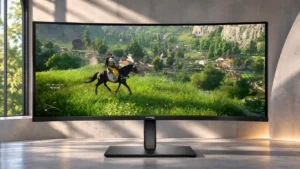
Overall: 4.4/5
Low measured input lag contributes to responsive PC gameplay. It pairs with very fast OLED transitions for immediate-feeling controls.
Pros: refresh rate, color accuracy
Cons: console gaming compatibility, DisplayPort connectivity

Overall: 4.2/5
Measured additional latency is low enough to make slower-paced games responsive despite imperfect pixel transitions.
Pros: refresh rate, HDR performance
Cons: value for money, Device compatibility

Overall: 4.3/5
Measured input latency was exceptionally low at roughly a few milliseconds, making interactions feel immediate despite the monitor's productivity focus.
Pros: productivity versatility, overall satisfaction
Cons: value for money, response time

Overall: 4.2/5
Near-instant inputs make games feel remarkably responsive at 240Hz; lower fixed refresh rates are still fast. ELMB can introduce an additional delay when used.
Pros: overall satisfaction, black levels
Cons: value for money, stand adjustability

Overall: 4.1/5
Controls feel immediate with very little input delay. The optional flicker-reduction setting can add substantial latency, however.
Pros: PC gaming compatibility, reflection handling
Cons: color accuracy, VRR flicker

Overall: 3.9/5
At high refresh rates, input response is exceptionally quick. Fixed-rate 60Hz ULMB introduces more delay than the normal gaming mode.
Pros: motion clarity, Backlight strobing
Cons: contrast, HDR performance

Overall: 4.4/5
At its full refresh rate, input responsiveness is excellent and generally imperceptible in play, though one measurement set found somewhat higher low-refresh latency.
Pros: brightness, value for money
Cons: port selection, built-in speakers

Overall: 4.0/5
Input response is very quick in SDR, helping fast games feel connected to controller or mouse movements. HDR backlight processing can add some delay.
Pros: Resolution, Dual-mode versatility
Cons: value for money, GPU demands
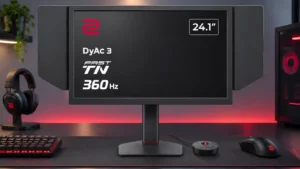
Overall: 3.8/5
Controls feel immediate, with measured and subjective impressions both supporting a highly responsive experience.
Pros: competitive gaming suitability, motion clarity
Cons: contrast, overall picture quality

Overall: 4.4/5
Native 240Hz input lag is extremely low and competitive with the fastest gaming displays. Some testing found more noticeable delay at 60Hz and when motion-blur reduction is enabled.
Pros: brightness, reflection handling
Cons: cable management

Overall: 4.3/5
Controls usually respond quickly in both native and high-speed modes, supporting responsive PC gaming. Some 4K test conditions showed more delay than the reviewer wanted.
Pros: overall satisfaction, Text fringing
Cons: brightness, Edge dimming behavior

Overall: 4.4/5
Low measured latency makes inputs feel immediate, including fast aim adjustments and other timing-sensitive gameplay.
Pros: refresh rate, Text fringing
Cons: Resolution, GPU demands