Best for input lag
Asus ROG Swift 34 QD-OLED PG34WCDN
5.0 attribute score
Highest scored product for this attribute based on supporting review evidence.

Highest scored product for this attribute based on supporting review evidence.
Balances the attribute score, supporting reviews, and overall product strength.
Has the broadest review evidence for this attribute.
Strongest overall product among items with scored evidence for this attribute.

Overall: 4.5/5
Exceptionally low processing delay makes even fast shooters feel immediate and reactive.
Pros: color gamut, contrast
Cons: value for money, Resolution

Overall: 4.4/5
Controls feel immediate, with measured low processing delay that makes the monitor highly responsive in fast games.
Pros: color gamut, overall satisfaction
Cons: reflection handling, VRR flicker

Overall: 4.3/5
Input lag works especially well in supported gaming or desktop scenarios, helping the monitor feel polished and capable.
Pros: black levels, motion clarity
Cons: value for money, Dual-mode versatility

Overall: 4.3/5
Input latency is consistently outstanding in high-speed play, with a particularly quick 480Hz mode and very little processing delay.
Pros: black levels, sharpness
Cons: value for money, brightness

Overall: 4.1/5
Reviewers consistently describe gaming input as responsive, with little delay during fast movement and precision aiming.
Pros: Pixel density, Resolution
Cons: GPU demands, HDR performance

Overall: 4.3/5
Very low measured display lag makes control feel responsive for its class. That cannot fully compensate for its refresh-rate ceiling in fast games.
Pros: USB-C power delivery, port selection
Cons: HDR performance, refresh rate

Overall: 4.2/5
Near-instant inputs make games feel remarkably responsive at 240Hz; lower fixed refresh rates are still fast. ELMB can introduce an additional delay when used.
Pros: overall satisfaction, black levels
Cons: value for money, stand adjustability

Overall: 4.2/5
The monitor feels strikingly responsive at high refresh rates and remains impressively quick with 60Hz inputs.
Pros: overall satisfaction, black levels
Cons: reflection handling, Color brightness

Overall: 4.4/5
Input lag is very low, making games feel immediate and responsive. The monitor is particularly attractive for fast competitive play.
Pros: sharpness, overall satisfaction
Cons: value for money, VRR flicker

Overall: 3.9/5
At high refresh rates, input response is exceptionally quick. Fixed-rate 60Hz ULMB introduces more delay than the normal gaming mode.
Pros: motion clarity, Backlight strobing
Cons: contrast, HDR performance

Overall: 3.8/5
Very low processing delay makes controls feel immediate, including at lower fixed refresh rates.
Pros: value for money, Resolution
Cons: HDR performance, port selection

Overall: 4.4/5
The monitor feels immediate at high refresh rates. Early tests flagged slower fixed-60Hz handling, with later firmware improving the problem.
Pros: overall satisfaction, response time
Cons: reflection handling, VRR flicker

Overall: 4.1/5
Input delay is acceptable for casual games, though competitive players should choose a faster display.
Pros: color accuracy, overall picture quality
Cons: HDR performance, refresh rate
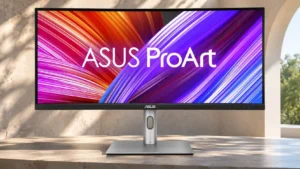
Overall: 3.9/5
Input lag is low enough to feel responsive for everyday desktop use and compares well with typical business monitors.
Pros: color accuracy, value for money
Cons: color gamut, black levels