
Overall: 4.4/5
Controls feel immediate, with measured low processing delay that makes the monitor highly responsive in fast games.
Pros: color gamut, overall satisfaction
Cons: reflection handling, VRR flicker

Overall: 4.4/5
Controls feel immediate, with measured low processing delay that makes the monitor highly responsive in fast games.
Pros: color gamut, overall satisfaction
Cons: reflection handling, VRR flicker
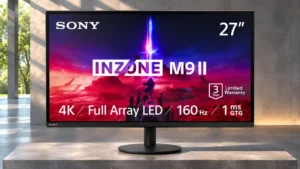
Overall: 3.9/5
Low delay gives games an immediate, responsive feel, with no perceptible lag in tested PlayStation play.
Pros: color gamut, stand adjustability
Cons: value for money, Bass reproduction

Overall: 4.2/5
Very low display lag delivers quick-feeling mouse and controller responses, an advantage in fast competitive titles.
Pros: competitive gaming suitability, color gamut
Cons: brightness, HDMI 2.1 support

Overall: 3.1/5
Low lag is a clear advantage for responsive PC and console play, with several sources describing immediate-feeling controls.
Pros: PC gaming compatibility, overall picture quality
Cons: overall satisfaction, Smart TV platform

Overall: 4.2/5
Input lag is exceptionally low at high refresh rates, supporting immediate-feeling control. Results are less exceptional for some lower-refresh signals, including 60Hz.
Pros: refresh rate, overall satisfaction
Cons: value for money, port selection

Overall: 4.4/5
Several testers report low perceived delay at 120Hz, helping desktop interaction and casual gaming despite slower pixel transitions.
Pros: overall picture quality, color accuracy
Cons: value for money, built-in speakers

Overall: 3.6/5
Measured delay is very low, helping games respond promptly to commands.
Pros: stand adjustability, competitive gaming suitability
Cons: value for money, port selection

Overall: 4.0/5
Low latency makes high-refresh PC play very responsive. One owner noticed slightly less immediate feedback at console-style lower refresh rates.
Pros: overall satisfaction, DisplayPort connectivity
Cons: value for money, reliability over time

Overall: 3.8/5
Very low processing delay makes controls feel immediate, including at lower fixed refresh rates.
Pros: value for money, Resolution
Cons: HDR performance, port selection

Overall: 3.9/5
Low input lag is a consistent gaming advantage, especially in the higher-refresh 1080p mode. Testers report responsive aiming and little control delay.
Pros: Resolution, refresh rate
Cons: HDR performance, contrast

Overall: 4.0/5
Controls feel exceptionally immediate at high refresh rates, though older firmware and some 60Hz situations have drawn complaints.
Pros: refresh rate, competitive gaming suitability
Cons: value for money, brightness

Overall: 3.6/5
Extremely low processing delay makes actions feel immediate, with fast 240Hz response especially compelling for games.
Pros: overall satisfaction, brightness
Cons: Dolby Vision support, VRR flicker

Overall: 4.0/5
Response feels especially immediate at high refresh, with low measured latency. Some testing found noticeably more delay at 60Hz and 120Hz.
Pros: value for money, overall satisfaction
Cons: HDR performance, HDMI 2.1 support
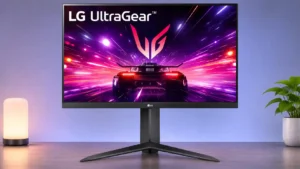
Overall: 3.3/5
Low-to-moderate input lag makes control responses feel quick, particularly in PC games. It performs well for the price without leading the fastest segment.
Pros: adaptive sync performance, response time
Cons: HDR performance, console gaming compatibility

Overall: 4.1/5
Input delay is acceptable for casual games, though competitive players should choose a faster display.
Pros: color accuracy, overall picture quality
Cons: HDR performance, refresh rate

Overall: 4.4/5
Measured input responsiveness is respectable for an office monitor, and casual play does not feel excessively delayed.
Pros: color accuracy, stand adjustability
Cons: built-in speakers, Desk footprint
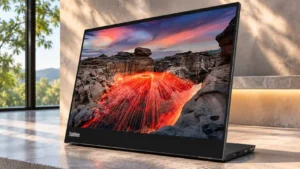
Overall: 3.9/5
The available latency settings do little to make the monitor attractive for serious gaming. Everyday touch response remains smooth in non-gaming tasks.
Pros: overall picture quality, Stylus usability
Cons: port selection, refresh rate