If you want better local dimming performance
Choose Gigabyte MO27U2 Gaming Monitor. It scores 5.0 vs 1.0 for local dimming performance, with a 4.1 overall score.

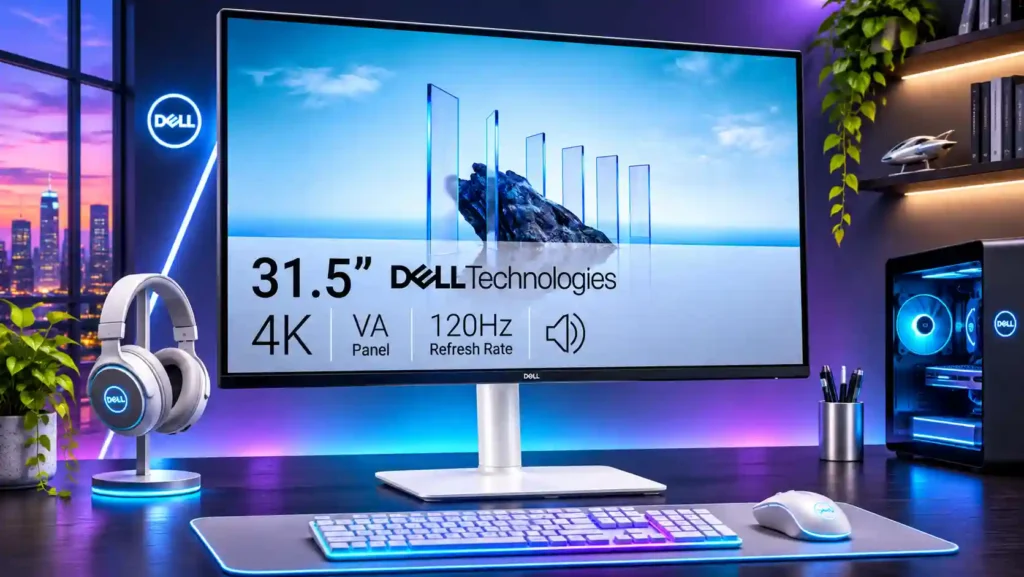
A spacious, sharp 4K screen with smooth 120Hz desktop use and punchy VA contrast makes the S3225QS a strong budget productivity choice. Slow pixel response, weak HDR, and no USB-C docking hold it back.
Budget-minded home-office users who want a large 4K workspace for documents, spreadsheets, and multitasking, with occasional streaming or slower cinematic games.
Competitive gamers, HDR enthusiasts, color-critical professionals, and laptop users needing USB-C one-cable docking or wide off-axis viewing.
The Dell S3225QS makes an appealing everyday work monitor out of an unusually generous combination of 32-inch size, 4K resolution, and 120Hz refresh at an approachable price. Text is sharp, split-screen spreadsheets feel roomy, and the VA panel delivers better native contrast than many inexpensive IPS screens. The clean off-white look is another plus, while built-in audio is useful even if opinions on sound quality differ. The concessions become clear in demanding use: narrow viewing angles can alter color across the screen, dark pixel transitions smear in fast games, and HDR lacks the brightness and local dimming for convincing highlights. Its HDMI and DisplayPort inputs cover basic devices, but the absence of USB-C, a USB hub, and full stand rotation hurts work flexibility. A few individual quality complaints also warrant checking a new unit carefully. For productivity first and casual entertainment second, especially on sale, it offers plenty of display for the money.
Compared with other Monitors, this product is above average in reliability over time, built-in speakers, Shadow detail, near average in refresh rate, port selection, below average in Packaging presentation, response time, USB hub functionality.
| Attribute | This product | Category average | Difference |
|---|---|---|---|
| Packaging presentation | 1.0 | 4.0 | -3.0 |
| response time | 1.2 | 4.1 | -2.9 |
| USB hub functionality | 1.0 | 3.7 | -2.7 |
| input lag | 2.0 | 4.7 | -2.7 |
| competitive gaming suitability | 1.1 | 3.7 | -2.5 |
| viewing angles | 2.0 | 4.2 | -2.2 |
| ghosting control | 1.7 | 3.9 | -2.2 |
| premium feel | 2.0 | 4.1 | -2.1 |
Choose Gigabyte MO27U2 Gaming Monitor. It scores 5.0 vs 1.0 for local dimming performance, with a 4.1 overall score.
Choose Dell Alienware AW2725DM. It scores 5.0 vs 1.0 for Packaging presentation, with a 4.0 overall score.
Choose Dell Alienware AW2523HF. It scores 5.0 vs 1.7 for ghosting control, with a 3.9 overall score.
Choose ASUS ProArt Display PA34VCNV. It scores 5.0 vs 1.0 for USB hub functionality, with a 3.9 overall score.
Products reviewers directly compared with this model, grouped into quick takeaways.
Yes. Its large 4K display offers sharp text and room for spreadsheets or multiple windows, while 120Hz makes desktop movement smoother.
Not particularly. Despite the 120Hz refresh rate and HDMI 2.1, its slow VA pixel response produces visible ghosting and smearing in fast action.
HDR signals are supported, but limited brightness and no advanced local dimming make the HDR effect fairly weak. SDR is often the more satisfying choice.
No. The monitor has HDMI and DisplayPort video inputs but lacks USB-C power delivery and a USB hub.
They are convenient for meetings and casual video. Some reviewers find them surprisingly full and loud, while others prefer separate speakers for movies and music.
Its VA panel offers strong head-on contrast, but brightness and colors shift noticeably off-center. A straight-on seating position is best.
It supports height and tilt adjustments, but has very limited sideways movement and cannot pivot into portrait orientation.
These are a few of the reviews included in our analysis.
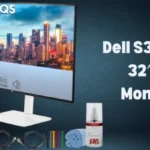
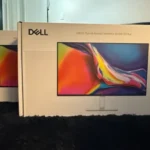
A spacious 32-inch 4K value for fixed desktop setups, but less universally practical than the 27-inch leaders.
The Dell 32 Plus S3225QS is aimed at people who want a large, sharp 4K monitor for everyday use without stepping into premium creator-display...
Across 40 categories, our PC experts pick the gear we rate as the very best you can get
Dell offer so many different monitors that it is easy to get lost in the weeds of all the options, so it is important to closely check...
The Dell 32 Plus 4K S3225QS is a productivity monitor that briefly walks into the realm of a "gaming monitor," but with some caveats.

This 360Hz QD-OLED ultrawide delivers exceptional gaming motion, vibrant HDR and dramatically cleaner text. Its high price, less-than-perfect bright-room blacks and occasional HDR dimming are the main reasons to hesitate.
Pros: color gamut, contrast
Cons: value for money, Resolution

The 360Hz QD-OLED panel delivers exceptional HDR gaming, responsive motion, and cleaner text than earlier ultrawides. Its 3440×1440 resolution is less sharp than 4K, and premium pricing remains a hurdle.
Pros: refresh rate, Text fringing
Cons: Resolution, GPU demands

A huge, sharp ultrawide workspace and unusually capable Thunderbolt dock make the U4025QW outstanding for demanding productivity and editing. Its high price, modest HDR, and imperfect motion handling keep it...
Pros: overall picture quality, color accuracy
Cons: value for money, built-in speakers

Lightning-fast 360Hz OLED gaming, rich color and an unusually flexible USB-C/KVM setup are the big draws. Strong room lighting, limited full-screen HDR brightness and static-content burn-in concerns keep it from...
Pros: color gamut, overall satisfaction
Cons: reflection handling, VRR flicker