
Deep, inky blacks give dark scenes convincing depth, although strong ambient light can raise blacks toward gray or purple.
Pros: value for money, panel type
Cons: brightness, port selection

Deep, inky blacks give dark scenes convincing depth, although strong ambient light can raise blacks toward gray or purple.
Pros: value for money, panel type
Cons: brightness, port selection

Deep OLED blacks are a standout, and the WOLED design holds black depth unusually well even with ambient room lighting.
Pros: black levels, sharpness
Cons: value for money, brightness

Per-pixel OLED control delivers inky blacks and convincing shadowed environments without backlight halos. Dark scenes look rich even with some room lighting.
Pros: overall satisfaction, Text fringing
Cons: brightness, Edge dimming behavior

True OLED blacks look inky and deep, with Tandem WOLED generally retaining their depth under ambient light better than QD-OLED rivals.
Pros: Resolution, overall satisfaction
Cons: value for money, Image scaling

Dark scenes reveal rich, inky blacks that LCD monitors struggle to match, particularly in dim rooms.
Pros: black levels, overall picture quality
Cons: brightness, Gaming feature selection
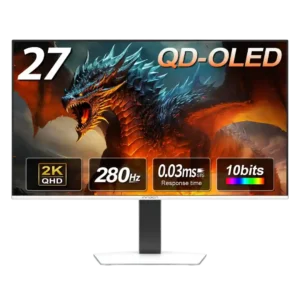
Black levels are a standout, staying truly dark instead of washing into gray and preserving detail in shadow-heavy scenes.
Pros: color gamut, overall picture quality
Cons: brightness, HDR performance

OLED produces exceptionally deep blacks, making night scenes and highlights more convincing.
Pros: competitive gaming suitability, refresh rate
Cons: Dual-mode versatility, GPU demands

Inky blacks are consistently a highlight, giving night scenes pronounced depth and helping bright objects stand apart.
Pros: brightness, color gamut
Cons: AI scene optimization, value for money

The dense mini-LED backlight creates convincingly dark scenes, even if OLED still has an edge for completely black pixels.
Pros: refresh rate, HDR performance
Cons: value for money, Device compatibility

Black levels are a major strength, with true pixel-off blacks and noticeably less purple lift in brighter rooms than older QD-OLED panels. DarkArmor does not eliminate ambient-light tint completely, but...
Pros: brightness, reflection handling
Cons: cable management

Deep, near-perfect OLED blacks make dark game scenes feel rich and dramatic, particularly when contrasted with vivid highlights.
Pros: overall satisfaction, contrast
Cons: value for money, port selection

Self-lit OLED pixels produce strikingly deep blacks in dark rooms, while the new coating reduces the old purple-black tint under room lighting. Strong direct light can still wash blacks somewhat.
Pros: brightness, value for money
Cons: port selection, built-in speakers

Per-pixel light control produces truly deep blacks in dim environments. Brighter rooms can still raise the perceived black floor despite the improved coating.
Pros: refresh rate, Text fringing
Cons: Resolution, GPU demands

The QD-OLED panel delivers exceptionally deep blacks in dark environments, and BlackShield reduces the old purple cast under room lighting. Bright light can still make blacks appear gray compared with...
Pros: overall satisfaction, black levels
Cons: value for money, stand adjustability

OLED delivers extremely deep blacks in controlled lighting, and BlackShield reduces the purple cast of older QD-OLEDs. In brighter rooms, blacks can still look gray.
Pros: color gamut, contrast
Cons: value for money, Resolution

With local dimming enabled, this IPS display can produce remarkably deep blacks. The unassisted panel's native contrast is much weaker, and small highlights sometimes lose brightness.
Pros: Resolution, Dual-mode versatility
Cons: value for money, GPU demands

Blacks look deeper and less gray than on standard IPS panels, helping dark interfaces and high-contrast work. They still lack the near-perfect depth of OLED, and matte coating can reduce...
Pros: productivity versatility, overall satisfaction
Cons: value for money, response time
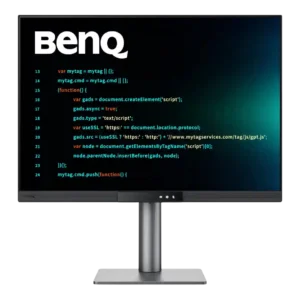
Blacks look noticeably deeper than on standard IPS panels, helping the screen feel richer and more immersive. Some greyish glow remains in very dark scenes and rooms.
Pros: productivity versatility, aspect ratio
Cons: value for money, competitive gaming suitability

Blacks look exceptionally deep in dark rooms, yet can take on a purple cast under strong ambient light. Some HDR configurations also crush the nearest dark shades.
Pros: PC gaming compatibility, reflection handling
Cons: color accuracy, VRR flicker

The glossy panel can make blacks appear rich, but testers also report that black areas take on a gray cast in darker rooms.
Pros: port selection, color accuracy
Cons: built-in speakers, speaker quality

Blacks lack the depth of OLED and can look gray, although some players find them decent once the monitor is tuned. Dark-scene richness is not the priority.
Pros: competitive gaming suitability, motion clarity
Cons: contrast, overall picture quality

Blacks generally look gray beside OLED and good Mini LED displays, although one test found better native IPS contrast than expected.
Pros: Resolution, sharpness
Cons: value for money, HDR performance

Bright ambient lighting can make QD-OLED blacks look gray instead of deep, weakening a major picture-quality advantage.
Pros: refresh rate, color accuracy
Cons: console gaming compatibility, DisplayPort connectivity

Blacks often look elevated or gray, especially in dark rooms. This IPS display cannot match OLED depth.
Pros: motion clarity, Backlight strobing
Cons: contrast, HDR performance

Blacks appear gray on the standard IPS LCD, limiting depth in dark scenes.
Pros: Monitor daisy-chaining, overall picture quality
Cons: value for money, refresh rate