If you want better Pixel density
Choose ASUS ROG Swift OLED PG32UCWM. It scores 5.0 vs 2.0 for Pixel density, with a 4.3 overall score.

The 360Hz QD-OLED panel delivers exceptional HDR gaming, responsive motion, and cleaner text than earlier ultrawides. Its 3440×1440 resolution is less sharp than 4K, and premium pricing remains a hurdle.
Gamers who want immersive ultrawide HDR and high-refresh responsiveness, particularly for cinematic games and fast PC play. Mixed work-and-play setups also benefit from cleaner text, KVM, and USB-C power.
Budget-focused buyers, people prioritizing very high pixel density for fine text, or dedicated esports players who prefer a smaller 16:9 display. Strong direct sunlight can also compromise perceived blacks.
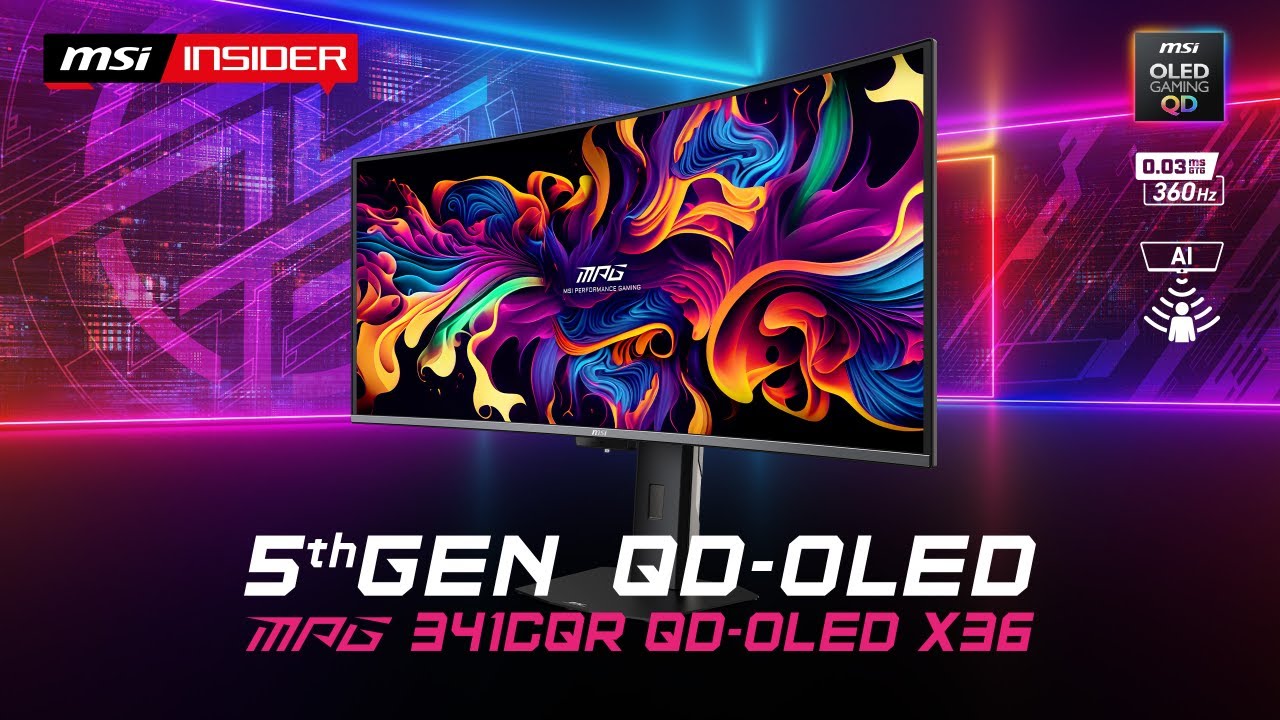
The MPG 341CQR QD-OLED X36 is a standout 34-inch gaming ultrawide, pairing 360Hz refresh with OLED response times and vivid, high-contrast HDR. Its newer RGB-stripe subpixels noticeably reduce colored fringing around fine text, while the improved screen coating makes QD-OLED blacks less susceptible to bright-room haze. Well-rounded connectivity, USB-C laptop charging, KVM, and an adjustable compact stand add everyday flexibility. There are meaningful tradeoffs: 3440×1440 stretches to only about 110 pixels per inch, so small text and detailed work look softer than on 4K displays. Bright outdoor scenes remain less punchy than the most luminous alternatives, and one early firmware version caused HDR mode-switching issues. Some sensor-driven brightness adjustments are distracting, and the monitor costs considerably more than LCD competitors. For immersive HDR games and high-frame-rate play, though, the overall experience is compelling.
Compared with other Monitors, this product is above average in Software privacy, screen coating durability, KVM switch performance, near average in reflection handling, Screen coating clarity, below average in Pixel density, Display-mode switching reliability, Resolution.
| Attribute | This product | Category average | Difference |
|---|---|---|---|
| Software privacy | 5.0 | 2.2 | +2.8 |
| Pixel density | 2.0 | 4.3 | -2.3 |
| screen coating durability | 5.0 | 3.0 | +2.0 |
| Display-mode switching reliability | 1.0 | 2.9 | -1.9 |
| KVM switch performance | 4.8 | 2.9 | +1.8 |
| Text fringing | 4.7 | 3.7 | +1.1 |
| warranty and support service | 5.0 | 3.6 | +1.4 |
| HDR performance | 4.3 | 3.2 | +1.0 |
Choose ASUS ROG Swift OLED PG32UCWM. It scores 5.0 vs 2.0 for Pixel density, with a 4.3 overall score.
Choose Asus ROG Swift 34 QD-OLED PG34WCDN. It scores 4.9 vs 4.0 for brightness, with a 4.5 overall score.
Choose ASUS ROG Strix OLED XG32UCWMG. It scores 5.0 vs 3.6 for Screen coating clarity, with a 4.2 overall score.
Choose ASUS ROG Strix OLED XG27AQWMG. It scores 5.0 vs 2.5 for Power efficiency, with a 4.4 overall score.
Compared with MSI MPG 341CQR QD-OLED X36
Yes. Reviewers praised exceptionally clear motion and low input latency, though reaching very high frame rates at ultrawide 1440p may require powerful graphics hardware.
HDR is one of its biggest strengths, with deep OLED blacks and brilliant small highlights. EOTF Boost offers a useful balance, while other HDR settings have tradeoffs and early firmware caveats.
Yes. The RGB-stripe subpixel layout greatly reduces colored text fringing, but 3440×1440 at 34 inches still looks less crisp than a 4K screen.
Its improved coating reduces the purple-gray glow seen on older QD-OLEDs. Reflections and raised blacks can still be noticeable under strong lighting or direct sunlight.
Yes. USB-C supports video and up to 98W power delivery, and the KVM feature can simplify sharing peripherals between connected computers.
OLED Care includes pixel shifts, interface-element dimming, refresh cycles, and presence sensing. A three-year warranty includes burn-in coverage, but long-term static content still calls for care.
These are a few of the reviews included in our analysis.


The MSI MPG 341CQR QD-OLED X36 features a brand-new 5th generation panel with improved subpixel layout, brightness, coating and more!
The MSI MPG 341CQR QD-OLED X36 delivers stunning visuals and exceptional speed in a 360Hz ultra-wide monitor package.
MSI MPG 341CQR QD-OLED X36 34" pros and cons. Liked: New V-Stripe (RGB Stripe) subpixel layout gives much better text clarity compared to...
The MSI MPG 341CQR isn’t quite perfect, but it delivers great image quality and plenty of features at an attractive price. That makes it easy...
The MSI MPG 341CQR QD-OLED X36 is a premium ultrawide OLED gaming monitor. It uses a fifth-gen QD-OLED panel with a 360Hz refresh rate...

This 360Hz QD-OLED ultrawide delivers exceptional gaming motion, vibrant HDR and dramatically cleaner text. Its high price, less-than-perfect bright-room blacks and occasional HDR dimming are the main reasons to hesitate.
Pros: color gamut, contrast
Cons: value for money, Resolution

The 360Hz QD-OLED panel delivers exceptional HDR gaming, responsive motion, and cleaner text than earlier ultrawides. Its 3440×1440 resolution is less sharp than 4K, and premium pricing remains a hurdle.
Pros: refresh rate, Text fringing
Cons: Resolution, GPU demands

A huge, sharp ultrawide workspace and unusually capable Thunderbolt dock make the U4025QW outstanding for demanding productivity and editing. Its high price, modest HDR, and imperfect motion handling keep it...
Pros: overall picture quality, color accuracy
Cons: value for money, built-in speakers

Lightning-fast 360Hz OLED gaming, rich color and an unusually flexible USB-C/KVM setup are the big draws. Strong room lighting, limited full-screen HDR brightness and static-content burn-in concerns keep it from...
Pros: color gamut, overall satisfaction
Cons: reflection handling, VRR flicker