Best for black equalizer performance
ASUS ROG Swift OLED PG27AQWP-W
5.0 attribute score
Highest scored product for this attribute based on supporting review evidence.

Highest scored product for this attribute based on supporting review evidence.
Balances the attribute score, supporting reviews, and overall product strength.
Has the broadest review evidence for this attribute.
Strongest overall product among items with scored evidence for this attribute.

Overall: 4.1/5
Shadow Boost is viewed as useful in tactical games for revealing dark-area opponents without overexposing the whole screen.
Pros: Pixel density, Resolution
Cons: GPU demands, HDR performance

Overall: 4.2/5
Shadow Boost can reveal opponents hidden in darker parts of games, a useful competitive aid.
Pros: overall satisfaction, black levels
Cons: reflection handling, Color brightness

Overall: 4.3/5
Dynamic shadow boost can raise dark-area visibility without brightening the entire image as aggressively as a simple fixed boost.
Pros: black levels, motion clarity
Cons: value for money, Dual-mode versatility
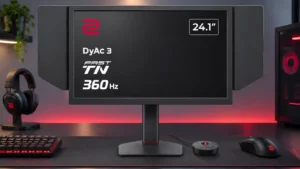
Overall: 3.8/5
The adjustable Black eQualizer can help enemy models stand apart from their surroundings, making it a practical visibility control for competitive matches.
Pros: competitive gaming suitability, motion clarity
Cons: contrast, overall picture quality

Overall: 4.1/5
The black stabilizer can reveal hidden details in dark scenes, a useful assist in competitive games.
Pros: overall satisfaction, value for money
Cons: reflection handling, screen uniformity

Overall: 4.1/5
The black stabilizer can make dark objects easier to distinguish without unnecessarily lifting the OLED black floor.
Pros: Resolution, overall satisfaction
Cons: value for money, Image scaling

Overall: 3.5/5
Adjustable shadow boosting helps uncover dark details in games and films without simply raising the entire black point.
Pros: Resolution, sharpness
Cons: value for money, HDR performance

Overall: 4.0/5
Shadow controls can reveal hidden dark detail without sacrificing the panel's absolute black capability, useful for dark games.
Pros: value for money, overall satisfaction
Cons: HDR performance, HDMI 2.1 support

Overall: 4.4/5
The Dark Stabilizer can reveal enemies and objects in shadowy games without lifting blacks completely. Higher levels sacrifice some dark-scene atmosphere.
Pros: brightness, value for money
Cons: port selection, built-in speakers

Overall: 4.3/5
Shadow Boost can reveal detail in dark SDR scenes, and adaptive gaming controls can raise visibility where darker areas would otherwise hide objects.
Pros: black levels, sharpness
Cons: value for money, brightness

Overall: 4.4/5
Shadow Boost makes opponents hiding in dark areas easier to spot without demanding a separate software workaround.
Pros: sharpness, overall satisfaction
Cons: value for money, VRR flicker

Overall: 4.4/5
The Local Contrast option lifts darker tones to keep text legible at very low brightness. It pairs especially well with the monitor’s night-focused comfort features.
Pros: productivity versatility, aspect ratio
Cons: value for money, competitive gaming suitability

Overall: 4.0/5
Dark-scene adjustment can uncover otherwise hidden shadow details, although aggressive settings lift blacks and alter the intended image.
Pros: brightness, contrast
Cons: Text fringing, speaker quality

Overall: 4.4/5
Adjustable Shadow Boost can expose dark gameplay details without excessively washing out highlights.
Pros: color gamut, overall satisfaction
Cons: reflection handling, VRR flicker

Overall: 4.0/5
Shadow-lifting adjustments can uncover hidden details in darker games and partly offset occasional near-black crushing.
Pros: refresh rate, competitive gaming suitability
Cons: value for money, brightness

Overall: 4.2/5
Dark Stabilizer and the shadow-enhancement options can expose opponents or details in dim game areas without dramatically lifting all the blacks.
Pros: competitive gaming suitability, color gamut
Cons: brightness, HDMI 2.1 support

Overall: 4.4/5
AI Vision can lift shadow detail without raising the black floor, helping players see into dark areas while preserving OLED blacks.
Pros: brightness, reflection handling
Cons: cable management
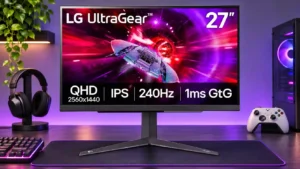
Overall: 4.2/5
The black stabilizer can lift shadow visibility to make opponents easier to spot, a practical gaming adjustment rather than a cure for poor native contrast.
Pros: refresh rate, overall satisfaction
Cons: HDR performance, contrast

Overall: 3.6/5
Black Stabilizer can lift visibility or help adjust shadow tones in dark games, although it cannot completely repair underlying HDR tracking errors.
Pros: reflection handling, HDR performance
Cons: screen uniformity, Screen coating clarity
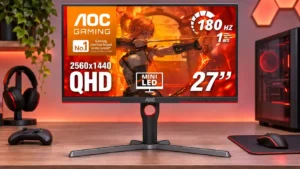
Overall: 3.9/5
Shadow Control can lift dark areas to make opponents easier to spot, though it is a fairly standard gaming adjustment.
Pros: value for money, HDR performance
Cons: on-screen display usability, port selection

Overall: 4.4/5
Dark-scene visibility aids can make opponents easier to distinguish, although much of the improvement comes from OLED contrast rather than a dedicated filter.
Pros: overall satisfaction, response time
Cons: reflection handling, VRR flicker

Overall: 3.9/5
Shadow Boost lifts darker gray detail and helps reveal objects in dim game environments, though it cannot fix native IPS black depth.
Pros: motion clarity, Backlight strobing
Cons: contrast, HDR performance

Overall: 4.3/5
Black-equalizer-like visibility tools were considered useful for games with poor visibility or reticle settings.
Pros: value for money, sharpness
Cons: brightness, USB hub functionality

Overall: 3.9/5
The dark stabilizer can brighten shadowed areas for play, offering a useful visibility adjustment.
Pros: Resolution, refresh rate
Cons: HDR performance, contrast

Overall: 3.8/5
The Dark Stabilizer helps reveal opponents and details lost in unusually dark shadows; default settings may obscure them.
Pros: value for money, panel type
Cons: brightness, port selection

Overall: 4.2/5
The dark stabilizer helps brighten shadowed areas so enemies are easier to spot.
Pros: refresh rate, HDR performance
Cons: reflection handling, Text fringing

Overall: 4.2/5
A dark stabilizer can lift shadowed game areas to make opponents easier to spot, a useful if basic gaming adjustment.
Pros: overall picture quality, overall satisfaction
Cons: port selection, brightness

Overall: 4.1/5
AI Black Equalizer successfully reveals enemies hidden in dark areas. It is useful for competitive play, though more specialized than essential.
Pros: motion clarity, PC gaming compatibility
Cons: color accuracy, software support

Overall: 3.6/5
Black Stabilizer is presented as a helpful way to improve visibility in dark gaming scenes, adding a practical competitive-game control.
Pros: refresh rate, value for money
Cons: HDR performance, contrast

Overall: 3.6/5
Black Stabilizer helps reveal targets and details in dim scenes. It is a useful additional gaming control.
Pros: refresh rate, Dual-mode versatility
Cons: motion clarity, black levels

Overall: 3.7/5
The dark-area brightening aid can make opponents easier to see in shadowy scenes. It is a practical gaming control alongside the monitor's more experimental 3D options.
Pros: glasses-free 3D quality, AI 2D-to-3D conversion
Cons: 3D compatible game library, value for money

Overall: 4.2/5
Adjusting shadow lift can expose opponents in dark areas without increasing overall brightness. It takes experimentation to balance visibility against accuracy.
Pros: reflection handling, color gamut
Cons: value for money, brightness
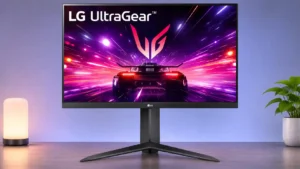
Overall: 3.3/5
Black Stabilizer makes opponents in shadows easier to see without an overly aggressive effect. The tradeoff is grayer blacks and weaker contrast.
Pros: adaptive sync performance, response time
Cons: HDR performance, console gaming compatibility

Overall: 4.2/5
The shadow-boost control can reveal darker content, although raising it too far washes out blacks; a slight negative SDR adjustment can improve perceived contrast.
Pros: HDR performance, overall satisfaction
Cons: HDR highlight detail, color accuracy

Overall: 4.0/5
Shadow-boosting tools can make enemies easier to spot, but lifting blacks can undermine cinematic atmosphere.
Pros: overall satisfaction, DisplayPort connectivity
Cons: value for money, reliability over time

Overall: 4.2/5
Black equalizer tools can reveal enemies in shadows, but stronger settings may wash out the image. There is a clear tradeoff between visibility and OLED contrast.
Pros: refresh rate, overall satisfaction
Cons: value for money, port selection

Overall: 4.2/5
Shadow controls are useful for recovering crushed detail in SDR and HDR, but the dedicated dark-boost effect is weaker than some rivals.
Pros: brightness, HDR performance
Cons: speaker quality, built-in speakers

Overall: 3.9/5
Night Vision can make dark environments easier to inspect, but its basic shadow adjustment trails better-tuned rival solutions.
Pros: HDR performance, black levels
Cons: viewing angles, response time

Overall: 3.8/5
Shadow Boost makes dark details easier to see, though pushing those shadows can spoil the atmosphere of some games.
Pros: value for money, Resolution
Cons: HDR performance, port selection

Overall: 4.5/5
Shadow Boost can make darker SDR game areas easier to inspect, but its strongest dynamic setting also alters midtones noticeably.
Pros: color gamut, contrast
Cons: value for money, Resolution

Overall: 4.2/5
Shadow Boost can help reveal some darker game details, but changes affect midtones more than the darkest shades and can make parts of the picture unnaturally bright.
Pros: overall satisfaction, black levels
Cons: value for money, stand adjustability

Overall: 3.7/5
Shadow enhancement offers some useful adjustment, but stronger settings wash out the screen instead of selectively brightening dark areas.
Pros: overall satisfaction, PC gaming compatibility
Cons: color accuracy, local dimming performance

Overall: 4.2/5
Dark-scene boosting may make some gameplay objects easier to see, but can alter the intended visual balance.
Pros: HDR performance, DisplayPort connectivity
Cons: value for money, brightness

Overall: 4.1/5
Shadow controls can bring hidden dark objects into view, but aggressive settings wash out the contrast that makes OLED attractive.
Pros: PC gaming compatibility, reflection handling
Cons: color accuracy, VRR flicker

Overall: 3.6/5
Dark Stabilizer can reveal more shadow information, but higher settings lift blacks enough to undermine the signature OLED look.
Pros: overall satisfaction, brightness
Cons: Dolby Vision support, VRR flicker

Overall: 3.7/5
Brightening dark detail may make shadowed areas easier to read, at the expense of the panel's natural contrast.
Pros: ultrawide gaming experience, black levels
Cons: HDR performance, viewing angles

Overall: 3.8/5
HDR disables the dark-stabilizer adjustment, reducing control over shadow visibility when HDR is active.
Pros: value for money, Resolution
Cons: port selection, HDR performance
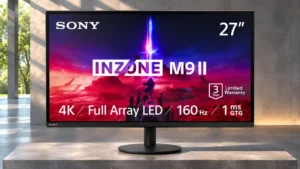
Overall: 3.9/5
Black Equalizer can help reveal hidden opponents in SDR, but the control is unavailable in HDR, reducing its usefulness with high-dynamic-range gaming.
Pros: color gamut, stand adjustability
Cons: value for money, Bass reproduction