#1
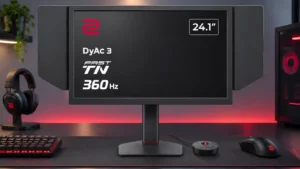
Overall: 3.8/5
The adjustable Black eQualizer can help enemy models stand apart from their surroundings, making it a practical visibility control for competitive matches.
Pros: competitive gaming suitability, motion clarity
Cons: contrast, overall picture quality
#2

Overall: 4.1/5
The black stabilizer can make dark objects easier to distinguish without unnecessarily lifting the OLED black floor.
Pros: Resolution, overall satisfaction
Cons: value for money, Image scaling
#3

Overall: 3.5/5
Adjustable shadow boosting helps uncover dark details in games and films without simply raising the entire black point.
Pros: Resolution, sharpness
Cons: value for money, HDR performance
#4

Overall: 4.4/5
The Dark Stabilizer can reveal enemies and objects in shadowy games without lifting blacks completely. Higher levels sacrifice some dark-scene atmosphere.
Pros: brightness, value for money
Cons: port selection, built-in speakers
#5

Overall: 4.3/5
Shadow Boost can reveal detail in dark SDR scenes, and adaptive gaming controls can raise visibility where darker areas would otherwise hide objects.
Pros: black levels, sharpness
Cons: value for money, brightness
#6

Overall: 4.4/5
The Local Contrast option lifts darker tones to keep text legible at very low brightness. It pairs especially well with the monitor’s night-focused comfort features.
Pros: productivity versatility, aspect ratio
Cons: value for money, competitive gaming suitability
#7

Overall: 4.4/5
AI Vision can lift shadow detail without raising the black floor, helping players see into dark areas while preserving OLED blacks.
Pros: brightness, reflection handling
Cons: cable management
#8

Overall: 3.9/5
Shadow Boost lifts darker gray detail and helps reveal objects in dim game environments, though it cannot fix native IPS black depth.
Pros: motion clarity, Backlight strobing
Cons: contrast, HDR performance
#9

Overall: 3.8/5
The Dark Stabilizer helps reveal opponents and details lost in unusually dark shadows; default settings may obscure them.
Pros: value for money, panel type
Cons: brightness, port selection
#10

Overall: 4.5/5
Shadow Boost can make darker SDR game areas easier to inspect, but its strongest dynamic setting also alters midtones noticeably.
Pros: color gamut, contrast
Cons: value for money, Resolution
#11

Overall: 4.2/5
Shadow Boost can help reveal some darker game details, but changes affect midtones more than the darkest shades and can make parts of the picture unnaturally bright.
Pros: overall satisfaction, black levels
Cons: value for money, stand adjustability
#12

Overall: 4.1/5
Shadow controls can bring hidden dark objects into view, but aggressive settings wash out the contrast that makes OLED attractive.
Pros: PC gaming compatibility, reflection handling
Cons: color accuracy, VRR flicker
